This article covers the Order history tab in the Store section.
We recommend reading the article: Store section overview
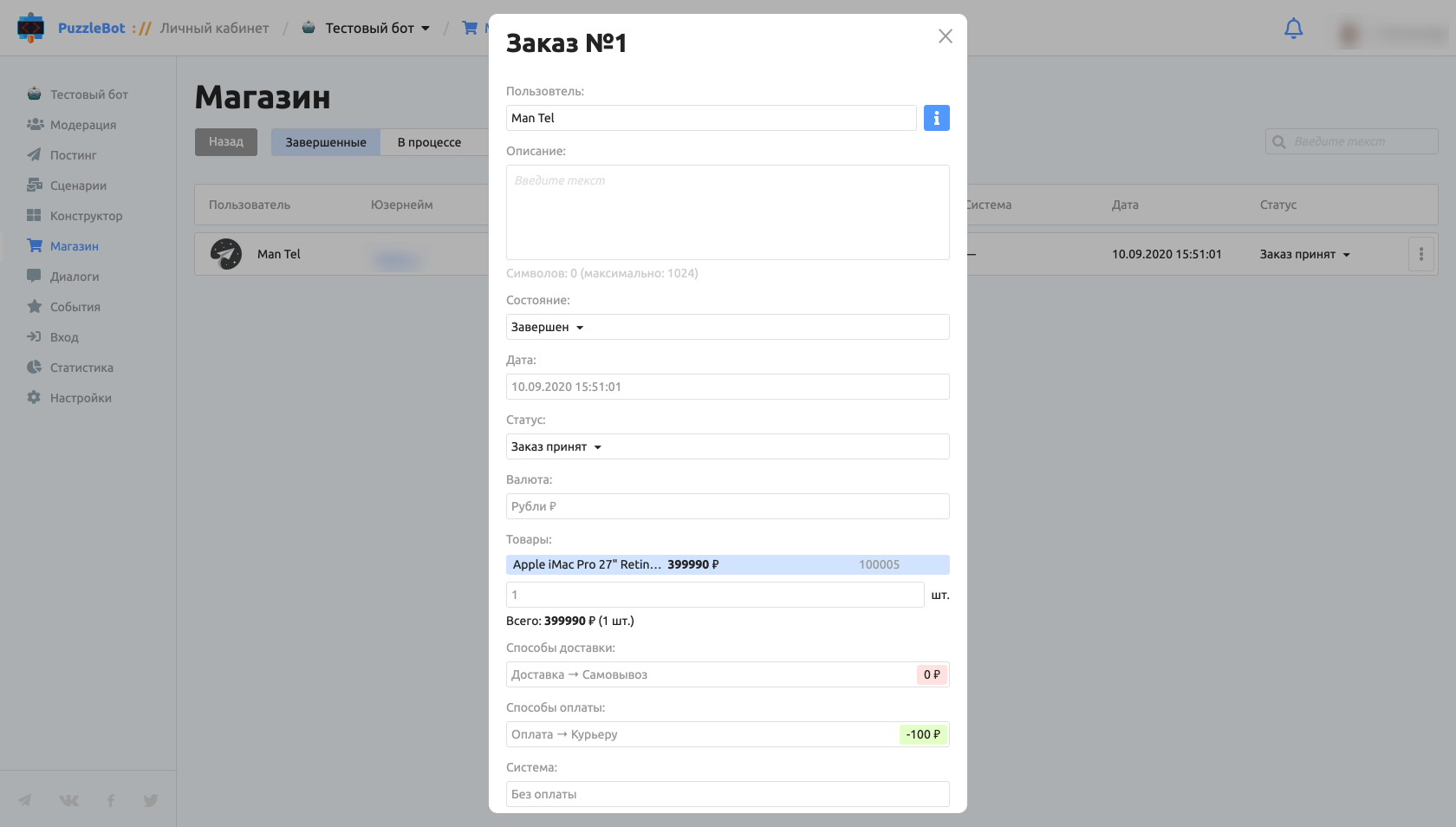
An order can be in one of 4 states:
Completed — orders that have gone through all stages.
In progress — users' carts shown in real time. The bot administrator can make changes to orders in the In progress state.
Awaiting payment — orders that have not yet been paid through the configured payment services.
Canceled — orders canceled by the users themselves or by the bot administrator.
Order parameters:
User.
Description — not shown to the user.
State.
Date.
Status — lets you set the order status and notify the user when it changes. Learn more: Store section overview.
Currency.
Products.
Delivery method.
Payment method.
System — for payments made in the bot, shows the selected payment system.