Before adding a bot to puzzlebot, register on the Max for Partners portal, create a bot and pass moderation.
Learn more: How to create a new bot in Max
Once you have created the bot in Max, go back to the Max for Partners platform — https://business.max.ru
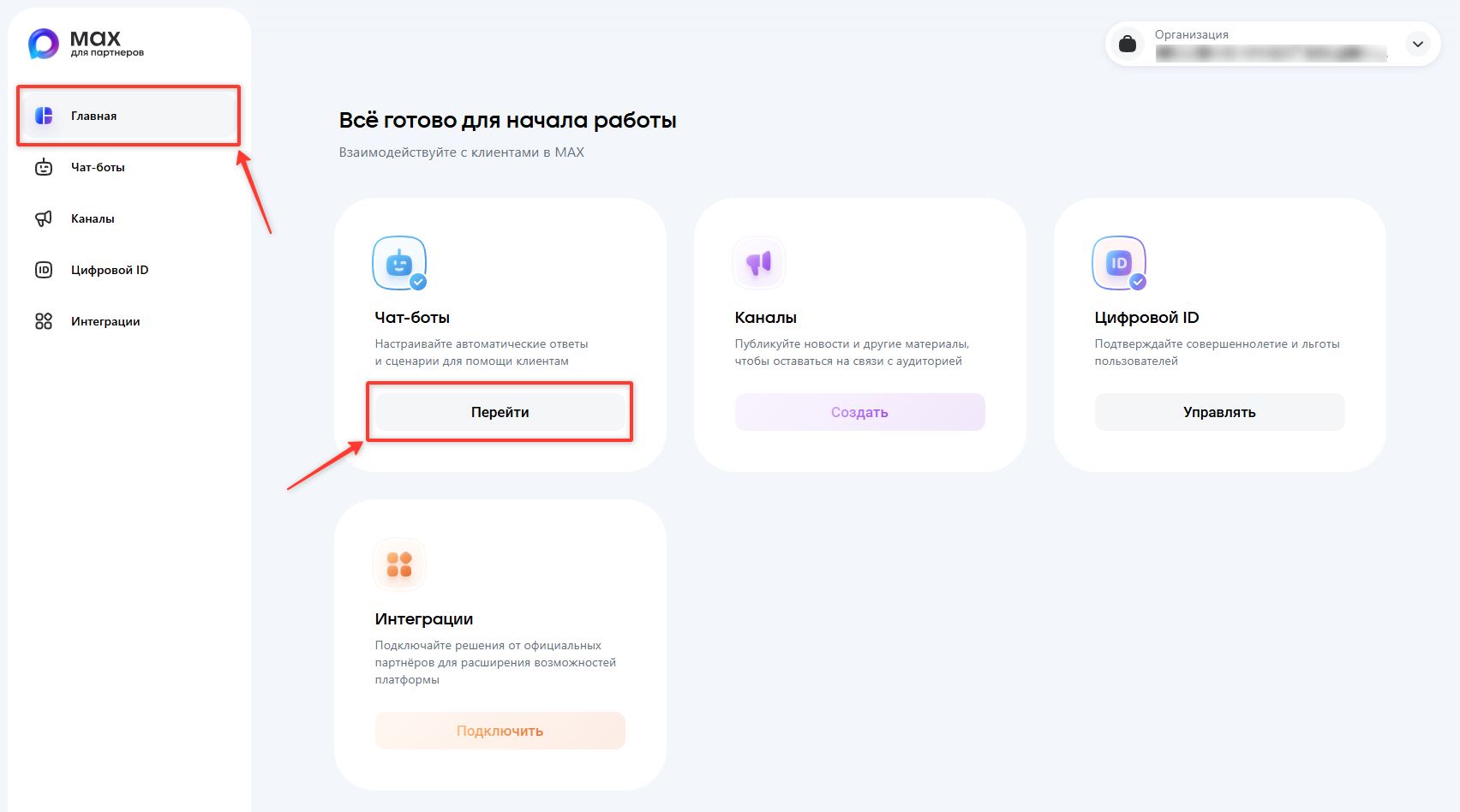
1. On the home page, in the Chatbots block, click Go
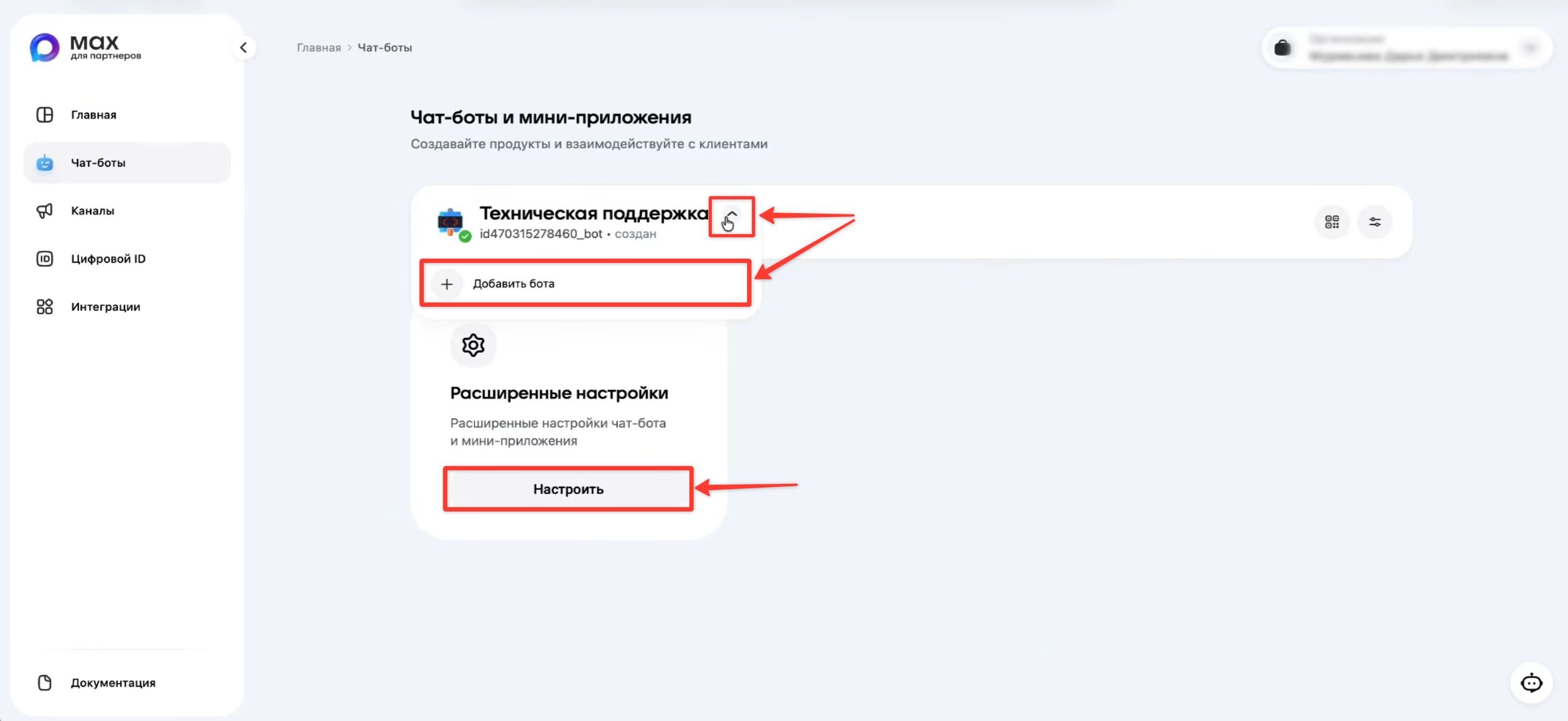
2. Click Configure to get the bot token. If you need to create a new bot, click Add bot.
Legal entities and sole proprietors can create up to 5 bots, and self-employed individuals up to 2 bots.
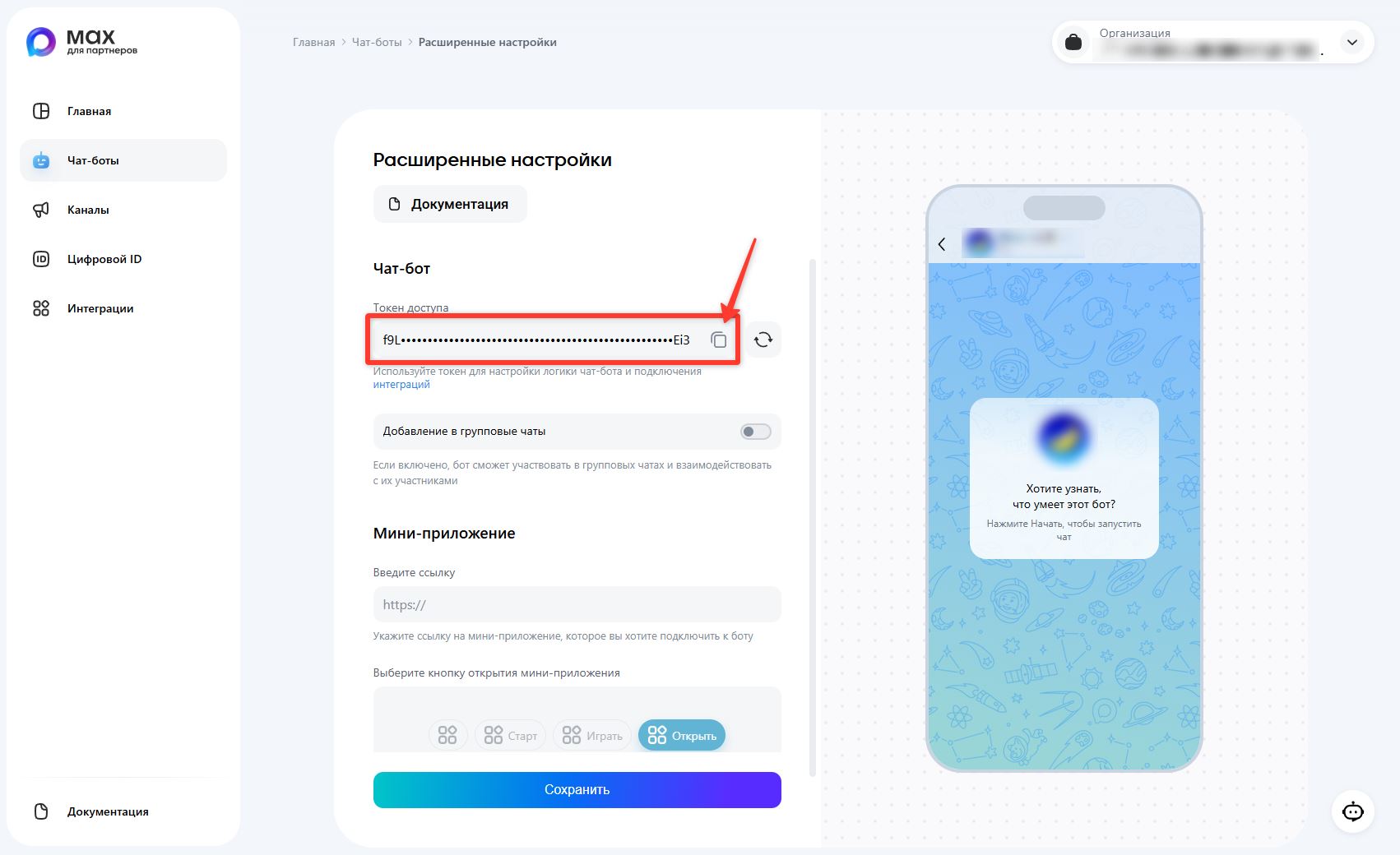
3. Click the copy button to the right of the token.
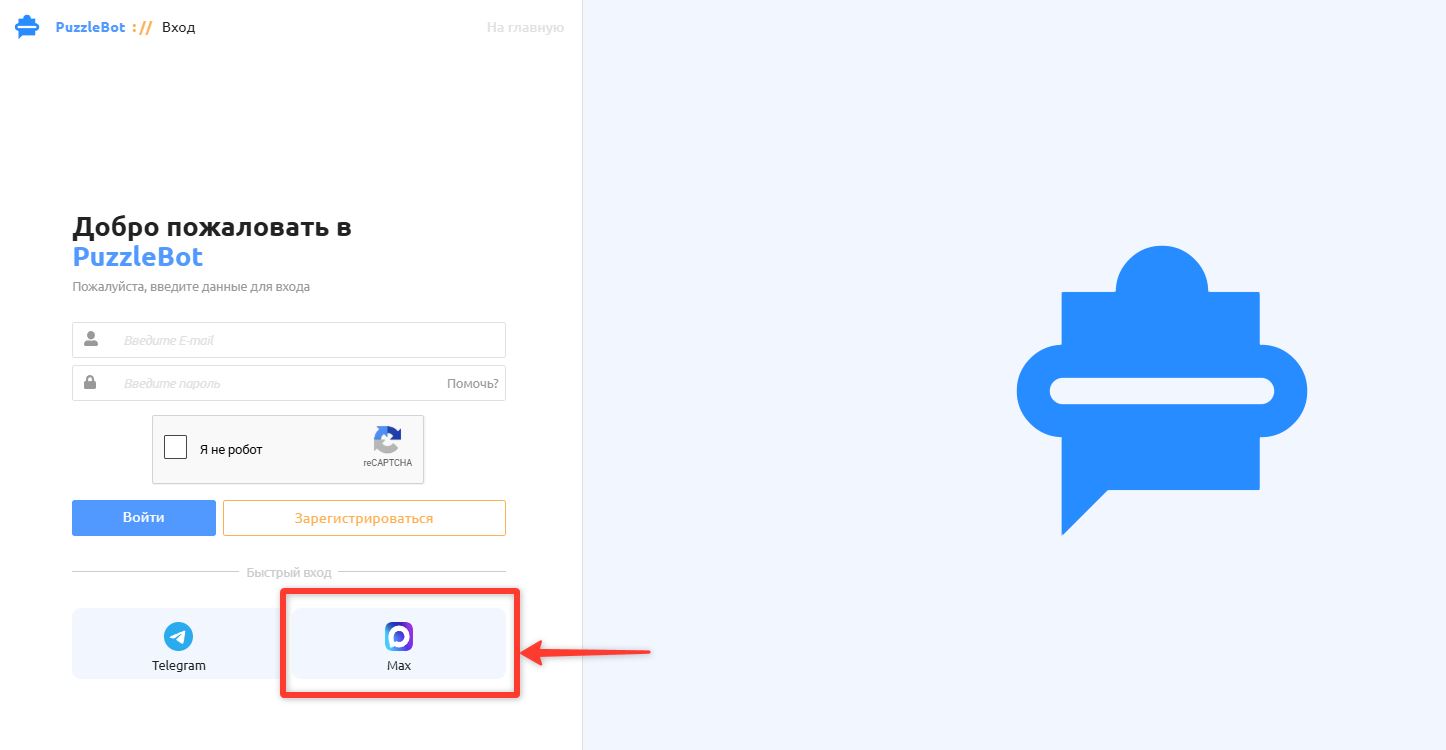
4. Log in to your puzzlebot account — https://cp.puzzlebot.top/login
Click Max to log in or sign up quickly, or log in to your account if you already have one.
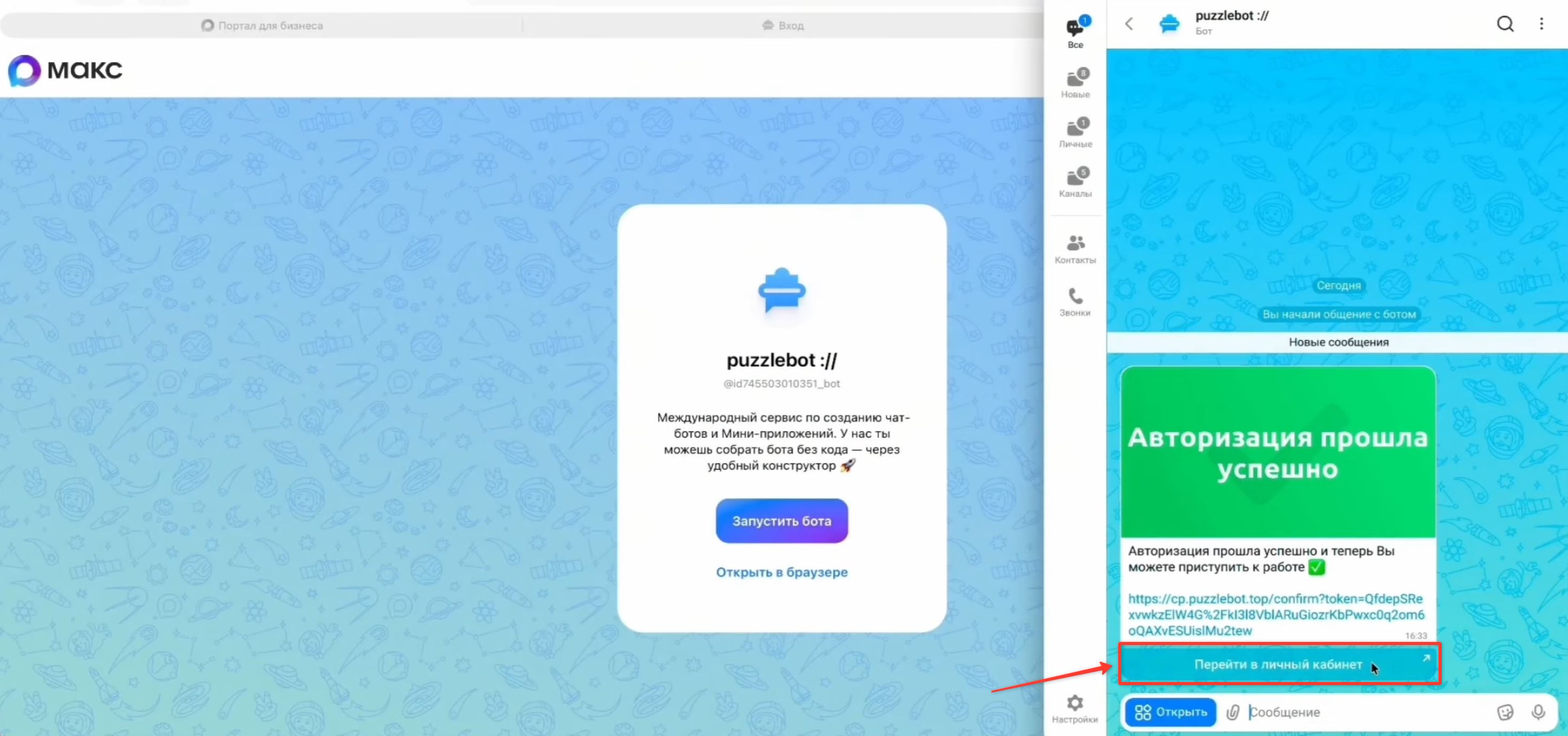
5. When you log in via Max or Telegram, you will receive a message in the messenger with a login button. Tap "Go to your account", or open the link in any browser.
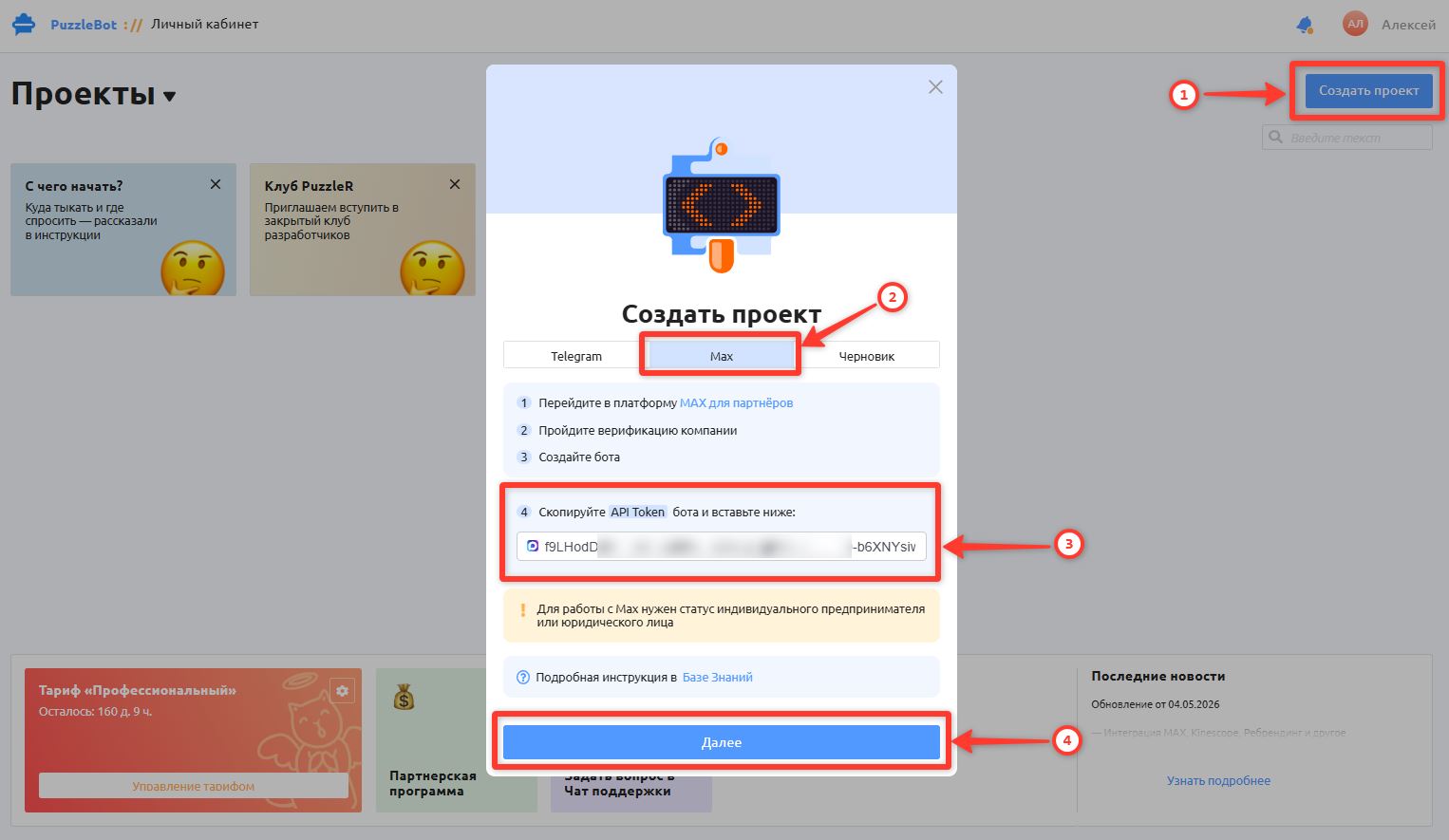
6. In your puzzlebot account, click Create project → select Max → paste the copied token of your Max bot → click Next to go to the next step.
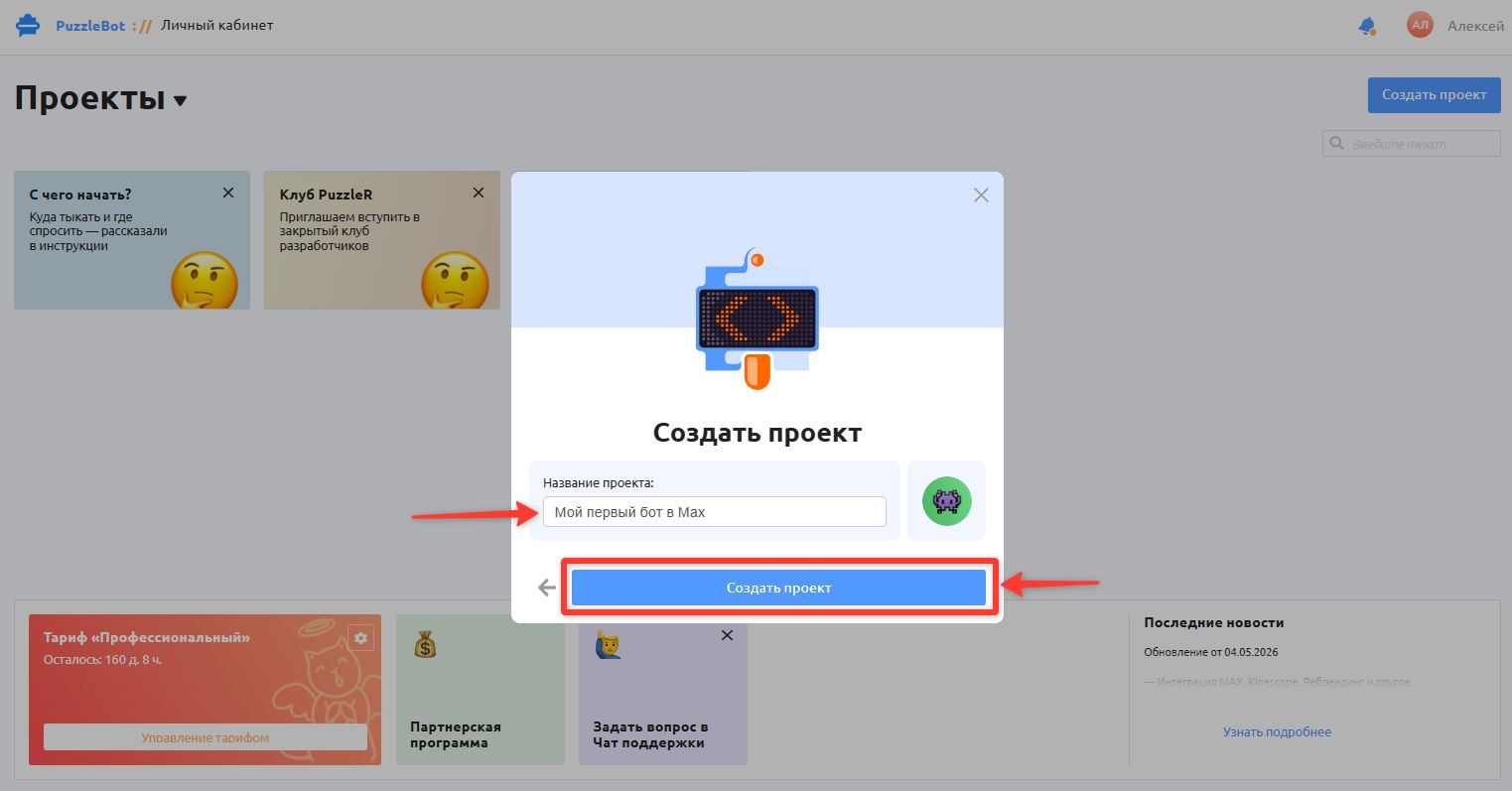
7. Enter the Project name and click Create project.
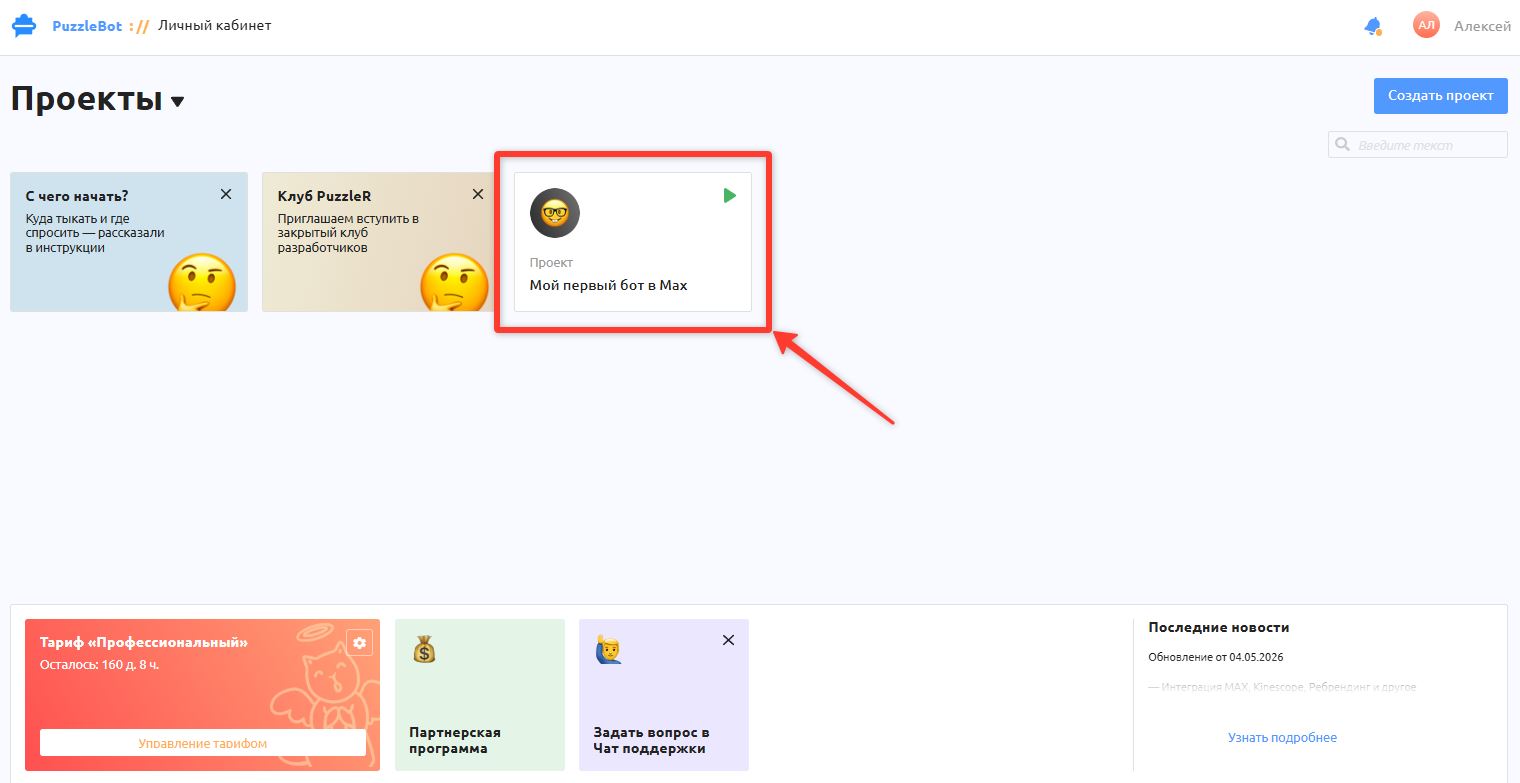
8. You have created a project with your Max bot. The project will appear on the home page of your puzzlebot account.
You can now open the project to continue the setup and create commands in the bot.
Learn more: Constructor section overview
To add a mini app in Max, use the following article: