In this article we walk through creating a variable that calculates an amount in the TON cryptocurrency at the current exchange rate.
Learn more about how variables work: Variables section overview.
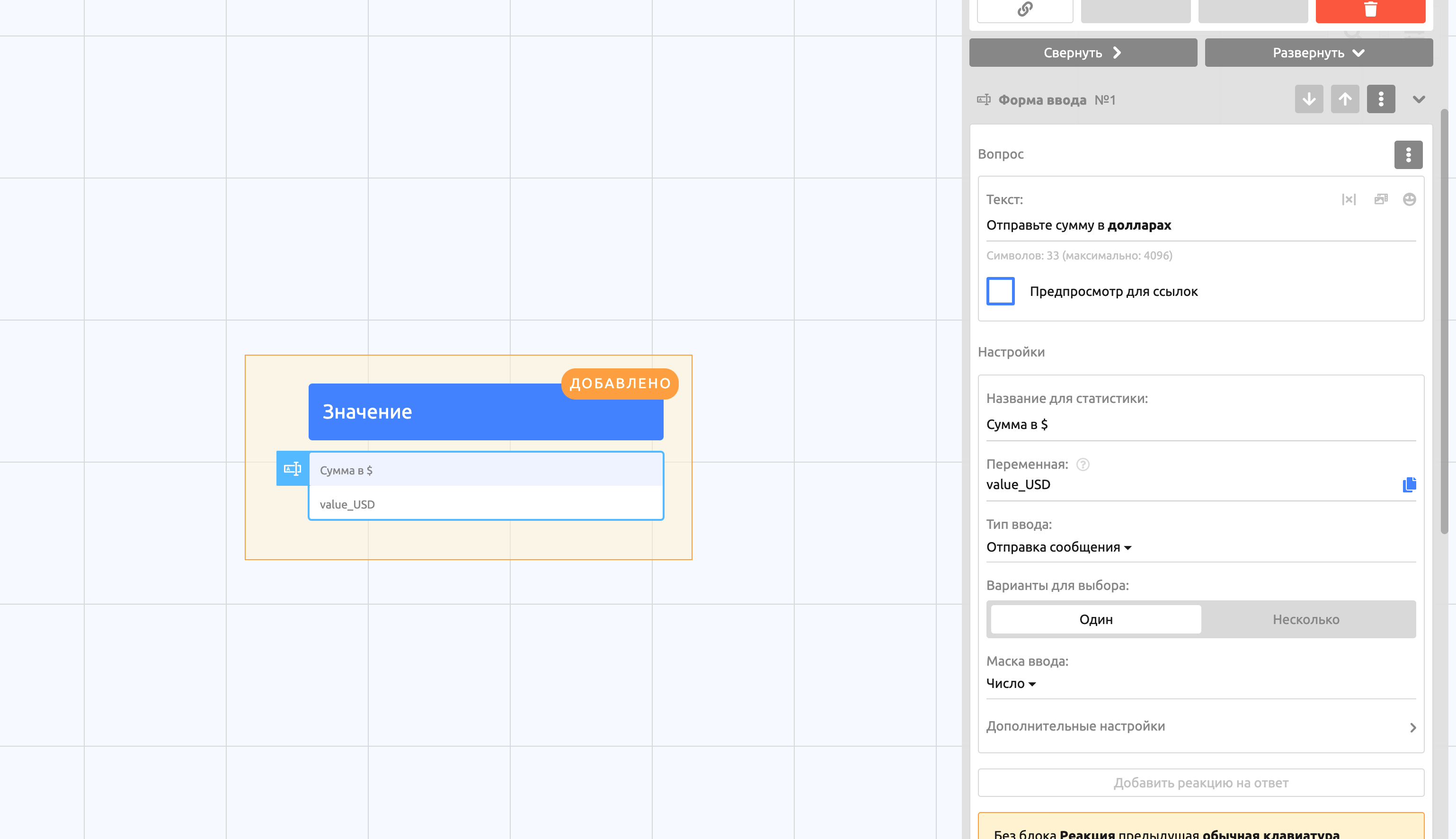
1. Create an input form to record the required amount in dollars. Name the variable {{value_USD}}.
2. Create a variable that will store the TON exchange rate. To do this, use the free CoinGecko API.
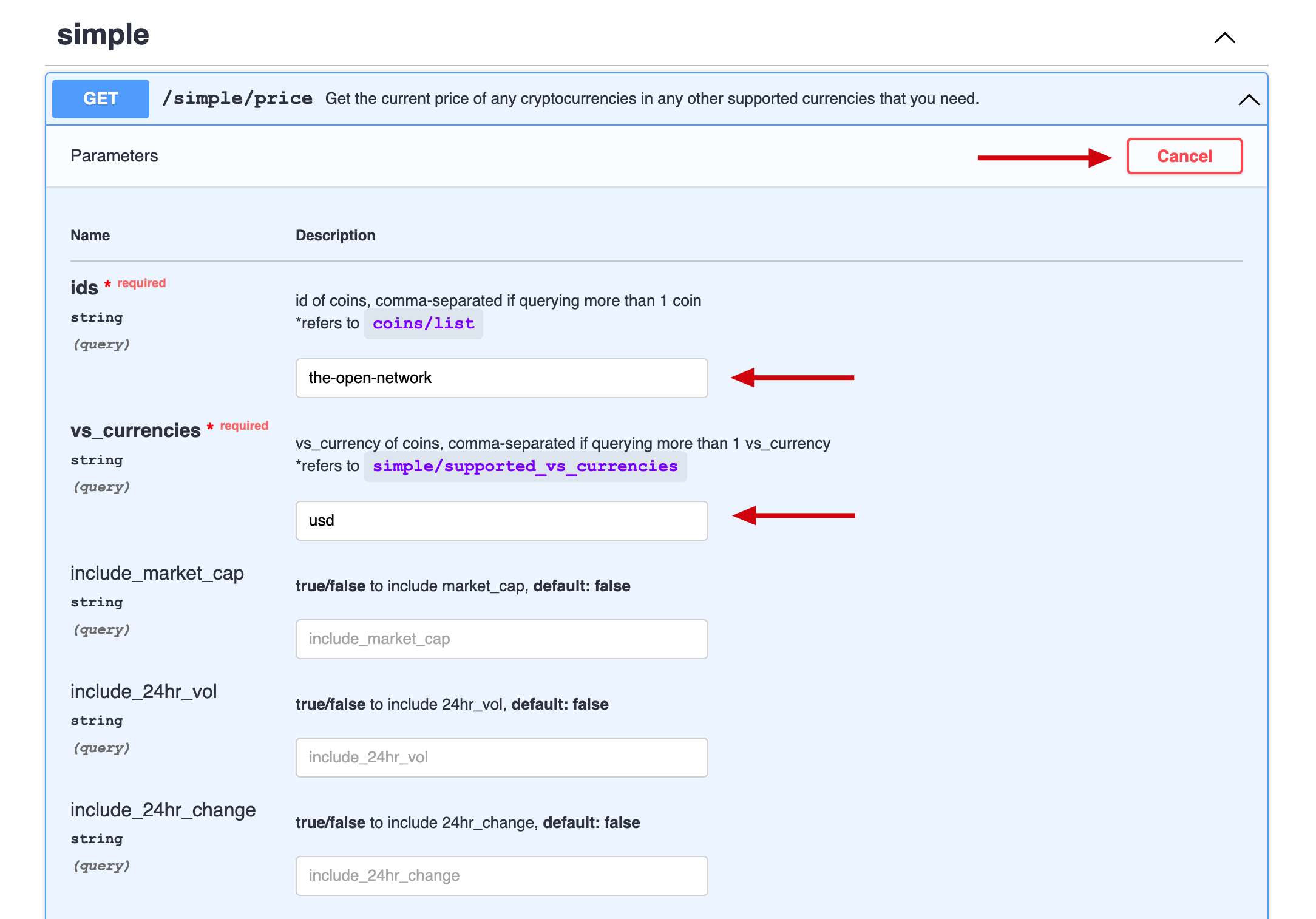
Go to the documentation site https://www.coingecko.com/en/api/documentation.
Expand the simple "/simple/price" list.
Click Try it out.
Fill in the required fields:
ids =
the-open-network(taken from the URL of the cryptocurrency page https://www.coingecko.com/en/coins/the-open-network).vs_currencies =
usd.
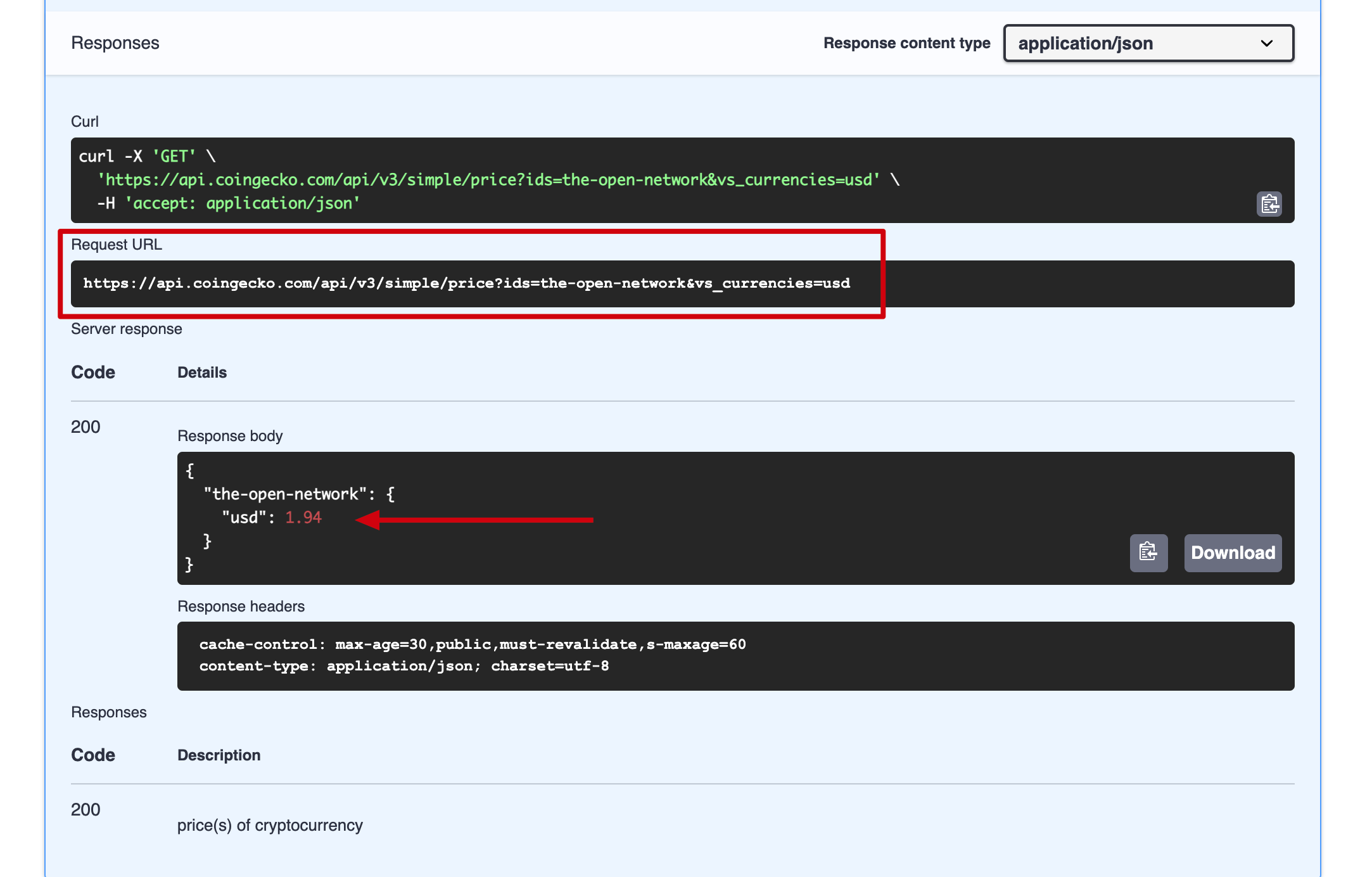
3. Check the result and copy the URL: https://api.coingecko.com/api/v3/simple/price?ids=the-open-network&vs_currencies=usd
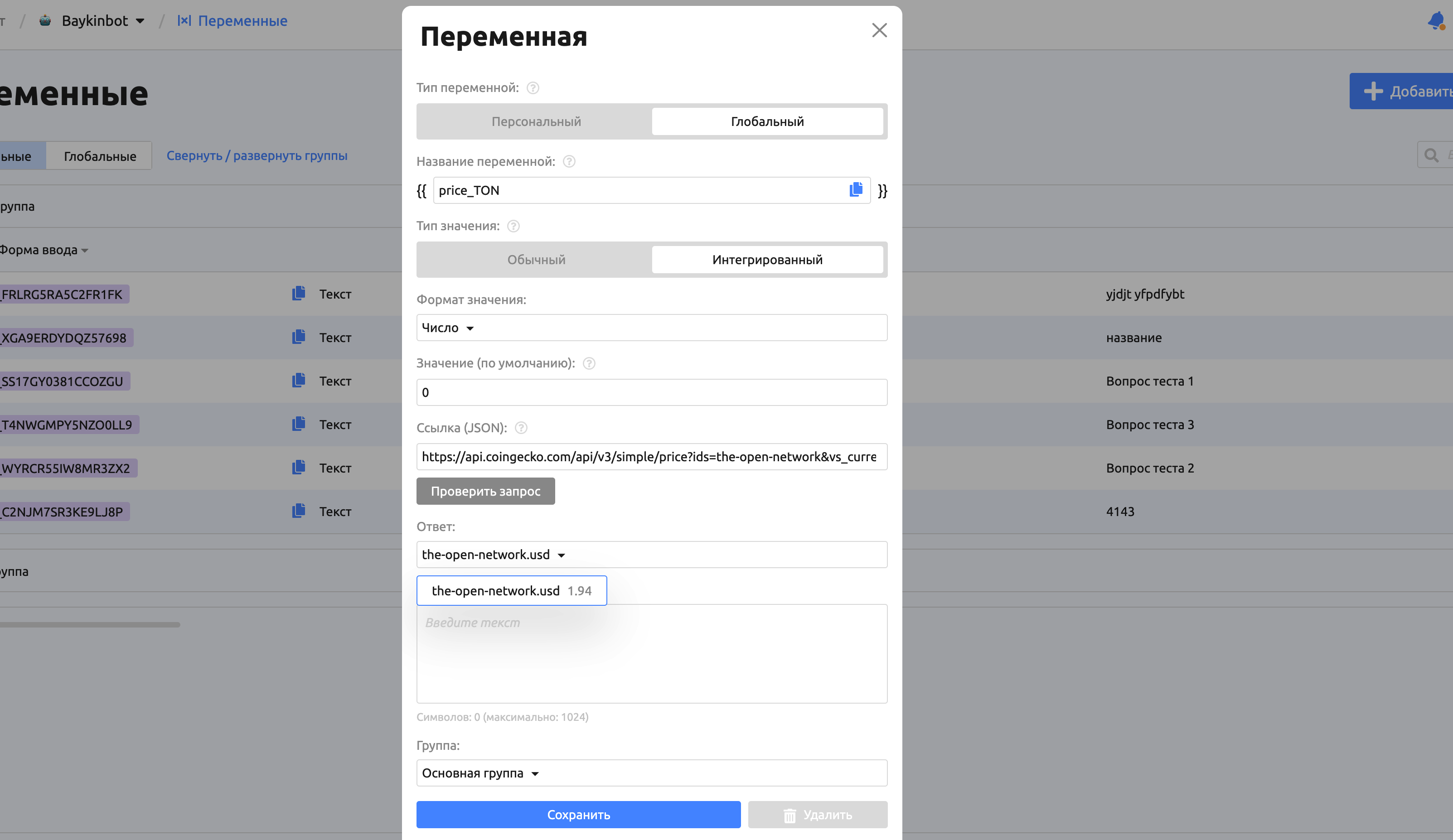
4. Create a global integrated variable on the Variables tab.
Select the Global type, because this value is the same for every user.
Enter the name
{{price_TON}}.Select the Integrated value type, because the value will come from a third-party service.
Value format: Number.
Set the default value to 0.
Paste the JSON link:
https://api.coingecko.com/api/v3/simple/price?ids=the-open-network&vs_currencies=usd.Click Check request.
Select the response that contains the exchange rate.
Save the variable.
Important! In this example the JSON request returns only 1 response. In other cases, expand the list in the Response field and select the response you need.
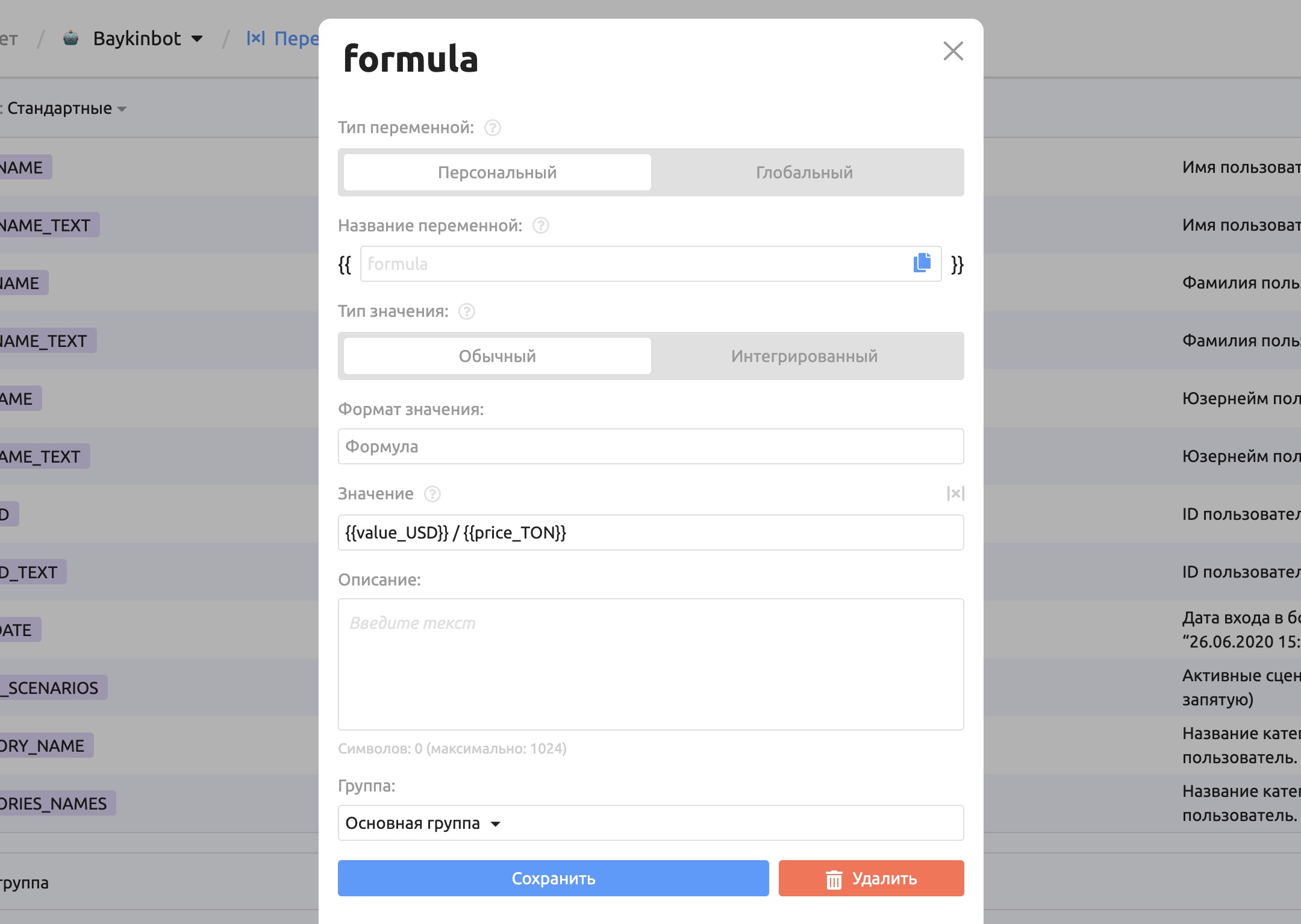
5. Create a personal variable with the "Formula" value format.
Select the Personal type, because the variable will use a formula with another personal variable.
Enter the name
{{formula}}.Value format: Formula.
Enter the expression:
{{value_USD}} / {{price_TON}}.Save the variable.
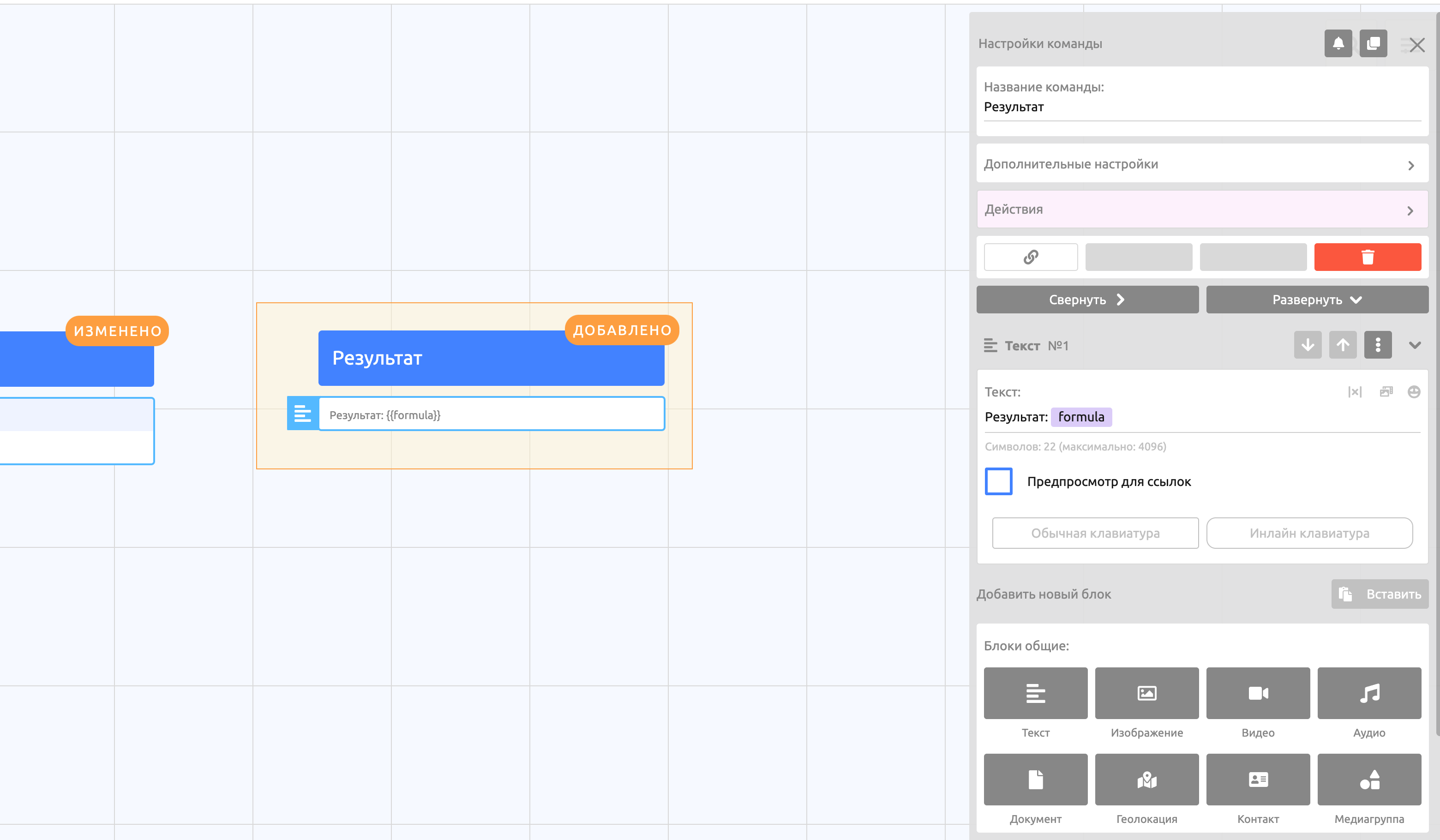
6. Create a second command that outputs the result of the {{formula}} variable.
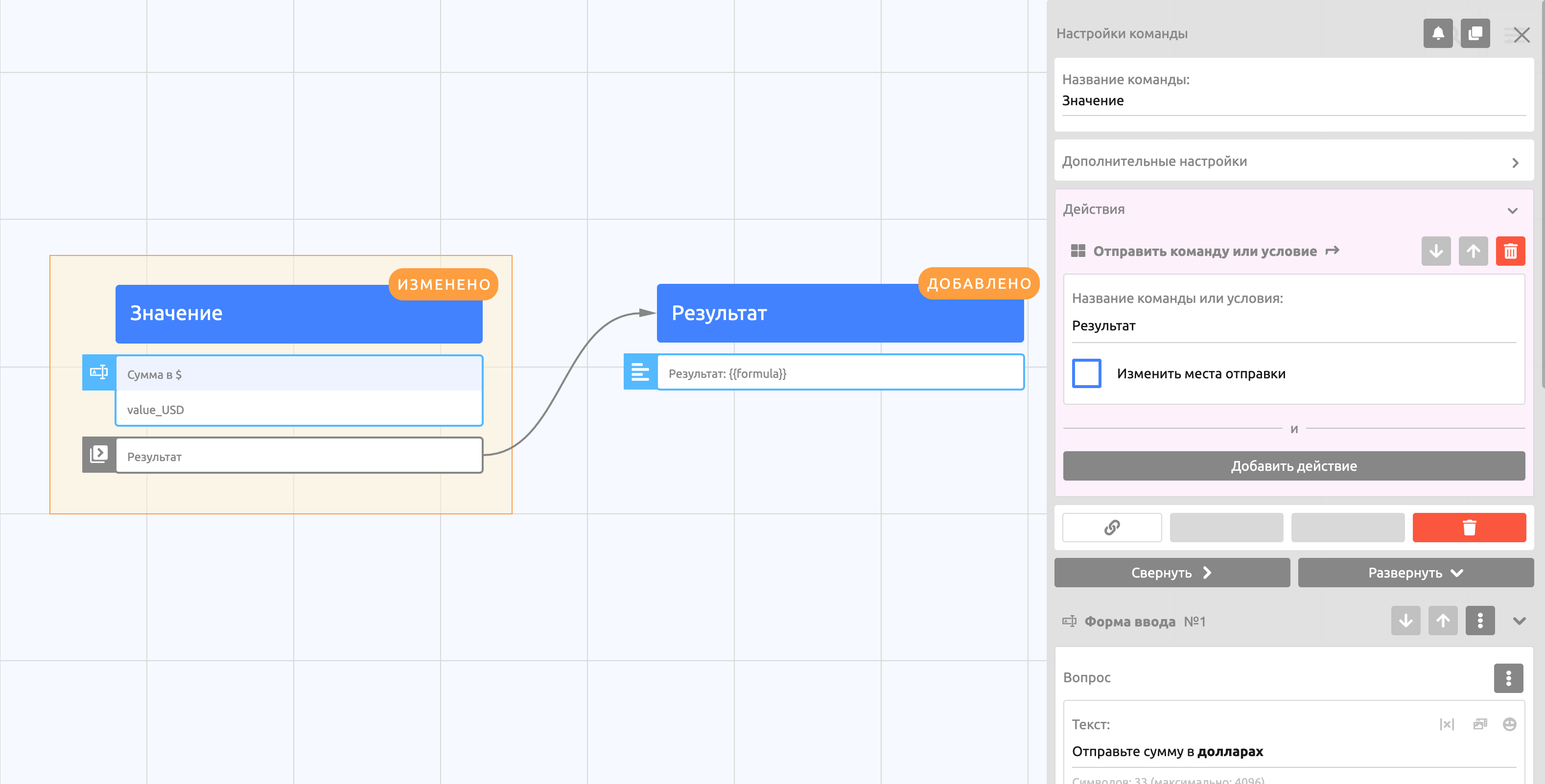
7. Link the two commands: create an action that sends the next command.
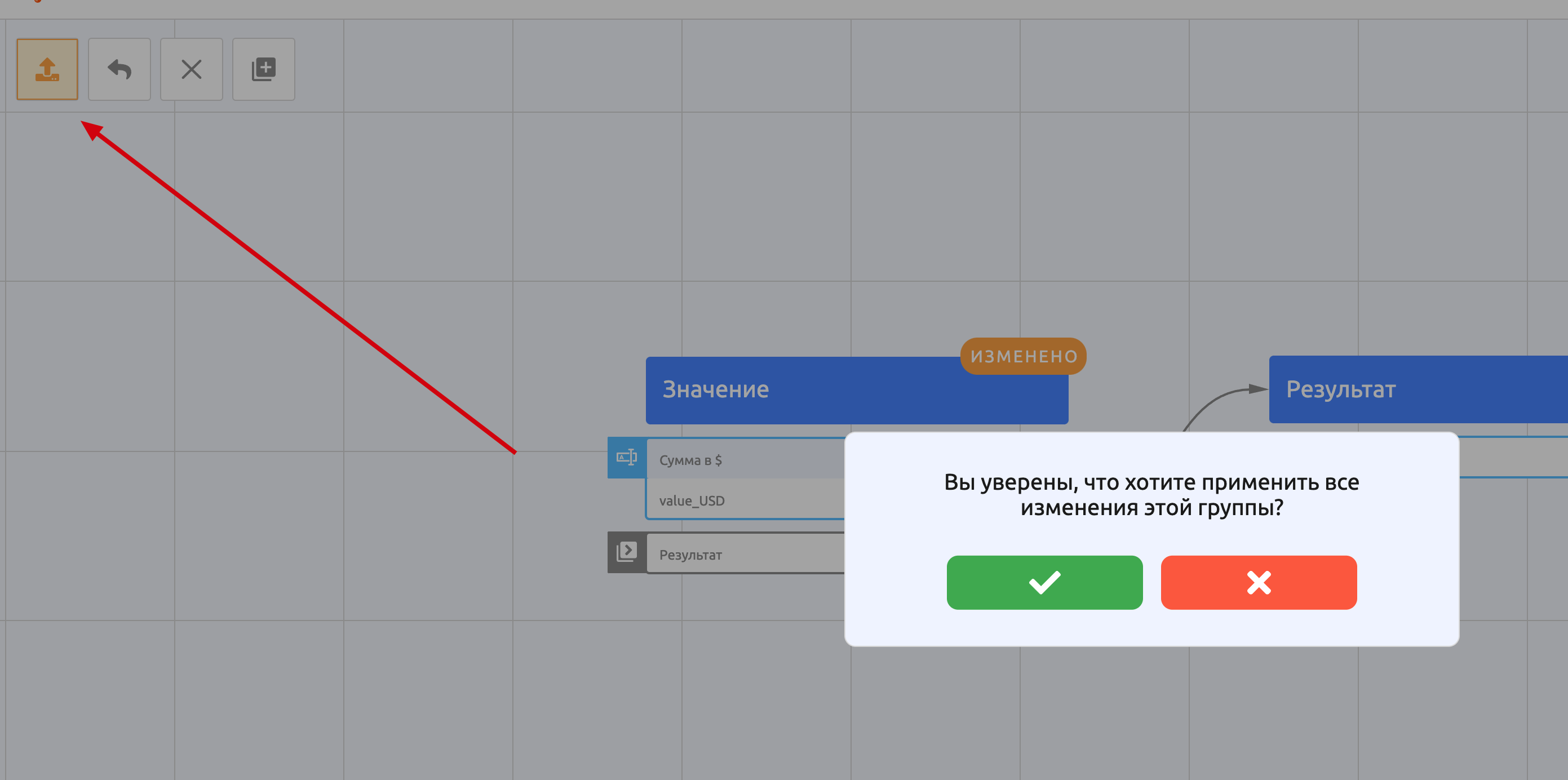
8. Publish the changes and test the bot.
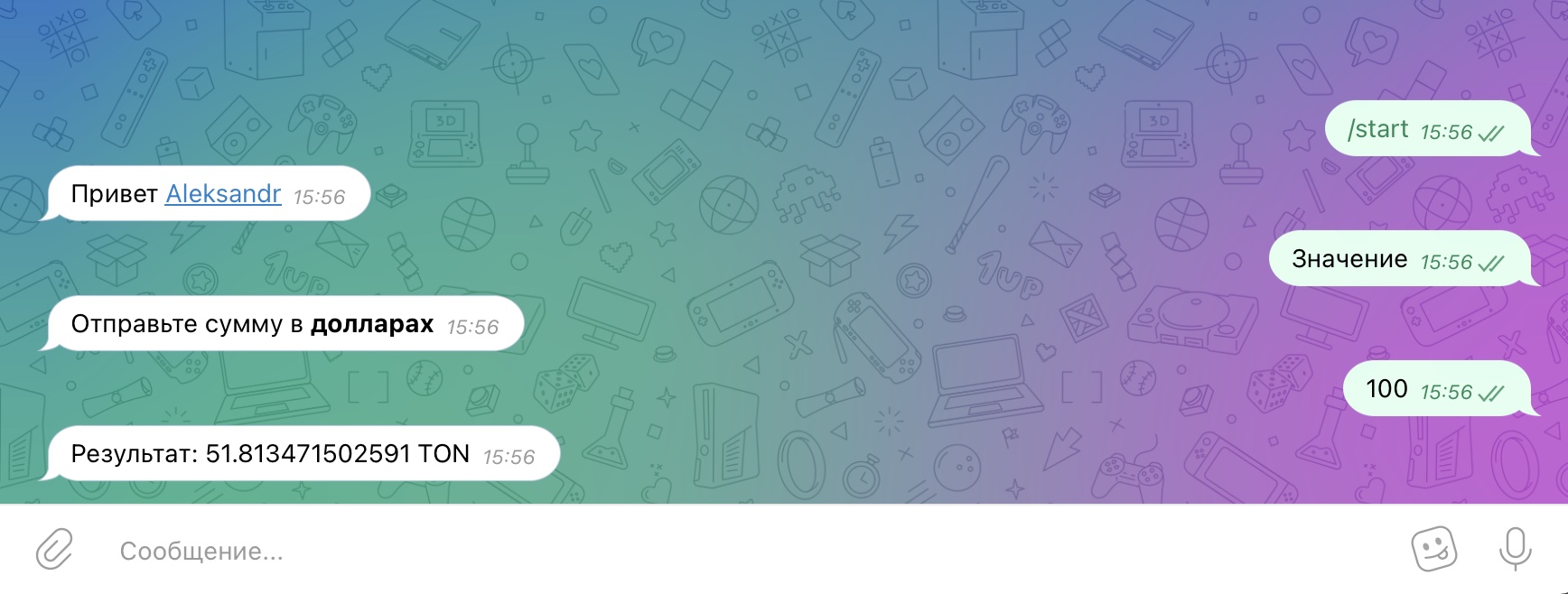
Done! The bot works correctly.