This article covers common mistakes related to the Scenarios tab. To learn more about how the tab works, see Scenarios section overview.
To find out why your scenarios are not starting, answer each of the questions below. Be very careful: it is easy to make a mistake in scenarios.
Important! Scenario posts and the scenario itself are not sent automatically — you need to set up Scenario launch.
Is the scenario launch set up in the Constructor?
A scenario does not send messages on its own the way Posting does. A scenario is launched by a specific action: when a user goes to a command, follows a link, or when a Trigger is called.
Activation is needed so that the bot knows from which exact moment to schedule posts individually for each subscriber.
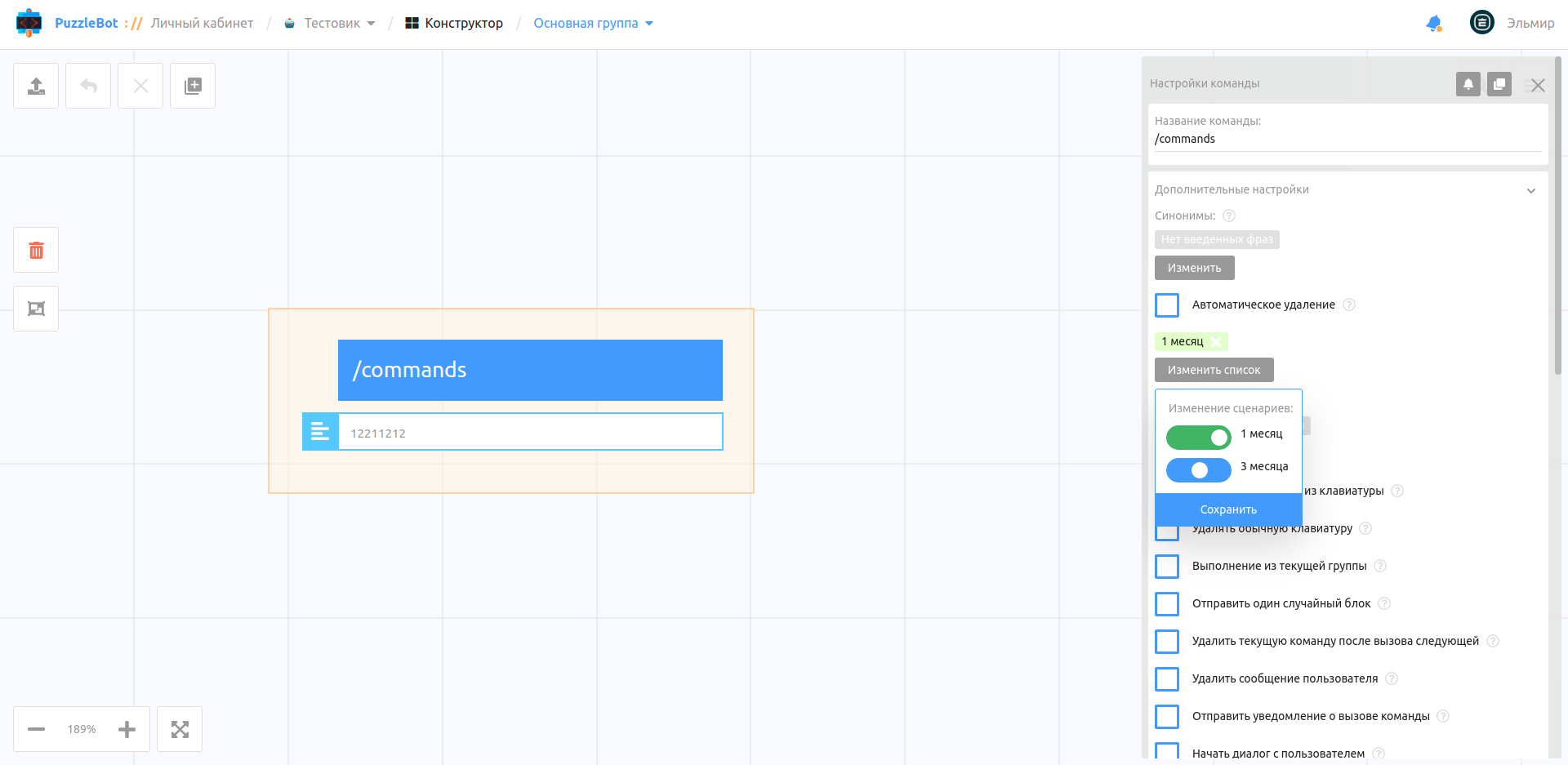
To launch a scenario, open the Constructor, select the command you need, expand Additional settings, click "Edit list" and move the toggle to the right.
2. Is the scenario turned on?
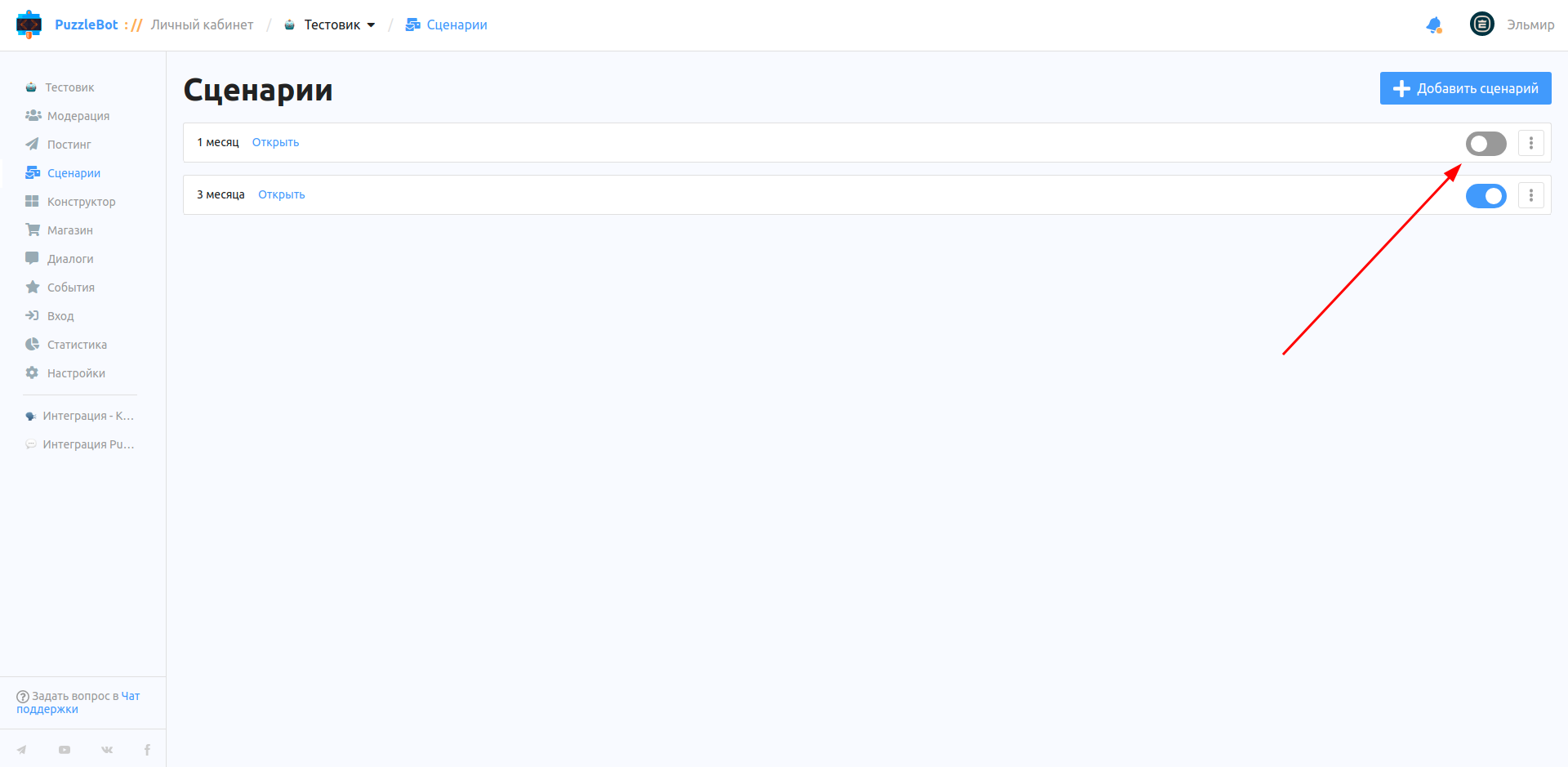
Every scenario has a toggle that turns it on or off.
3. Is the post scheduled?
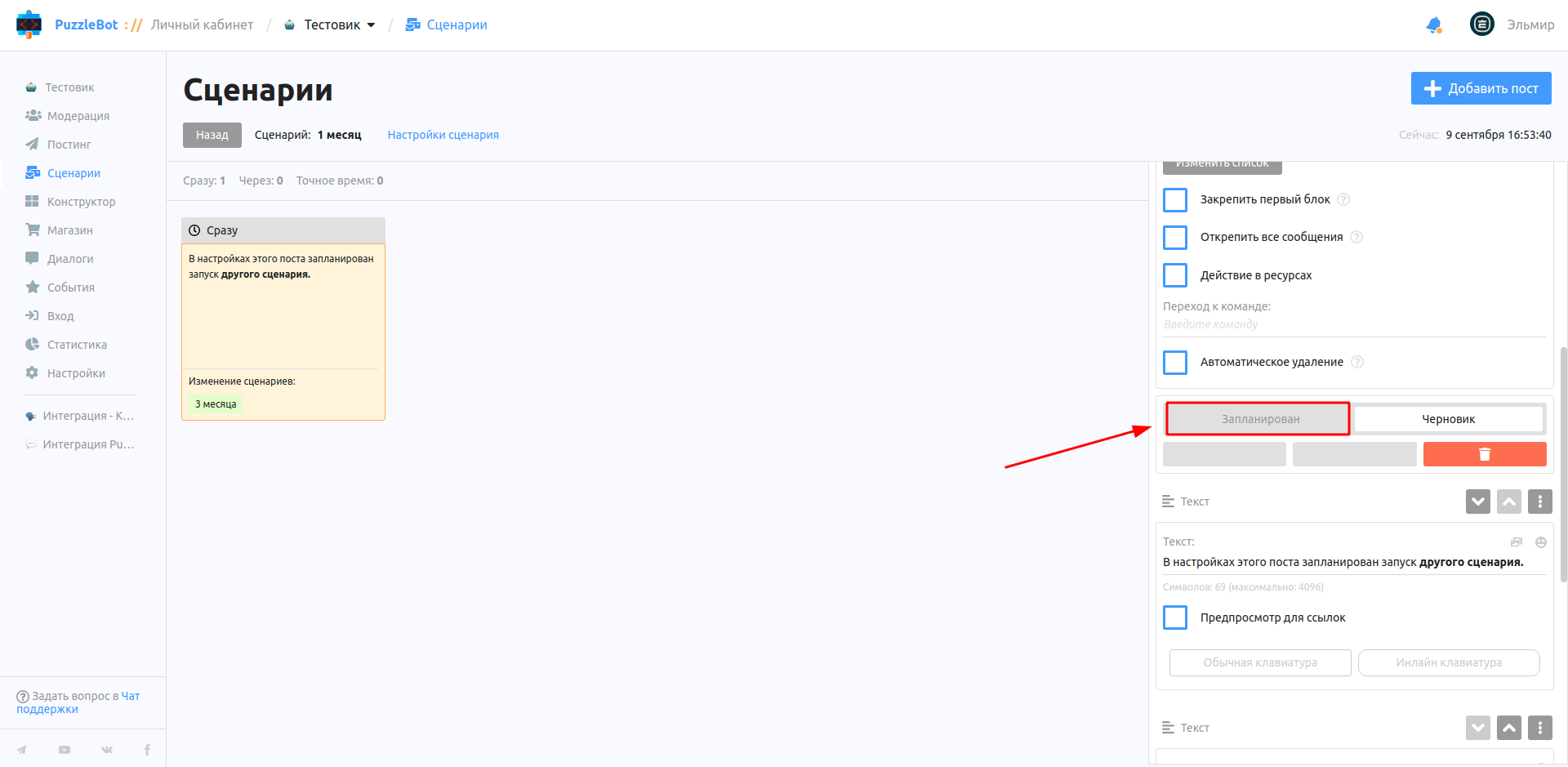
Turning on the scenario is not enough: the post to be sent must also be turned on (scheduled). By default, posts are in Draft.
4. The scenario is launched for a specific category. Is the user in this category?
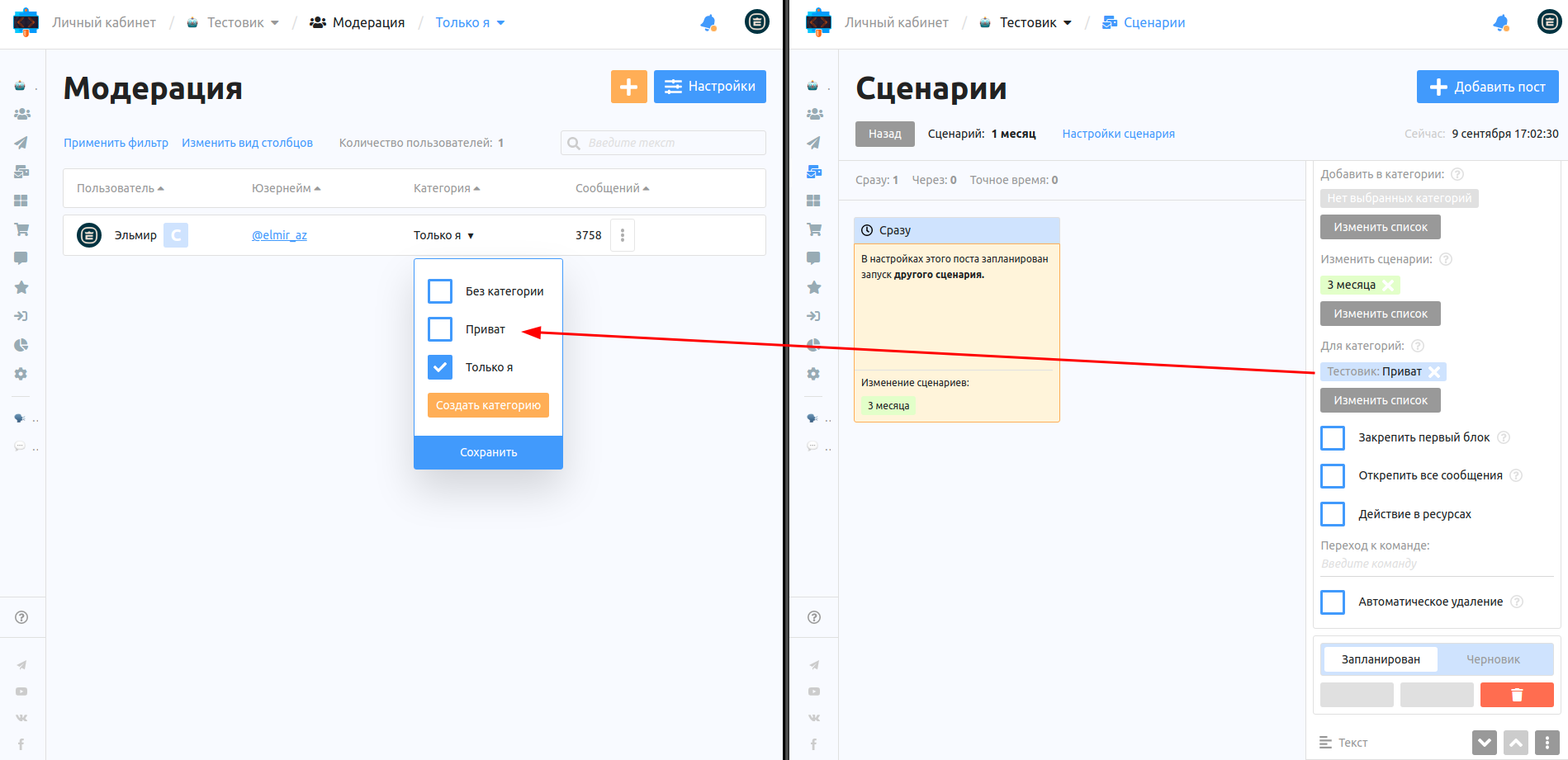
A user cannot receive a post assigned to a specific category if they are not in that category. Keep this in mind.
5. Is the post publication time set correctly?
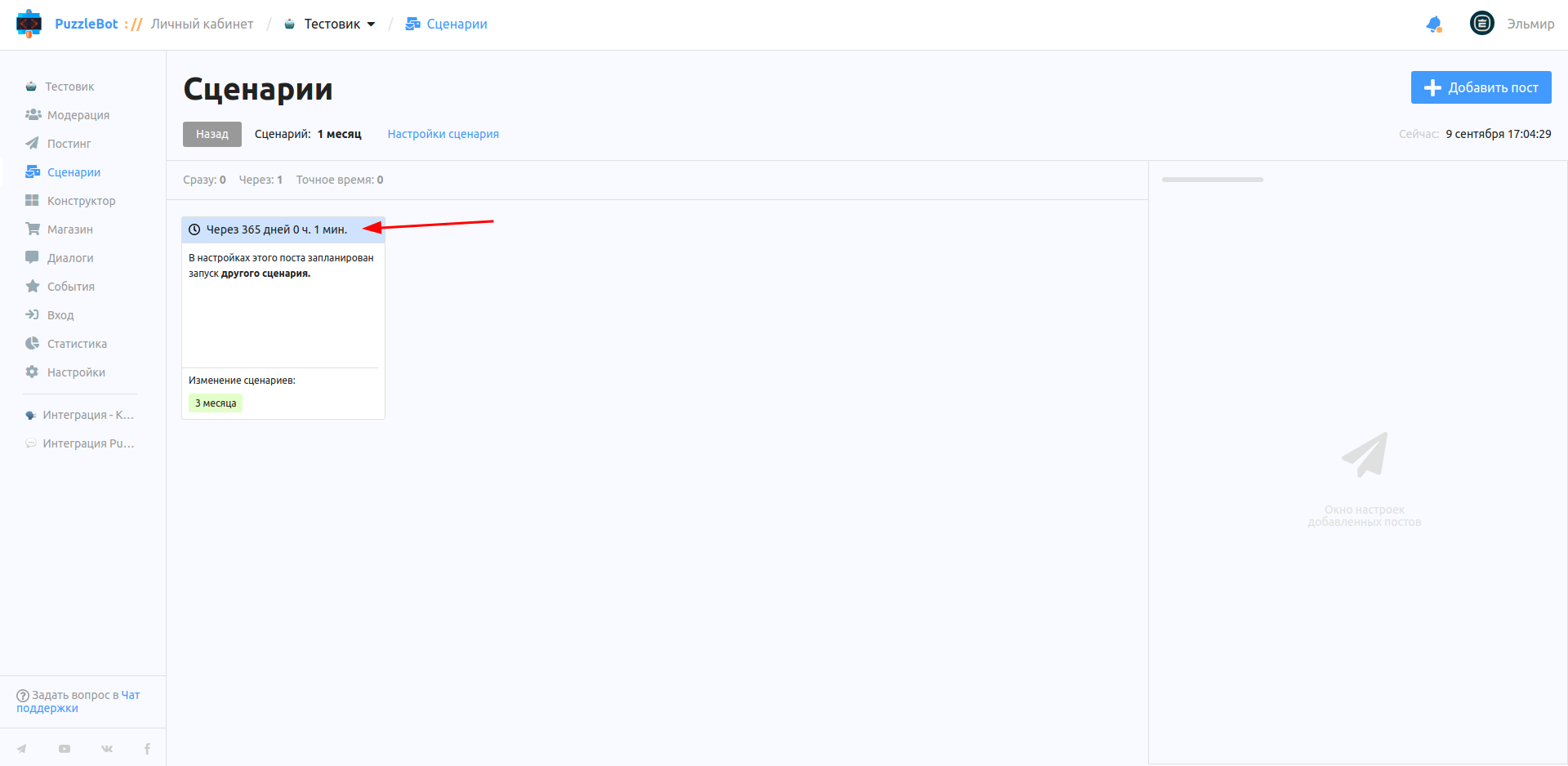
It is easy to overlook this and set a time or date in the past, or schedule the posting for the distant future.
6. How often do you launch this scenario?
A Scenario can be restarted only 1 minute or more after it was launched. If less than 1 minute has passed, the Scenario will not be restarted.
7. Are there other scenarios that could have affected this one?
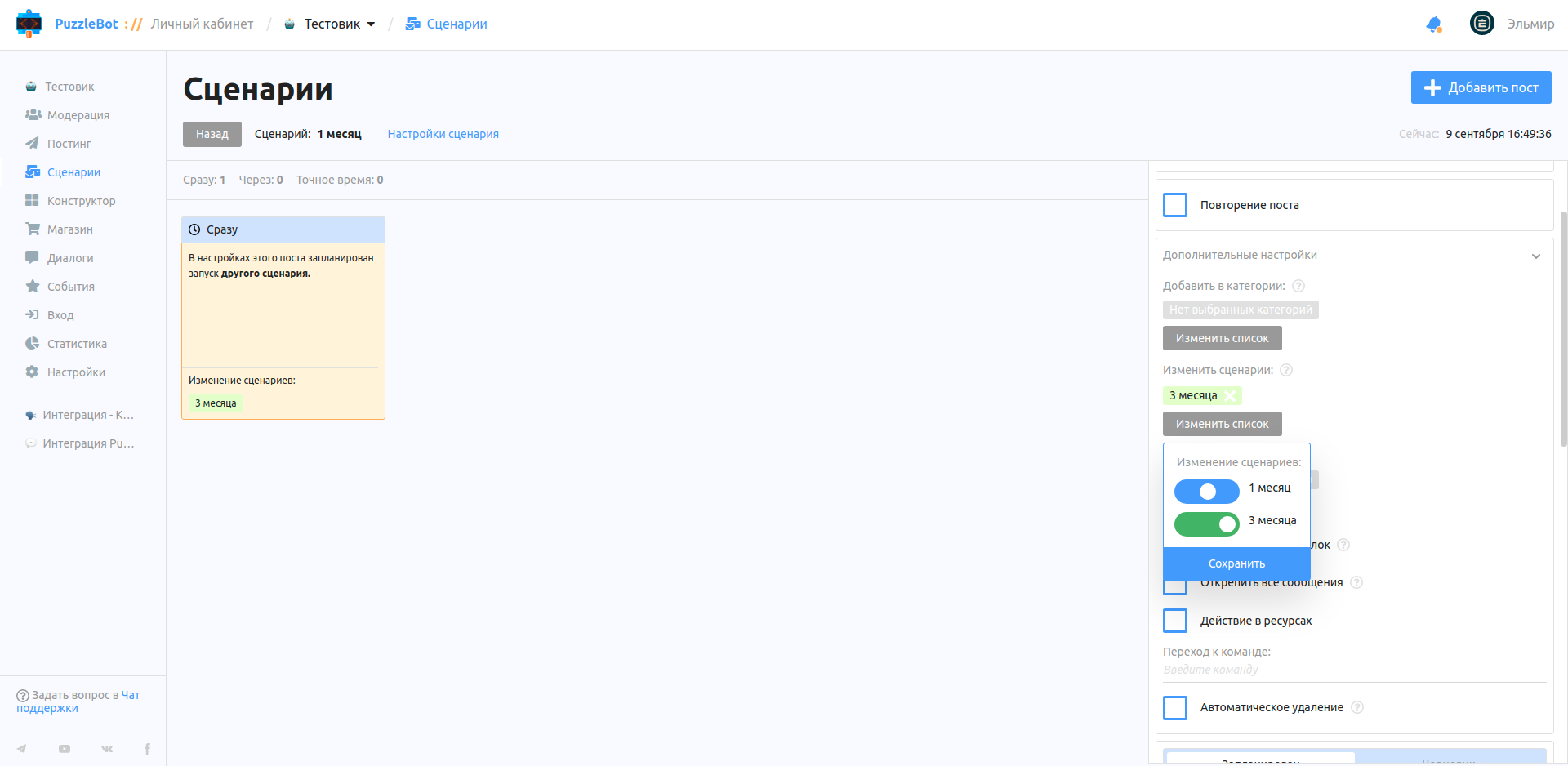
From a scenario, you can add the start or stop of any other scenario (even the scenario itself).
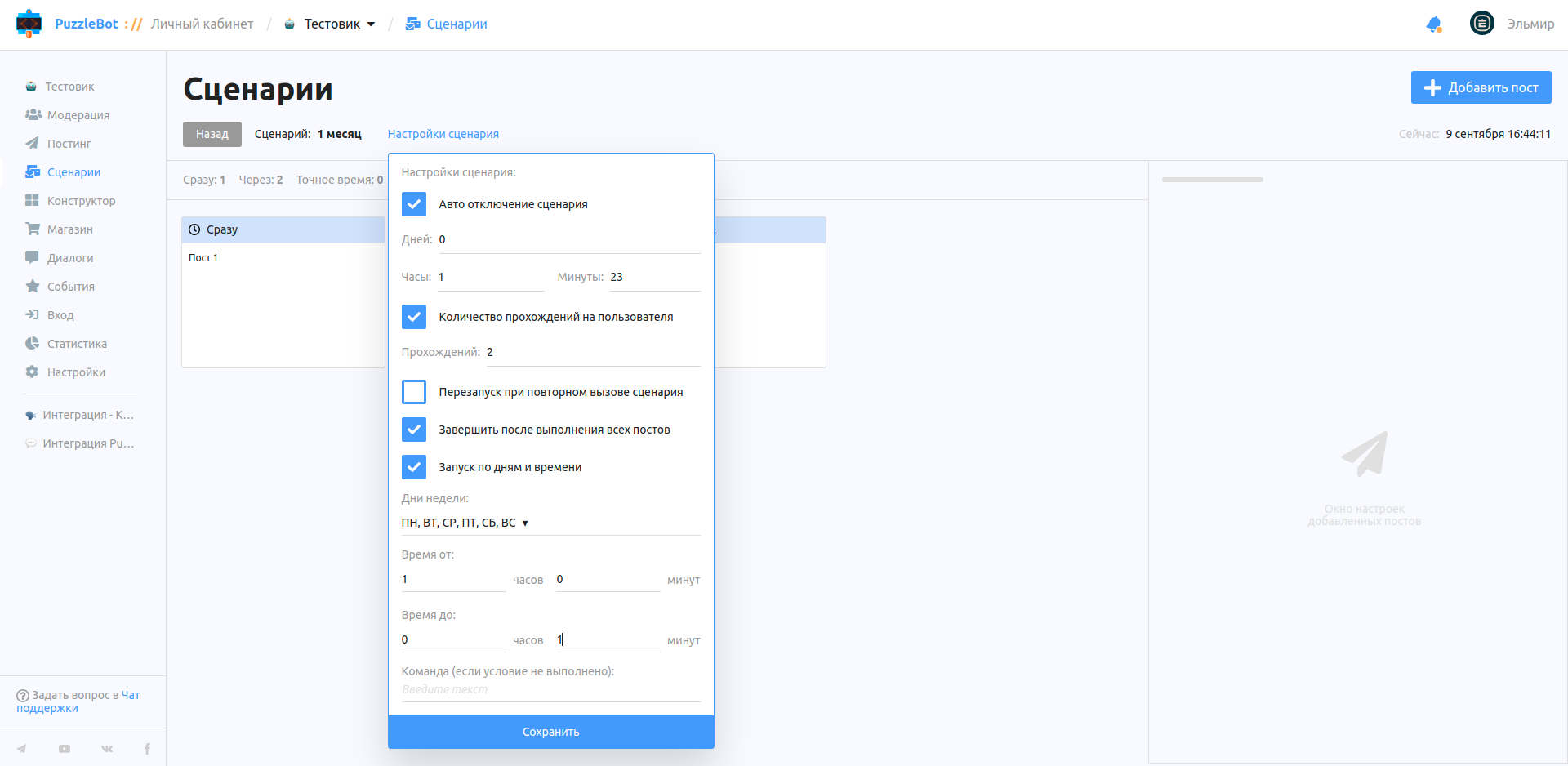
8. Scenario settings.
A scenario stops working because of one of the following options:
Auto-disable scenario — the scenario is turned off automatically After the specified time.
Number of runs per user — sets how many times the scenario can be played for a subscriber. Useful when access to content is limited.
Restart when the scenario is called again — without this option, the scenario cannot be launched again.
Finish after all posts are sent — Warning: this option is on by default, so the scenario turns off as soon as all posts are delivered. If you decide to add new posts to the scenario, do it BEFORE it turns off (that is, before the currently last post is sent).
Launch by days and time — if the scenario is not working, check this parameter: the launch time may not have come yet.
To learn more about how the tab works, see Scenarios section overview.