This article explains how to upload a large file through the bot.
This method also works for uploading video messages (round videos), voice messages, large videos and documents.
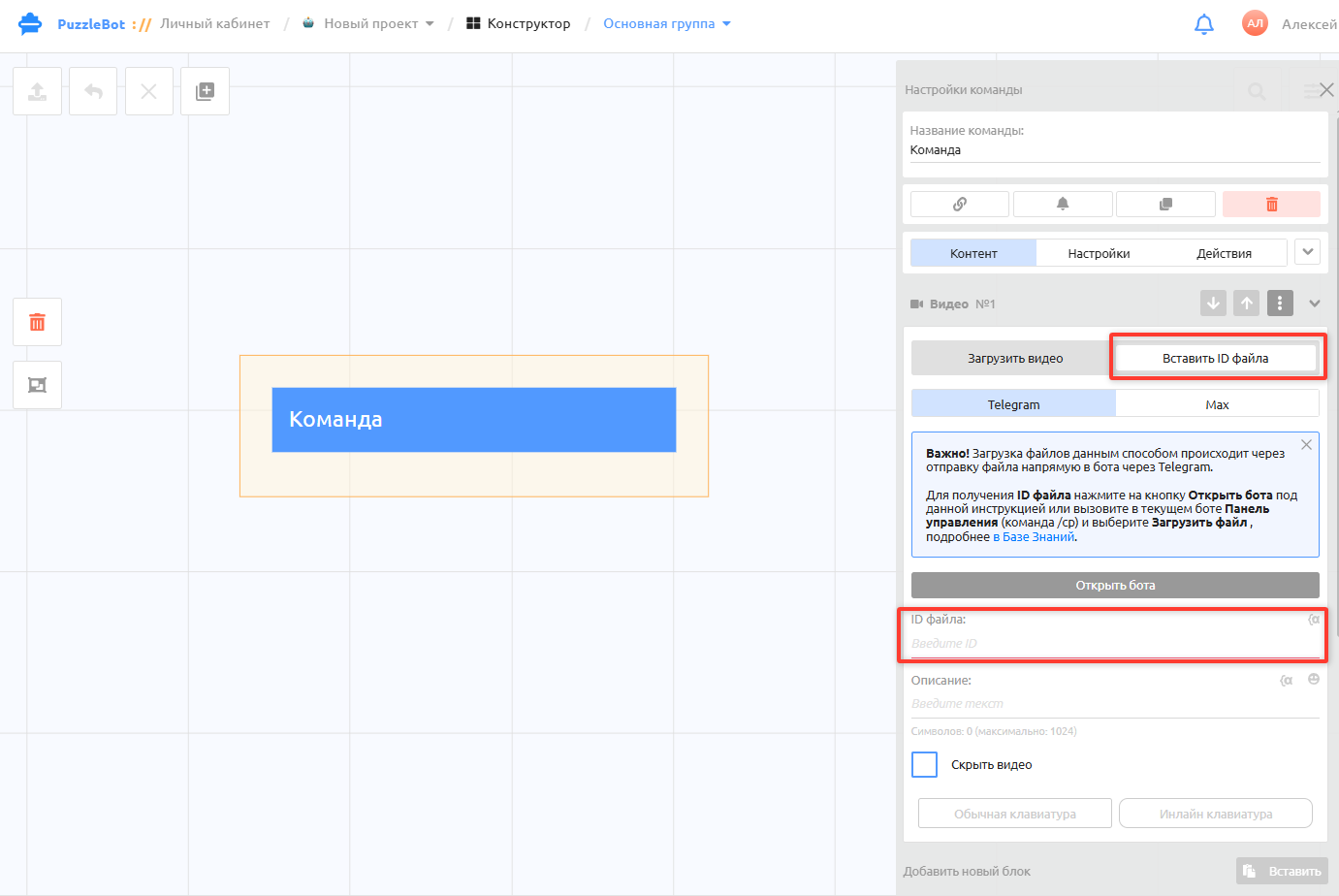
For every media block (video, image, document or audio) you can:
Upload a file through your puzzlebot account — this kind of upload has its own limits. Learn more: Restrictions and limits
Paste a file ID — this method lets you use large videos and files. Its limits are the same as the limits for Telegram users (up to 2 GB per file).
To get a file ID, follow these steps:
Open the bot where you want to add the file.
Send the "
/cp" command. Important! The Telegram account you send the command from must be linked to the puzzlebot account where you are building the bot, or you must be the bot's administrator.
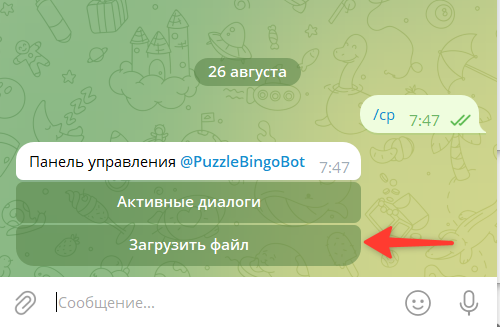
3. Select "Upload file" and send the file.
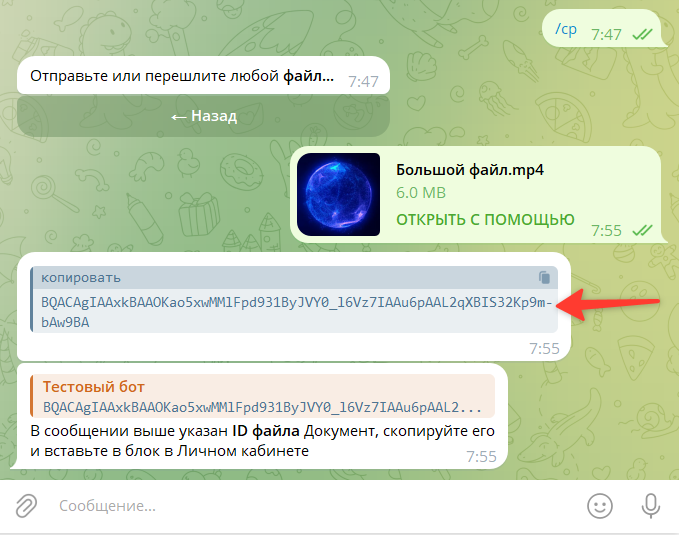
4. Copy the file ID, which looks like "AgACAgIAAxkBA…", and paste it into the block you need in your puzzlebot account.
Important! When you duplicate a bot, files added by ID will not be sent in the new bot. Each bot generates unique file IDs that are valid only in the bot where the files were uploaded. For the duplicated bot, you will need to upload the files again and get new file IDs.