This article covers the Popup action for an inline button, which lets you create a button with a "Hidden continuation".
A popup is a window with a notification.
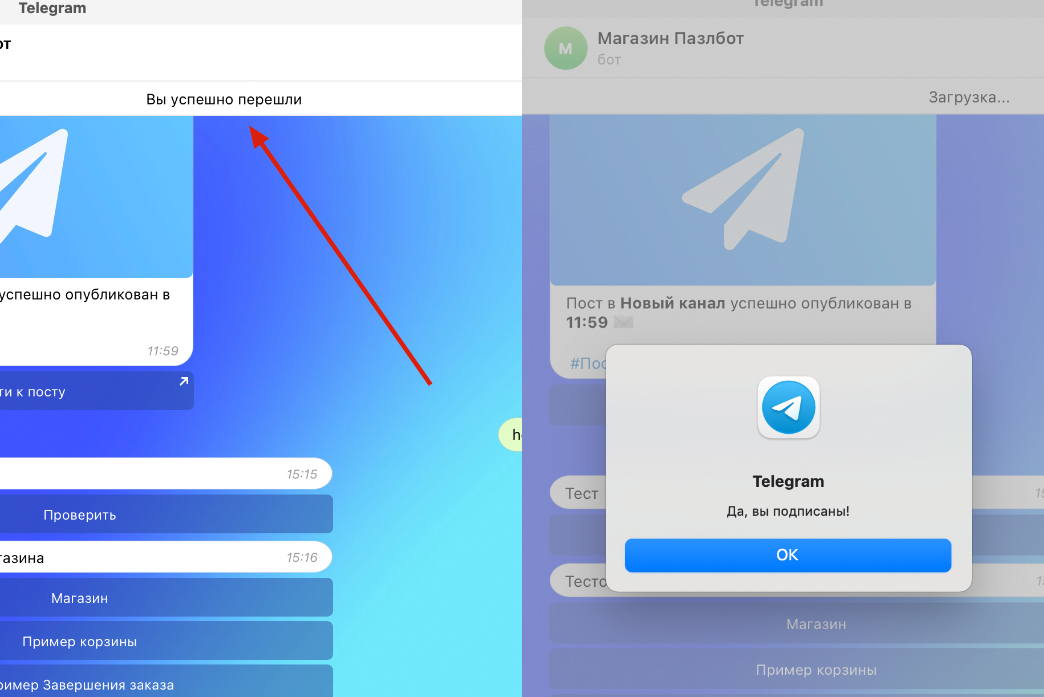
Hidden continuation is a feature that checks the subscription to a resource and shows different text depending on whether the user is subscribed.
There are two kinds of popup:
Without a button — a banner that slides down from the top.
With a button — a notification in the center.
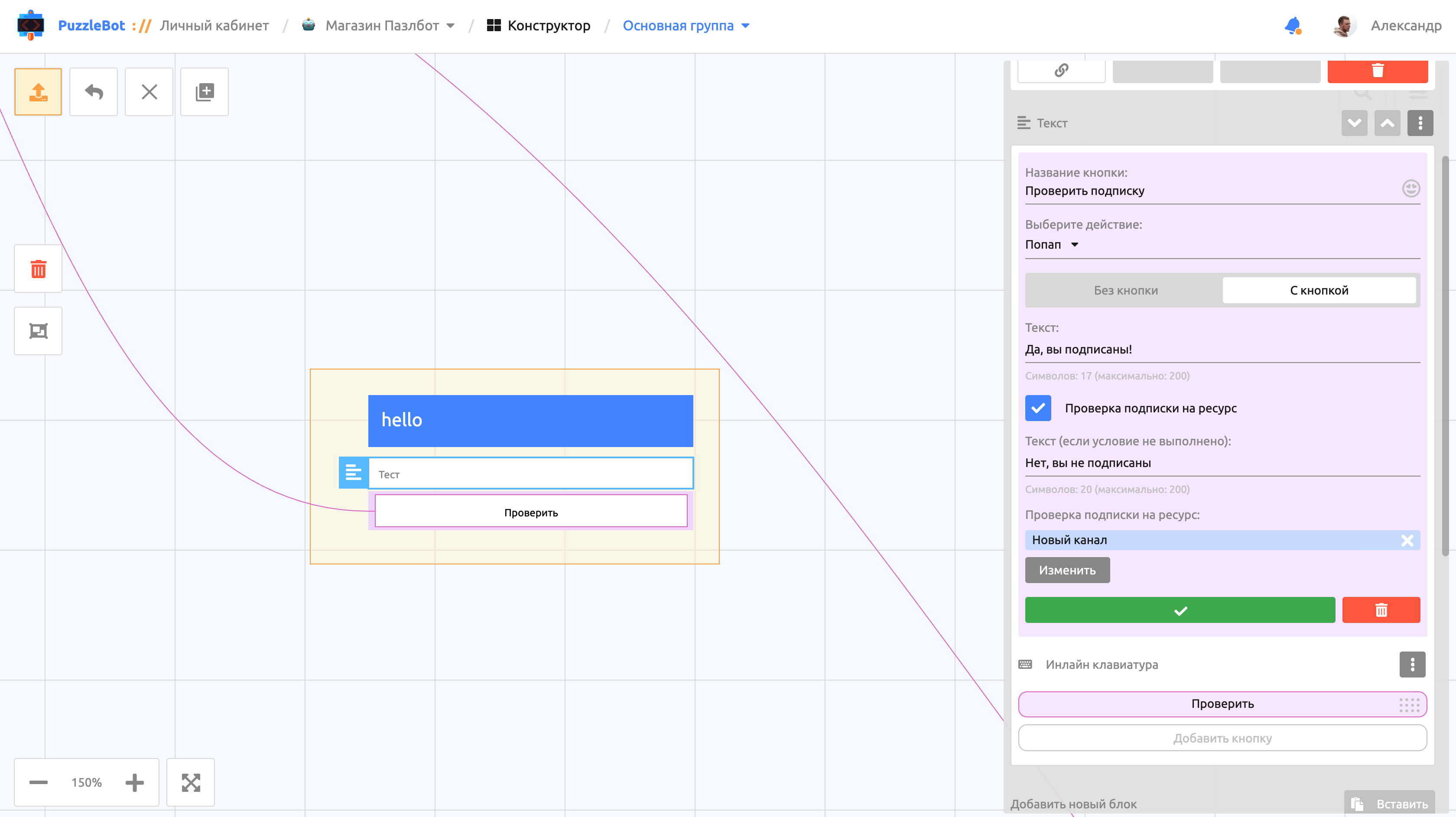
To add a popup, create an Inline keyboard and select the "Popup" action for the button. You can also add a popup to the "Go to command" action in the Constructor.
In the settings of a button with the Popup action you can turn on "Resource subscription check" and specify resources connected to the bot. If the user is subscribed to the listed resources, the popup shows the first text; if not, it shows the second one (the text for when the condition is not met).
Important! When you add a Resource subscription check to the Go to command action, the command is sent only if the condition is met (the subscription is active).