This article explains how to send a post to topics.

How it works
Telegram topics are themed subgroups in forums. The feature lets you create separate chats inside the main group for particular discussions. Members can chat using the full set of familiar tools, including polls, pinned messages and bots.
Once topics are added, the group effectively turns into a list of discussion topics that members can join.
If you open the main group link, the list of topics opens.
How to send a post to a topic
Add the bot to the resource. Learn more: https://help.puzzlebot.top/article?r=4&a=20
Connect the resource to puzzlebot. Learn more: https://help.puzzlebot.top/article?r=4&a=9
Go to the "Posting" tab and click "New post".
In "Send to", click "Edit list" and select the topic in the resource you need.
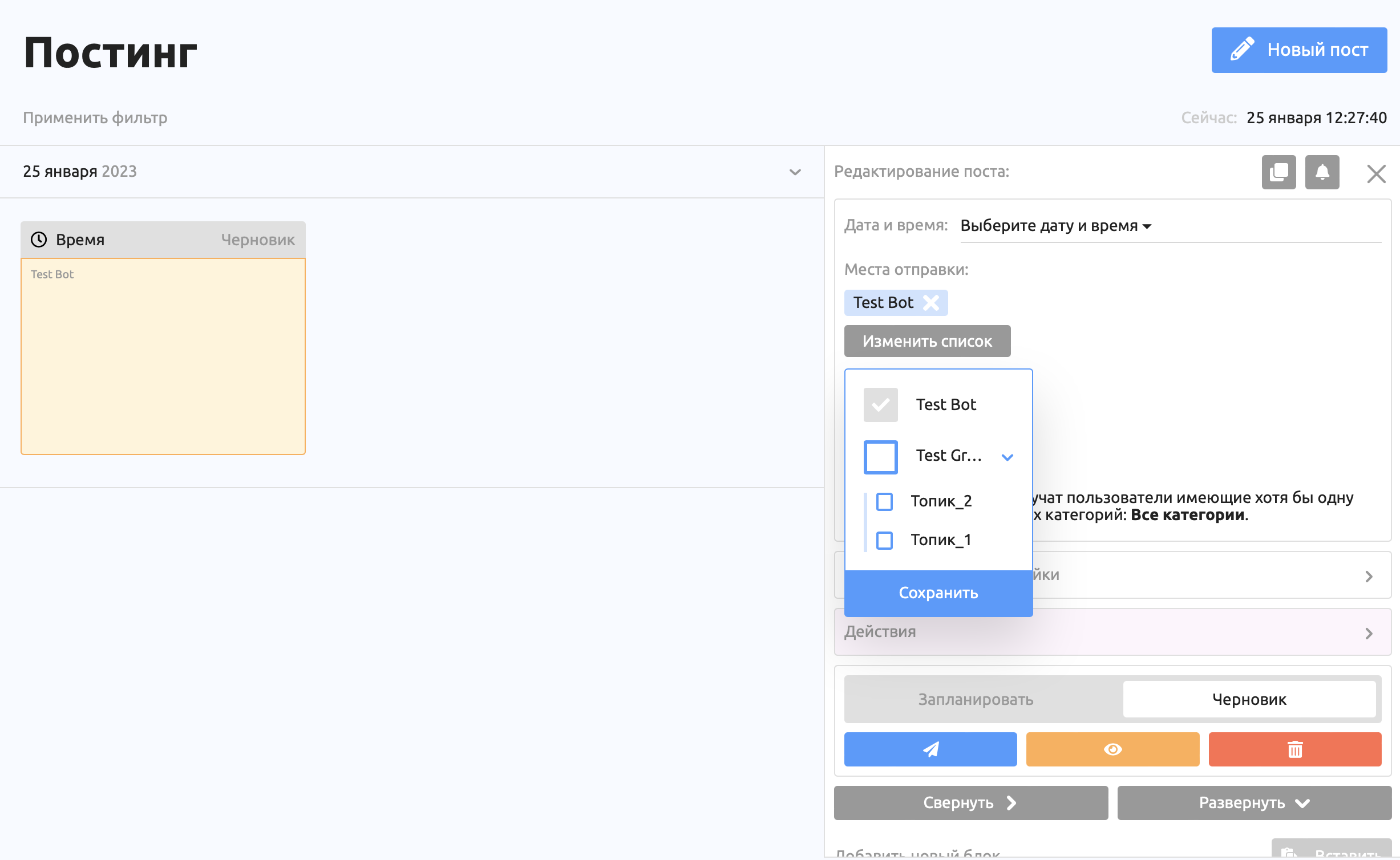
Important! If the resource's topics are not shown, rename them. You can change the names back right away, and the bot will then see the topics.