To connect your bot to puzzlebot, enter its API key in the corresponding field in your puzzlebot account.
An API key is a secret code that lets you set up a connection with the bot outside the Telegram client. Learn more: How to find your bot's API key
If you have not created a bot yet, do that first: How to create a new Telegram bot.
If you have already created a bot, you need to find its API key. To do this:
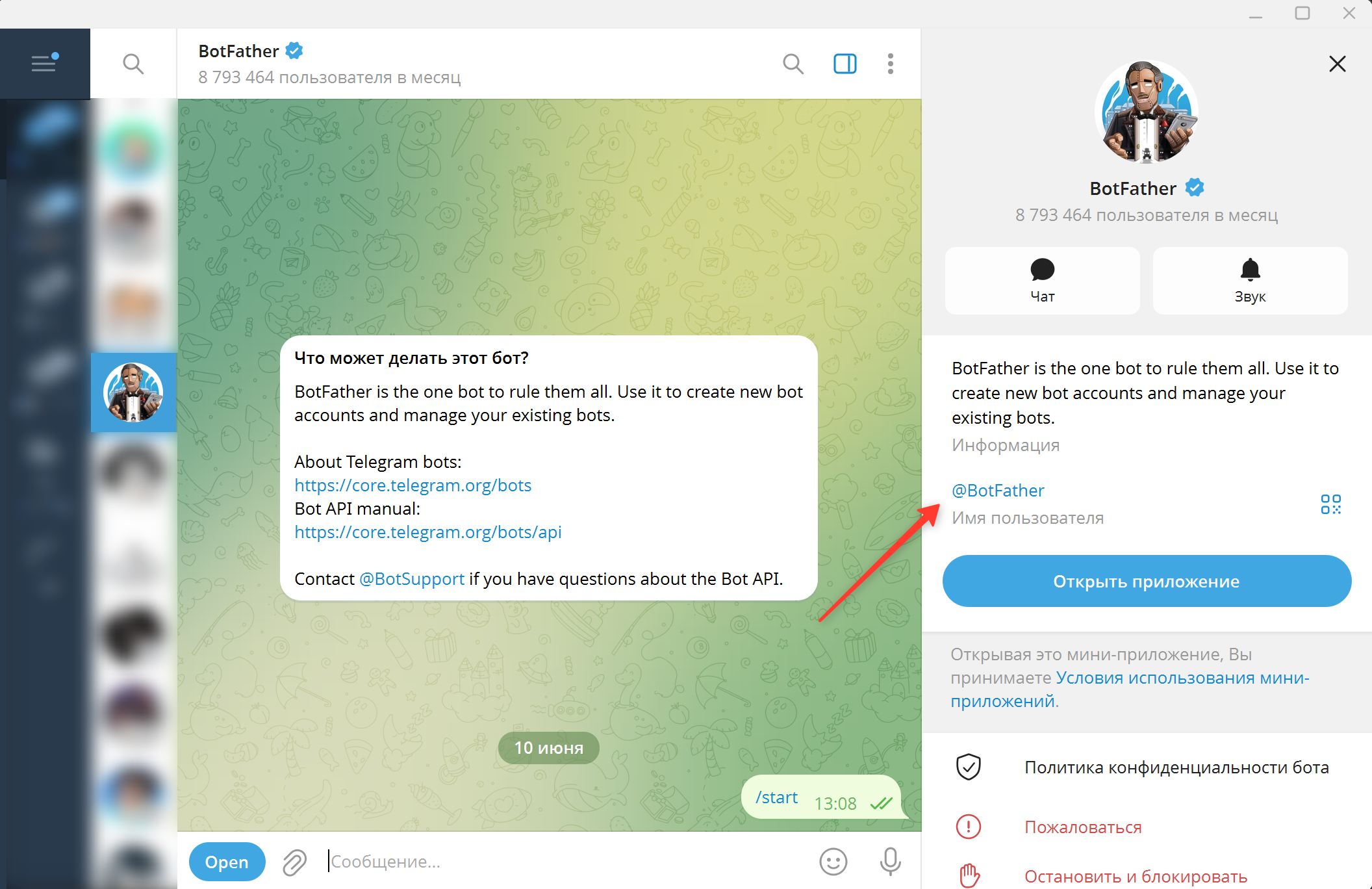
1. Open the system bot @BotFather.
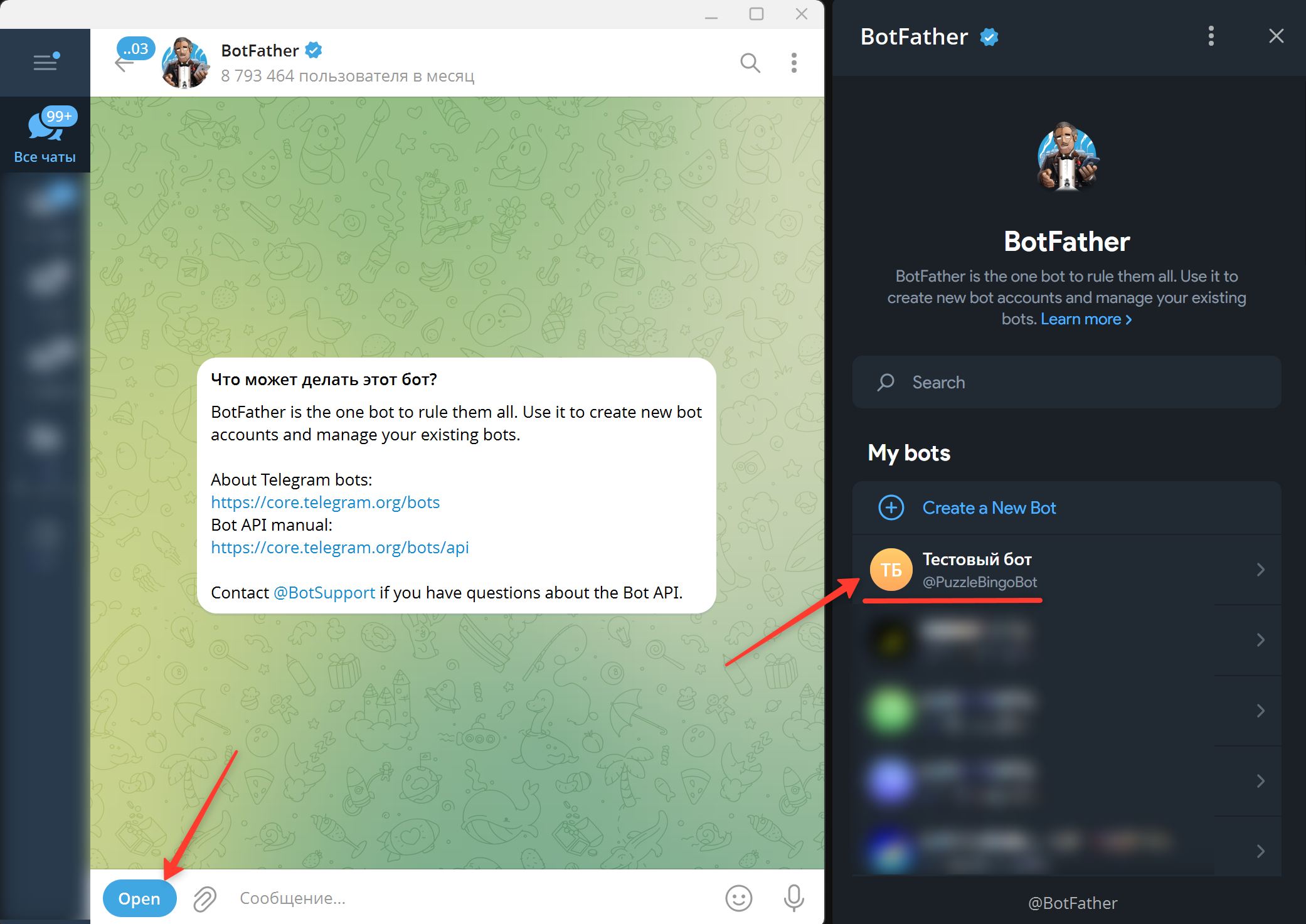
2. In the chat with @BotFather, tap Open and select your bot in the app that opens.
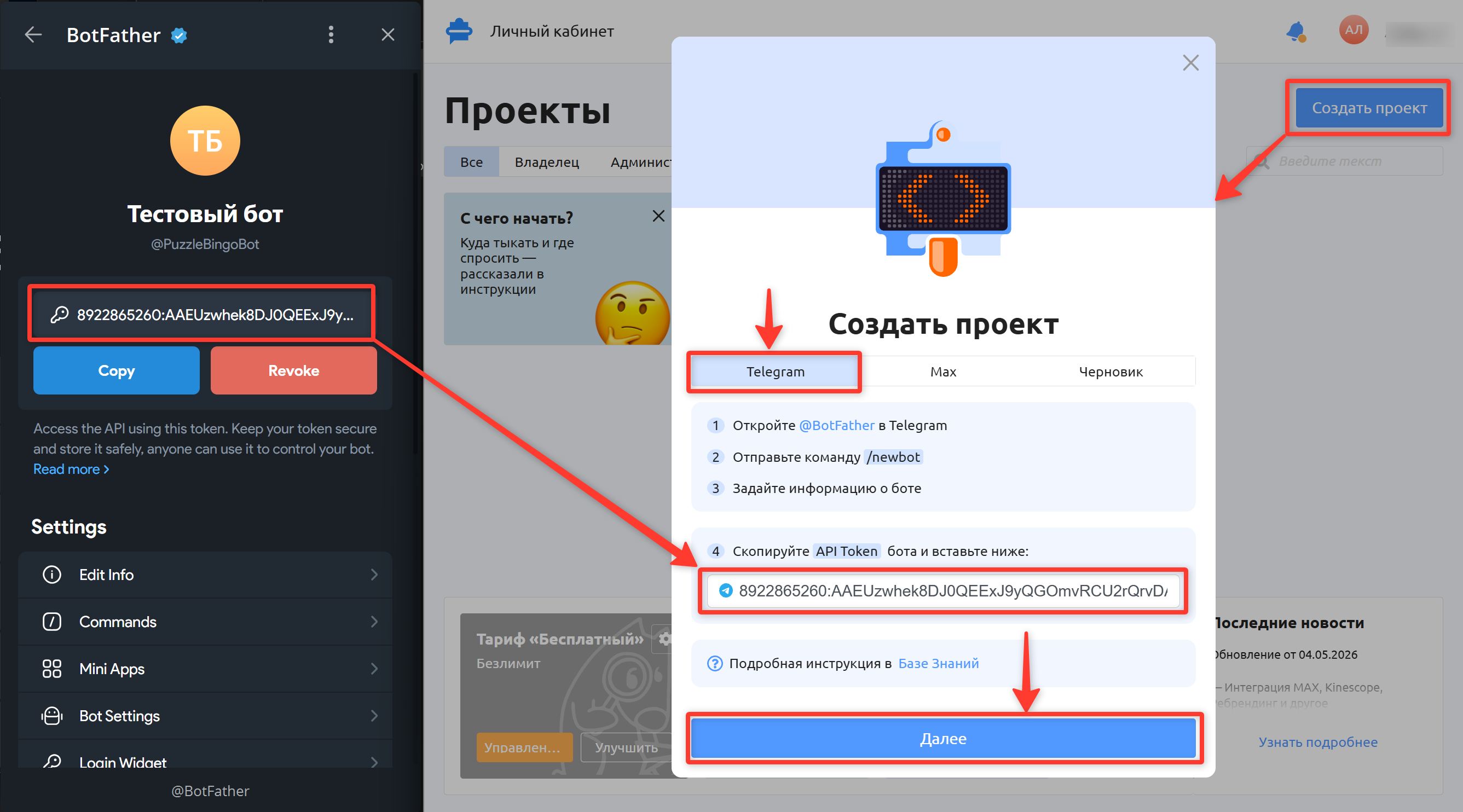
3. Copy the API key by tapping Copy.
4. In your puzzlebot account, click "Create project" and paste the key into the corresponding field.
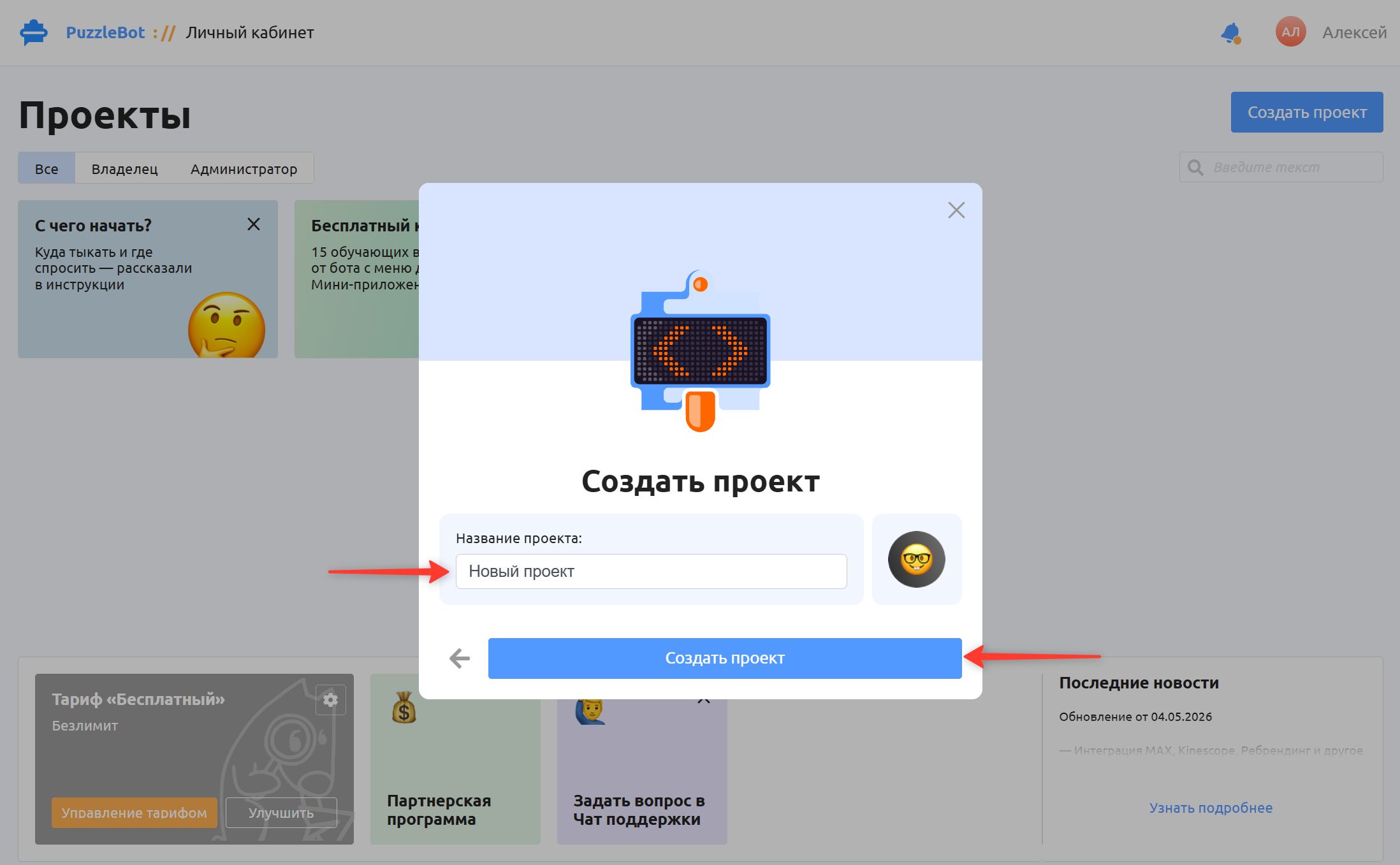
5. Enter a project name (any name will do) and click Create project.
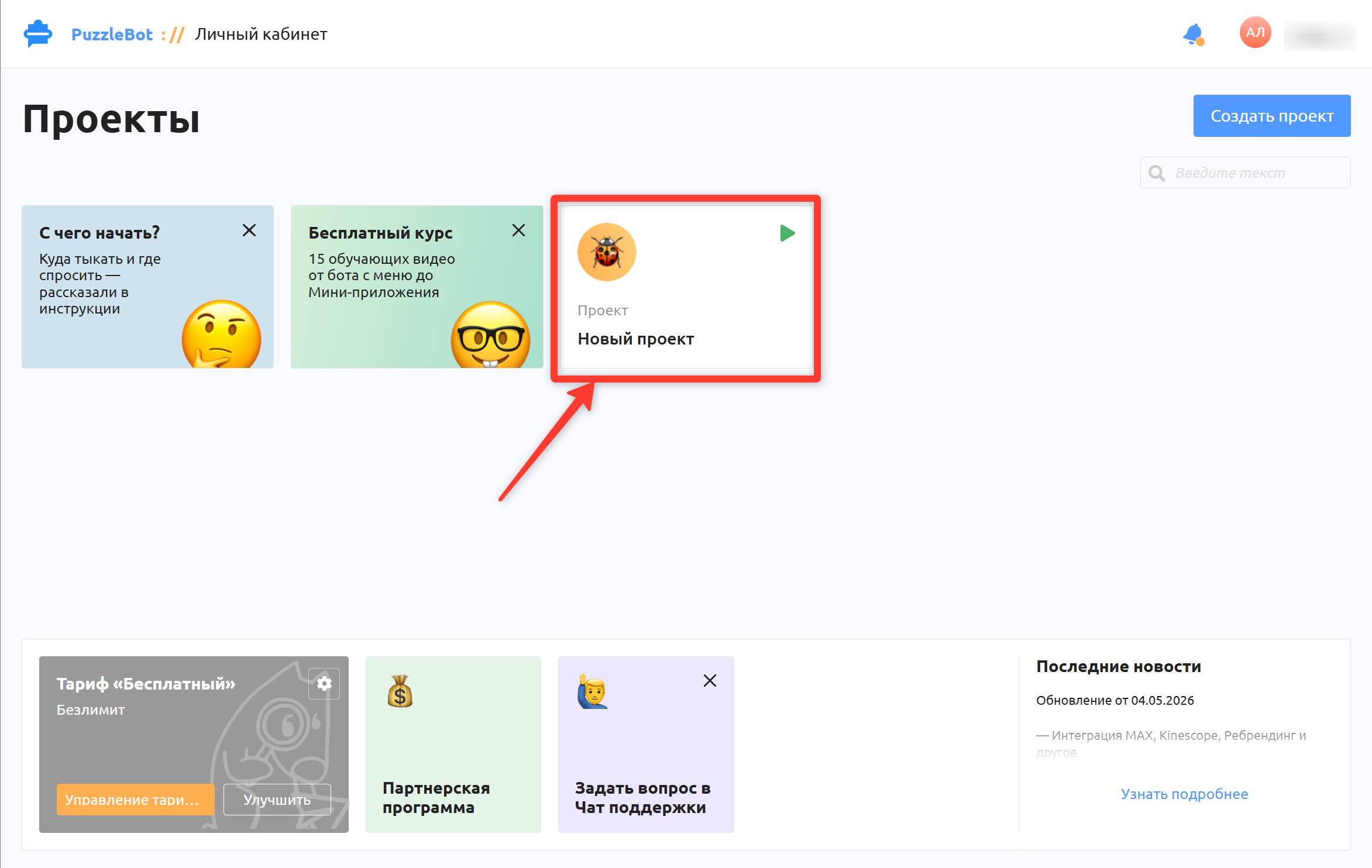
Congratulations! You have connected your bot to the service. Enjoy your work!