A resource is the general name for the Telegram entities a bot can work in. Currently these are channels, groups, forums and business accounts.
Before connecting a resource, create a bot and connect it to puzzlebot. Learn more:
Once the steps above are done, connect the resource as follows:
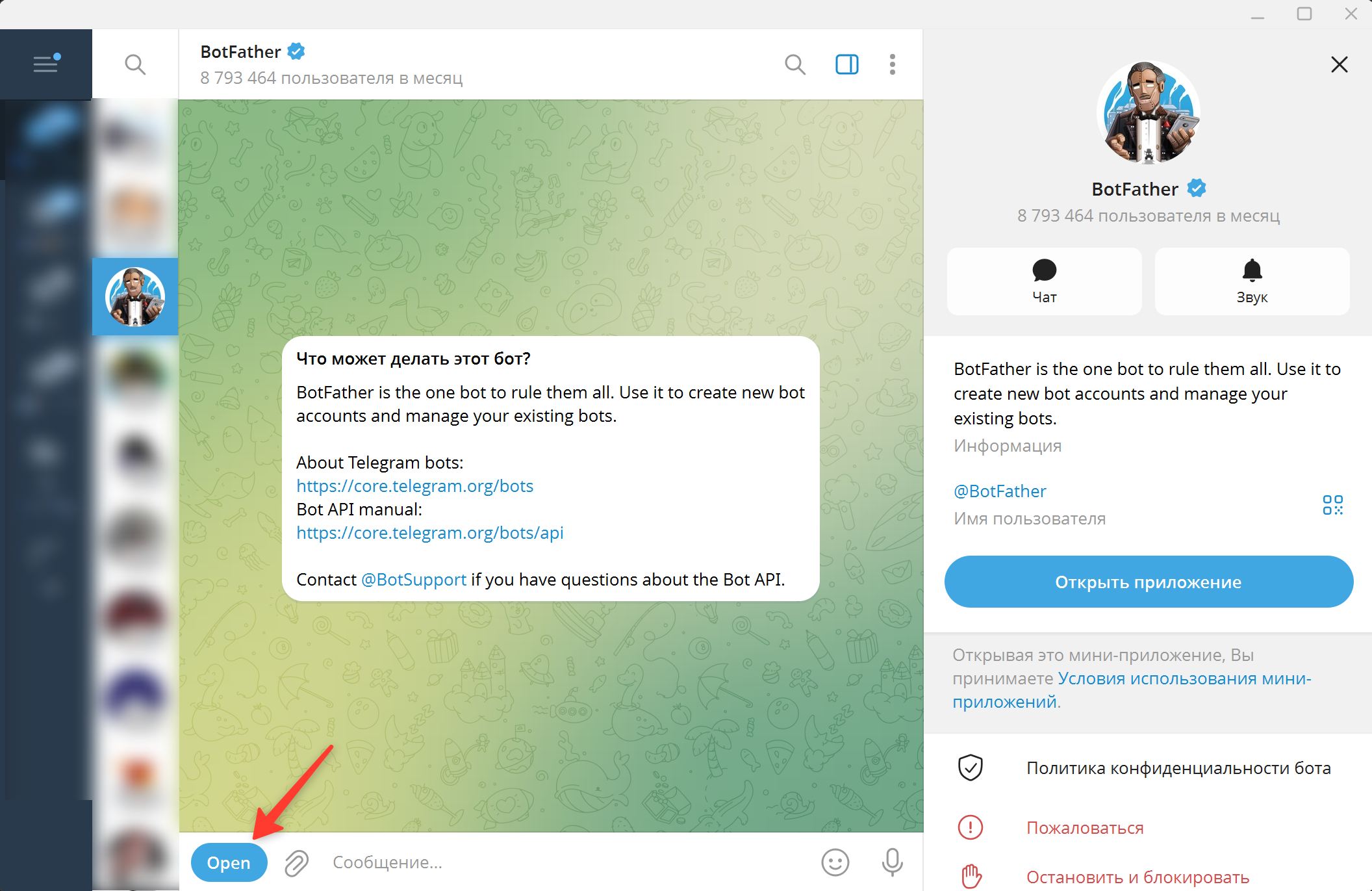
Turn on Secretary Mode: open @BotFather and tap the Open button in the lower left corner.
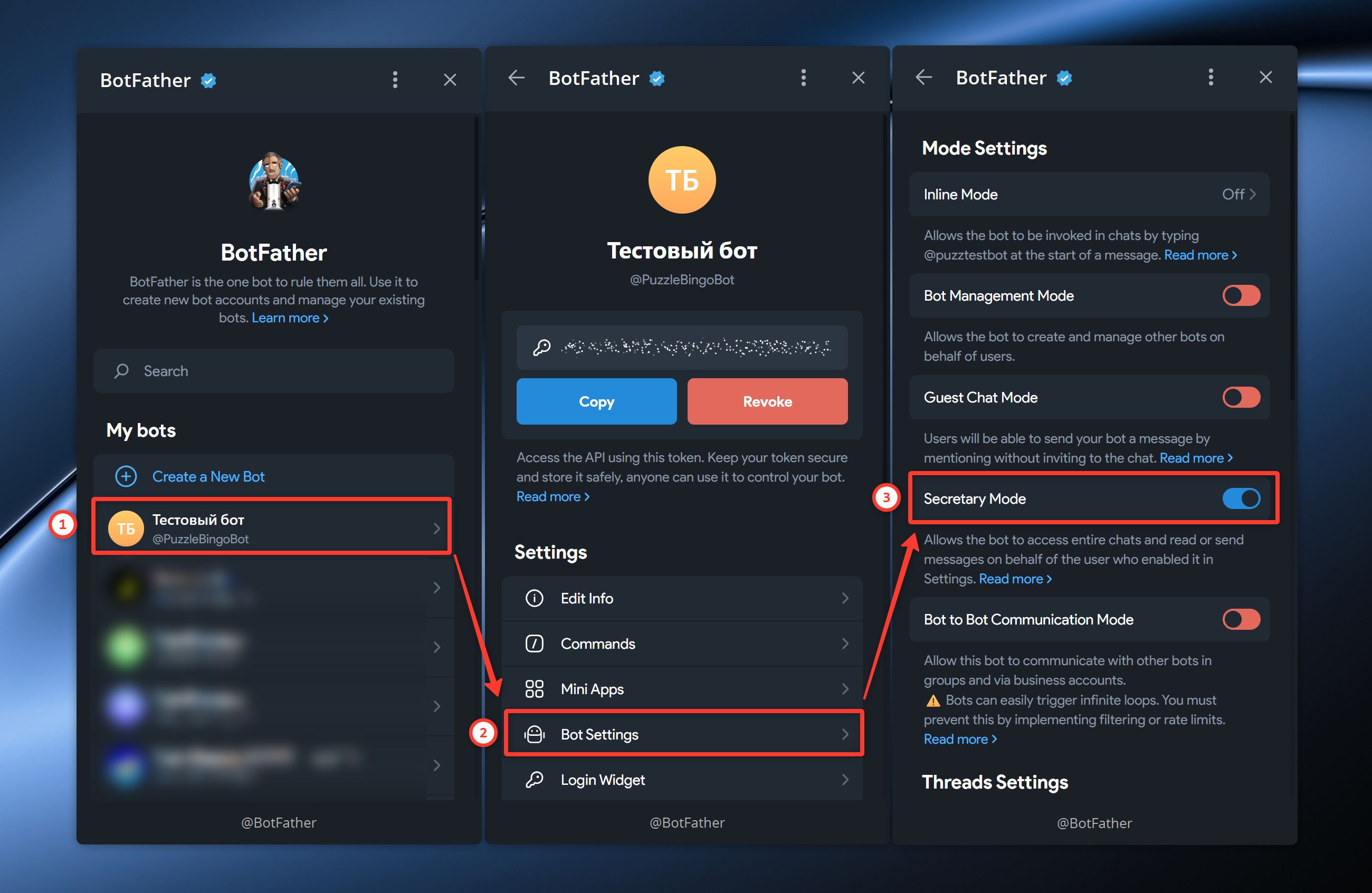
Select your bot → then Bot Settings → turn on Secretary Mode.
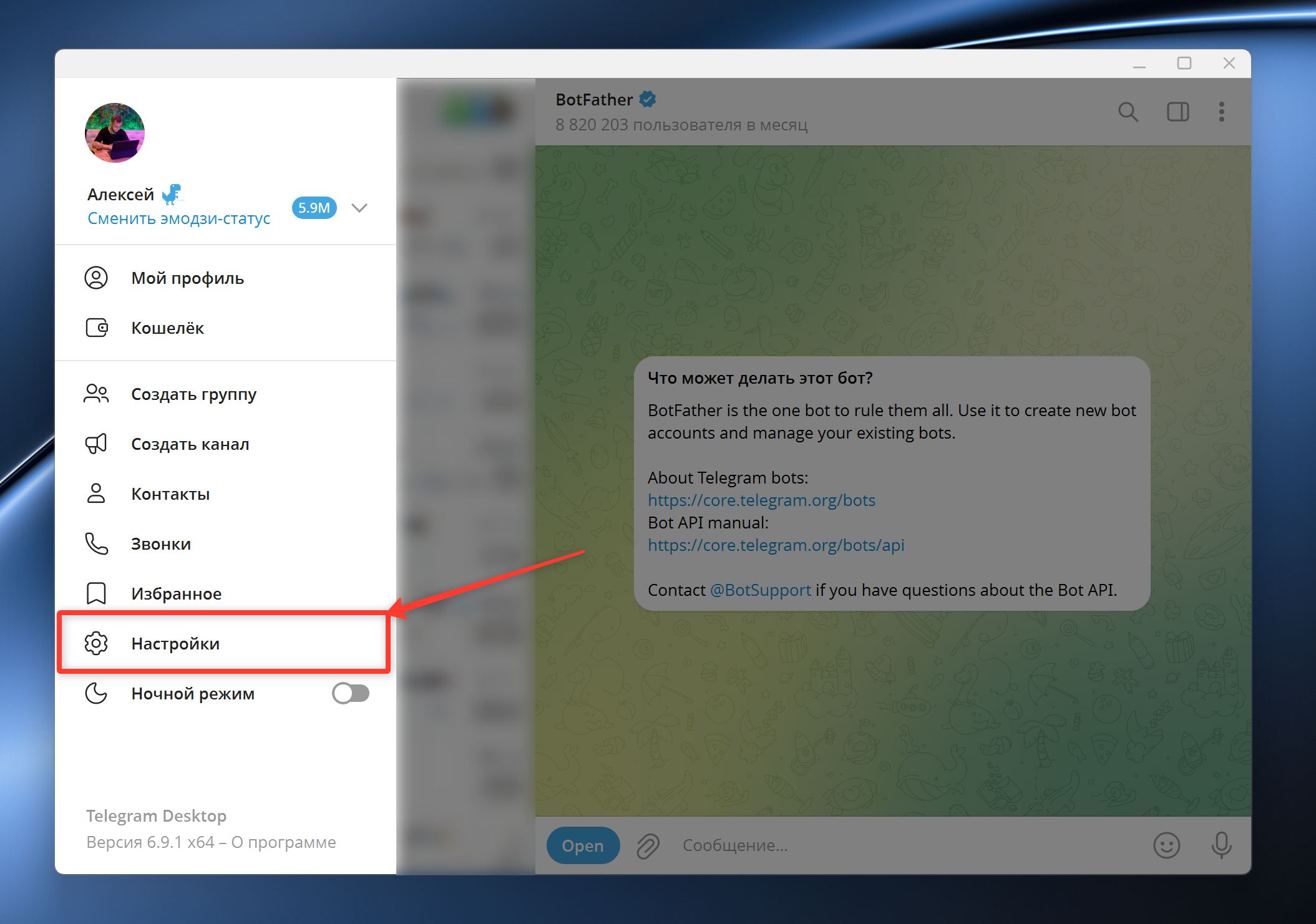
Go to Settings in your Telegram account.
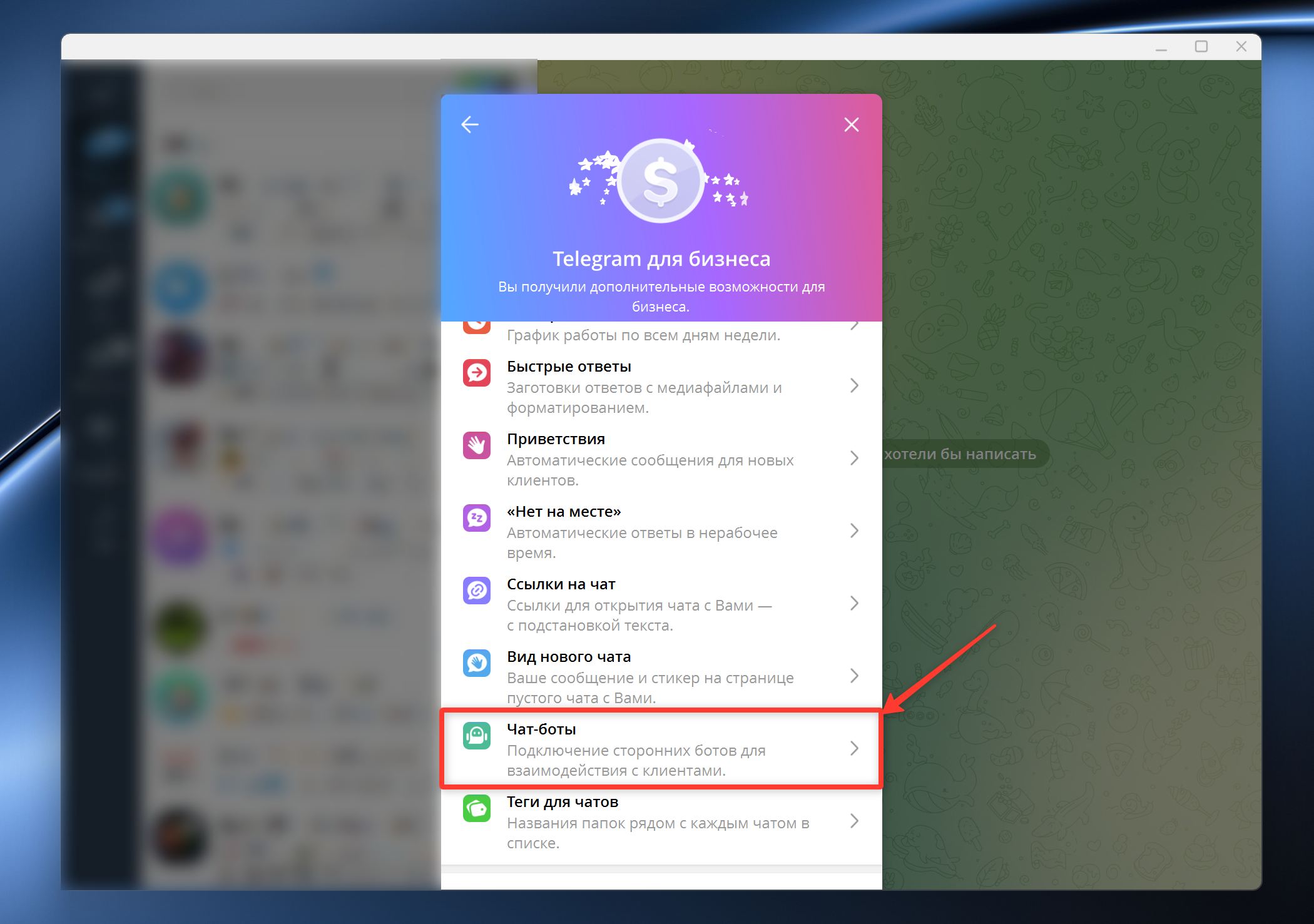
Select the Chatbots section.
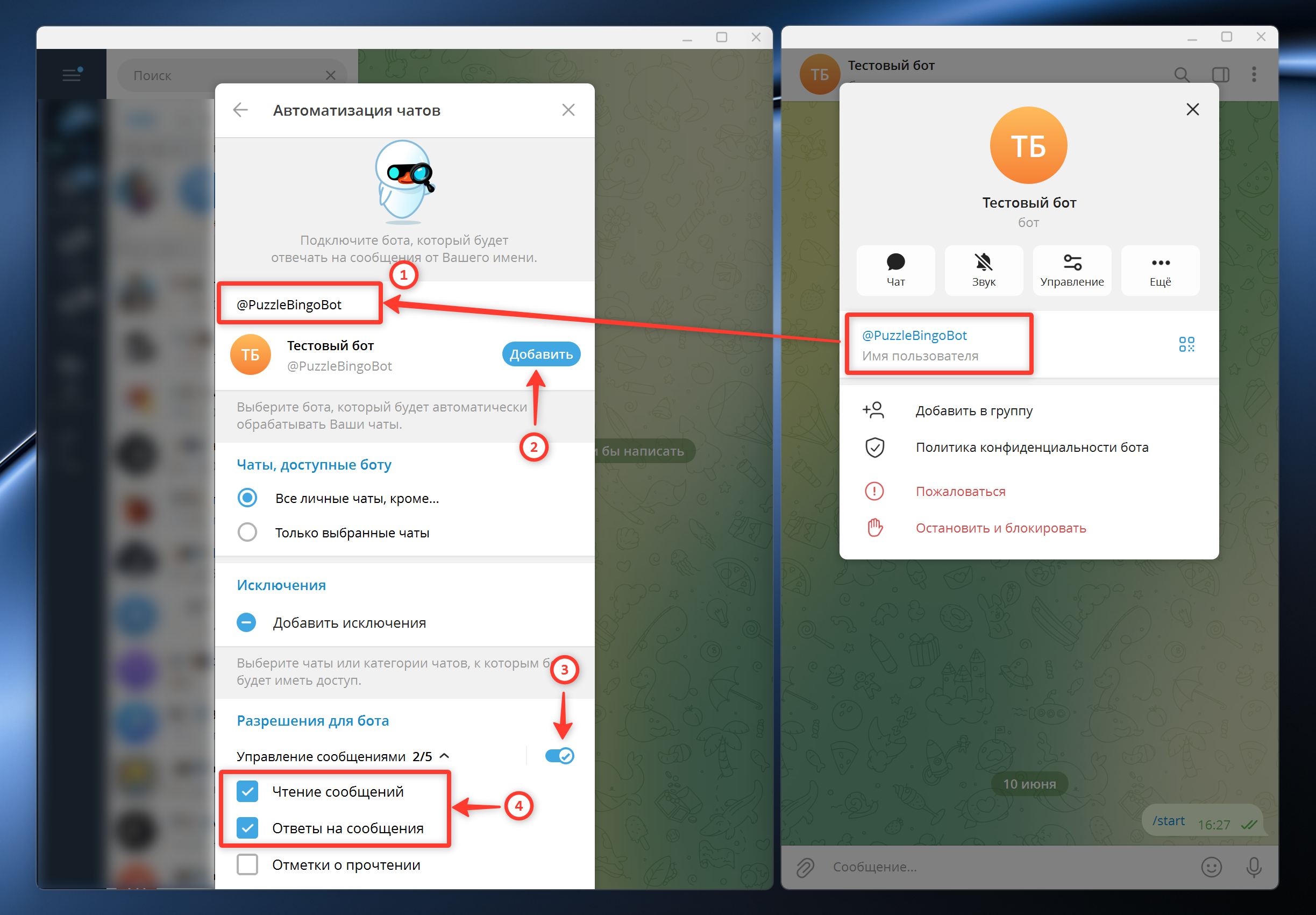
In the input field, enter the link to the bot or the bot's @username and tap Add
Grant the "Read messages" and "Reply to messages" permissions. You can grant other permissions as well if you wish.
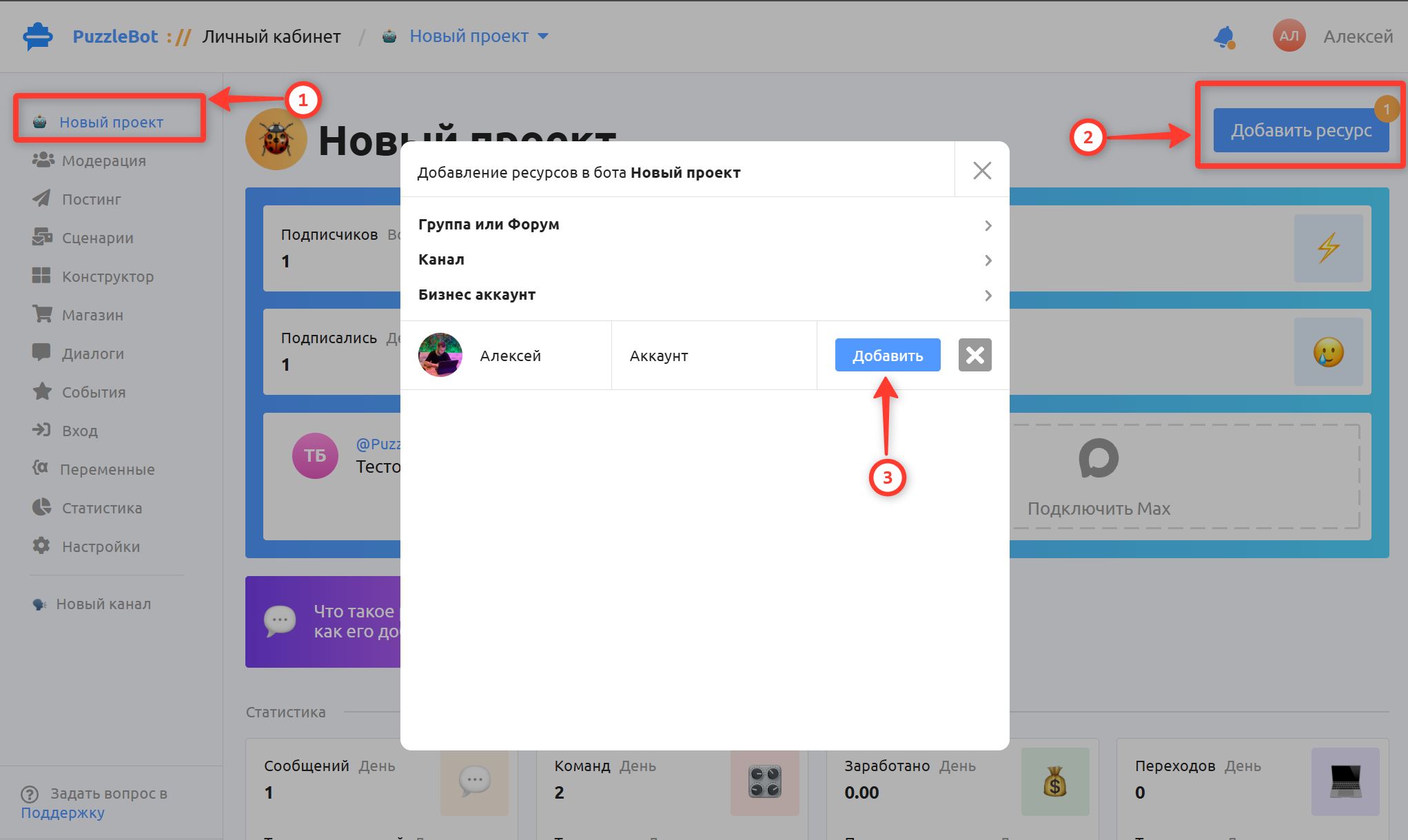
Accept the request in your puzzlebot account: project home page → Add resource → Add
Answers to common questions about business accounts:
How do I add a user to a business account?
Repeat the same steps you took for the first connection, but keep in mind: the first request to a business account is accepted with the "Add resource" button on the bot page, while all other requests are accepted with the "Add user" button on the business account page.
What does "disabled" mean in the statistics?
The bot can only write to users it has received a message from within the last 24 hours. If 24 hours have passed since the user's last message, the bot cannot continue the conversation until a new message arrives.
Why does the bot read my private chats?
In the Telegram settings, on the Chatbots tab, you can choose which chats the bot has access to.