Adding a bot to a channel or group takes a few simple steps.
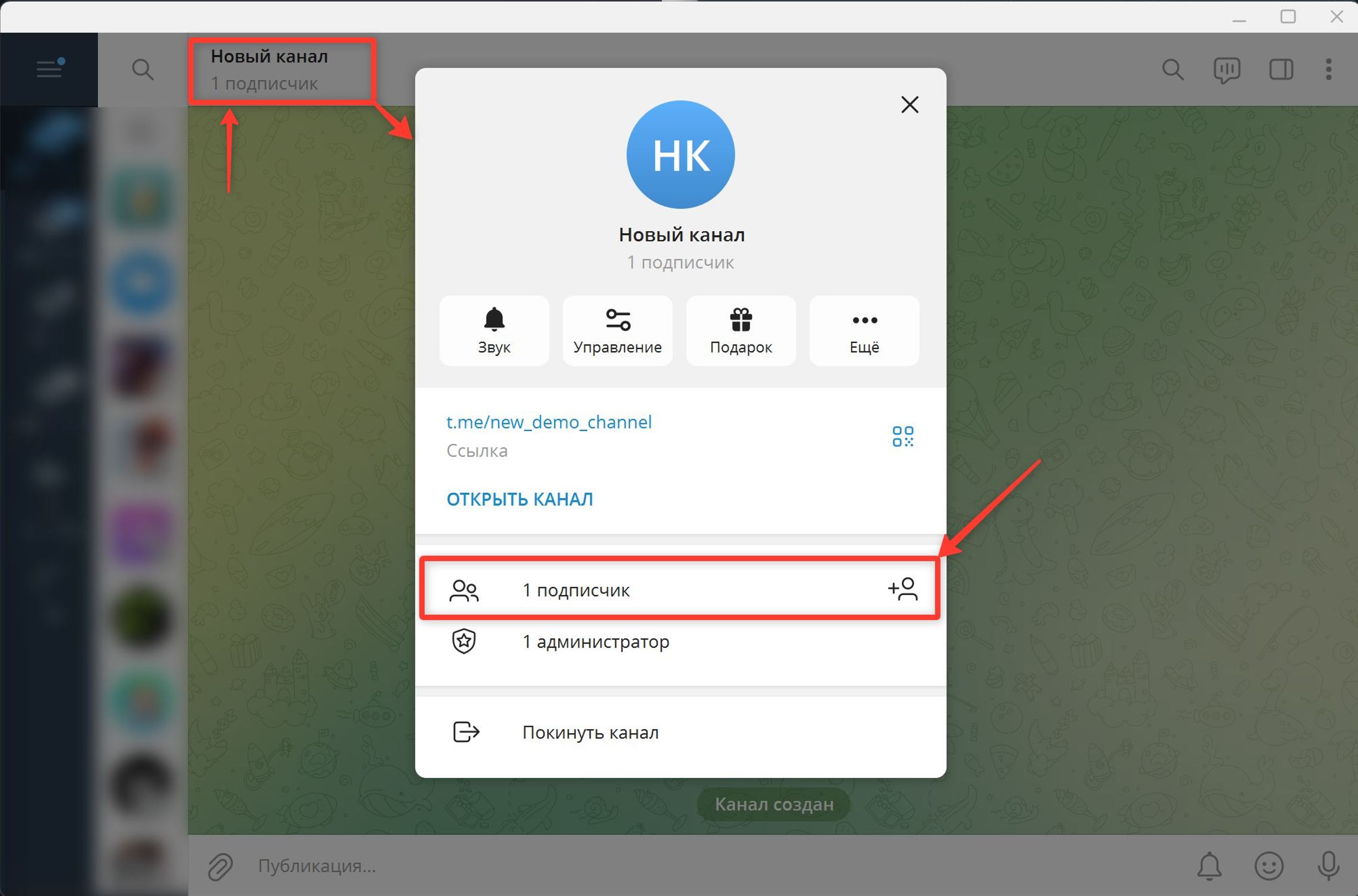
1. Open the channel and tap its title to open the channel info, then tap the button for adding subscribers.
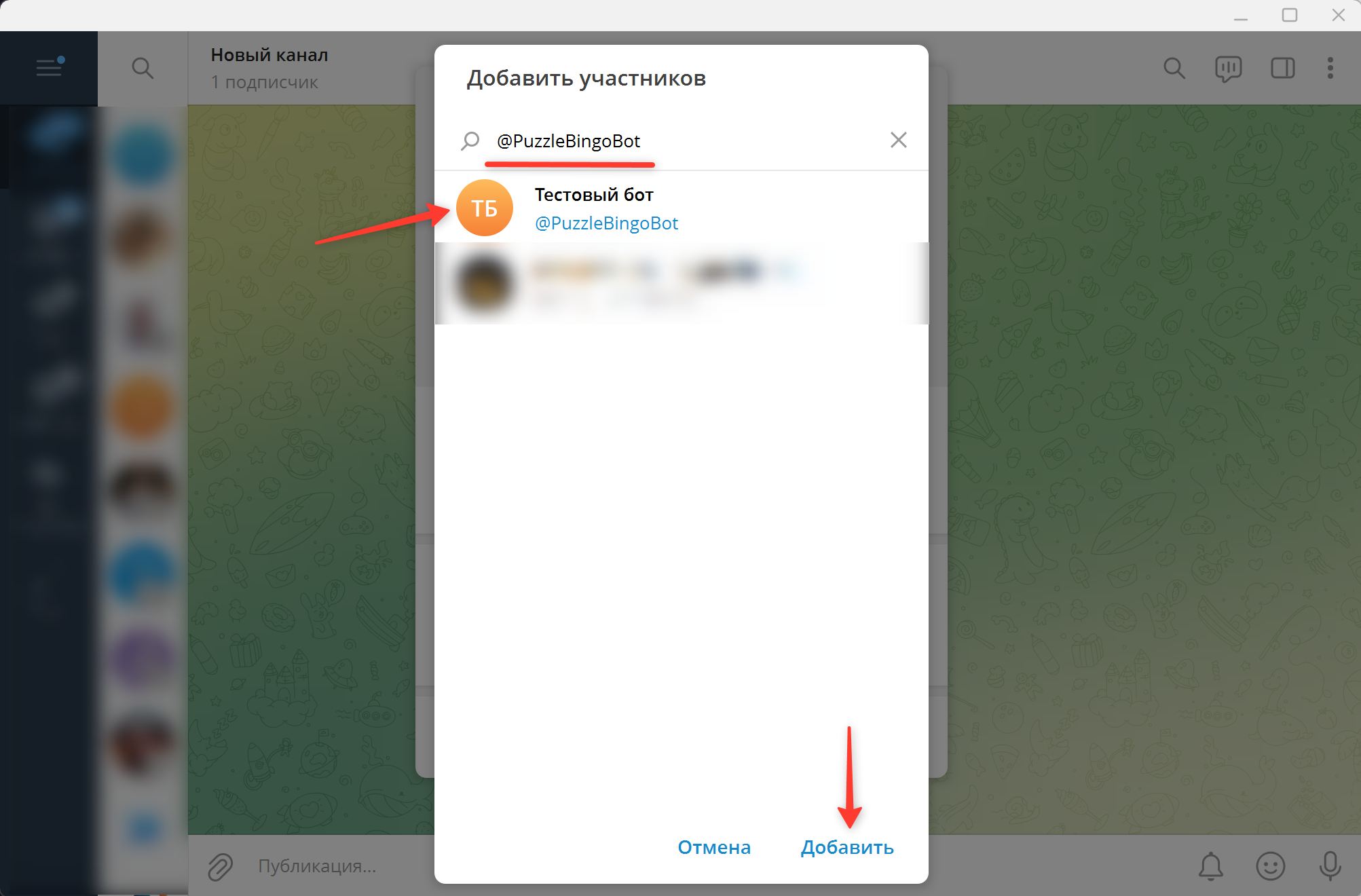
2. Enter your bot's name or username in the search, select it from the list and tap Add.
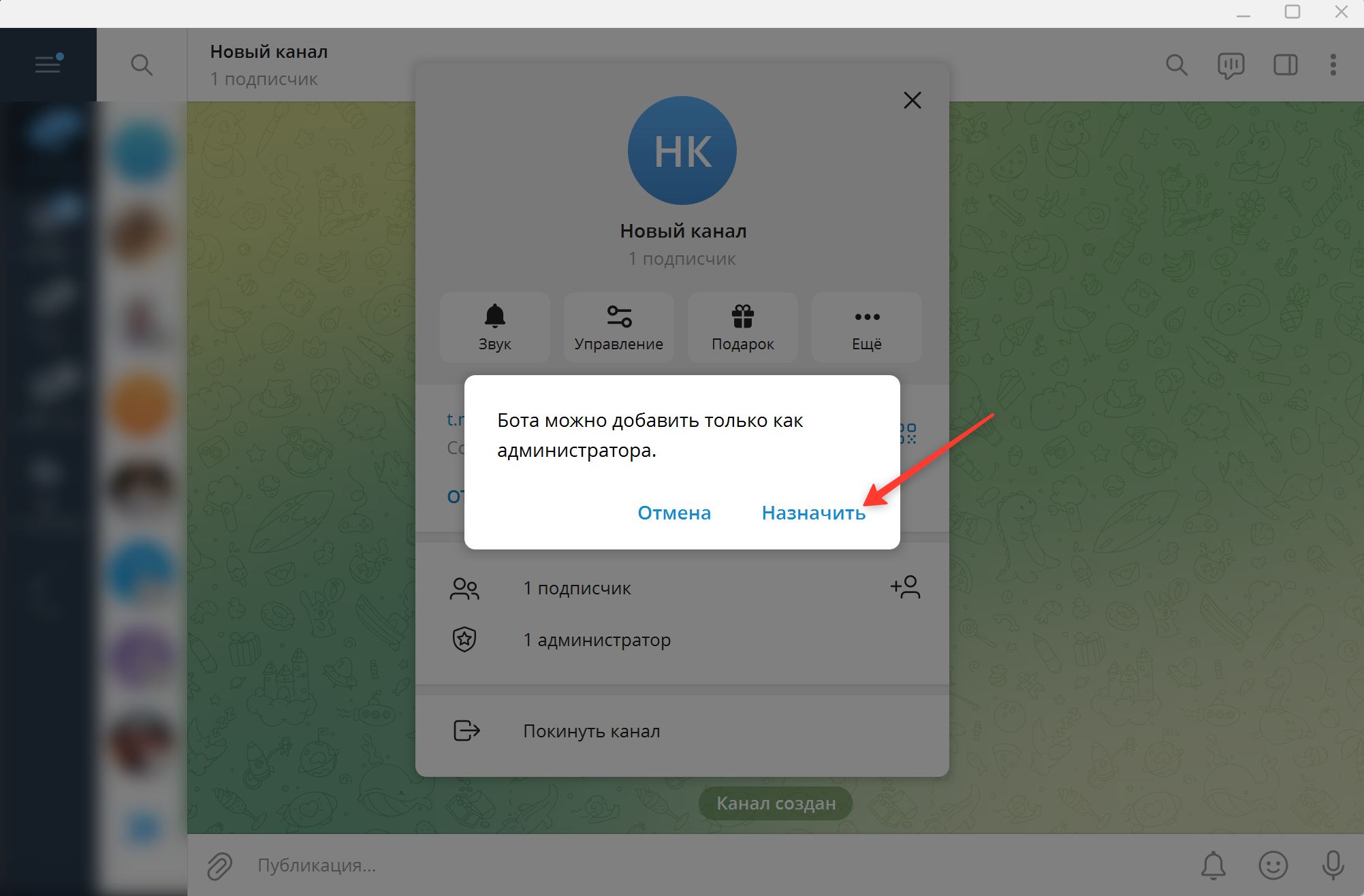
3. Confirm granting administrator rights by tapping Make admin.
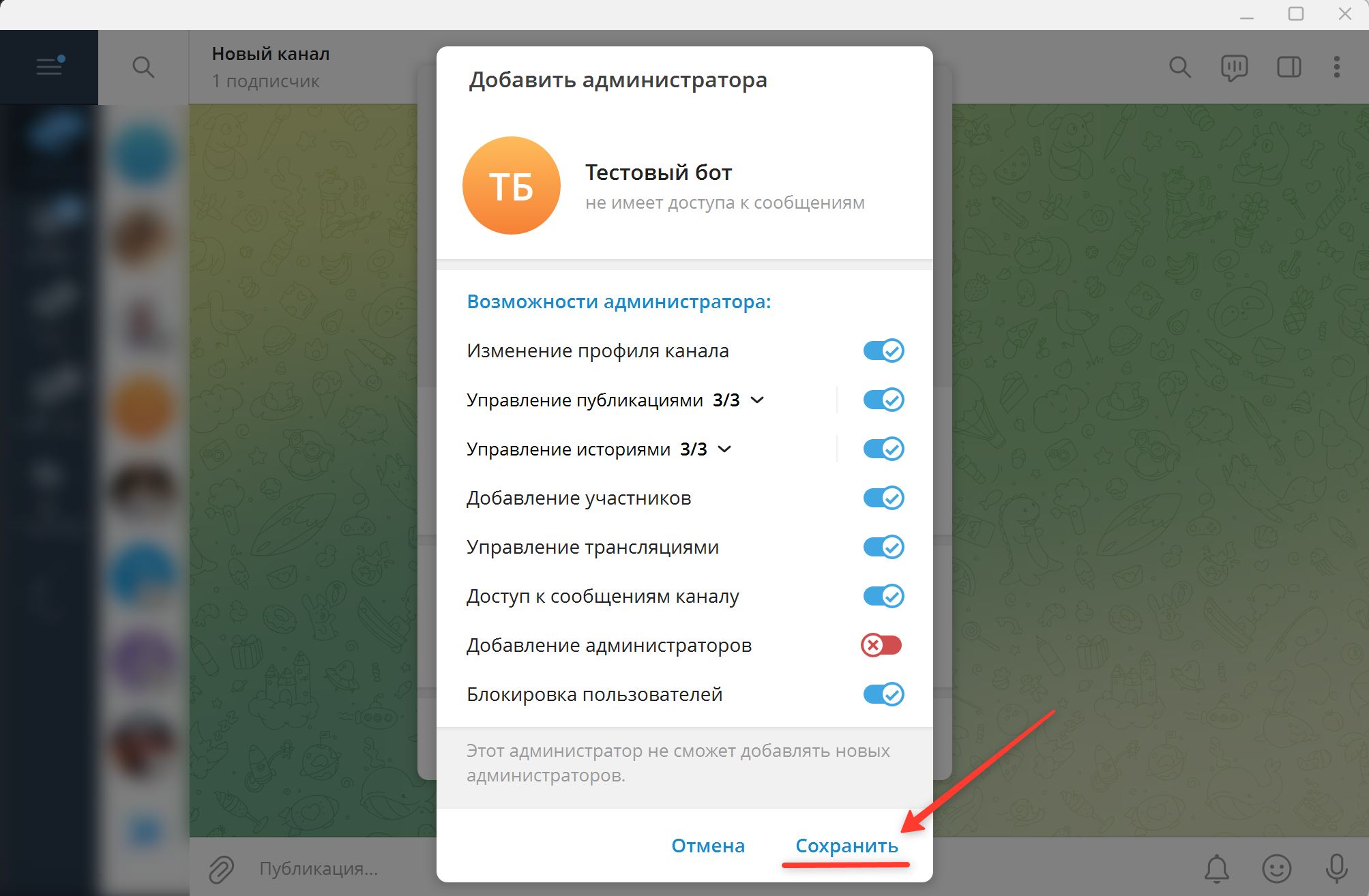
4. Save the administrator rights.
Important! When adding a channel, after completing all the steps above, post any message in it.
Done! The bot has been added to the resource and has full administrator rights.
If the resource is not yet connected to your puzzlebot account:
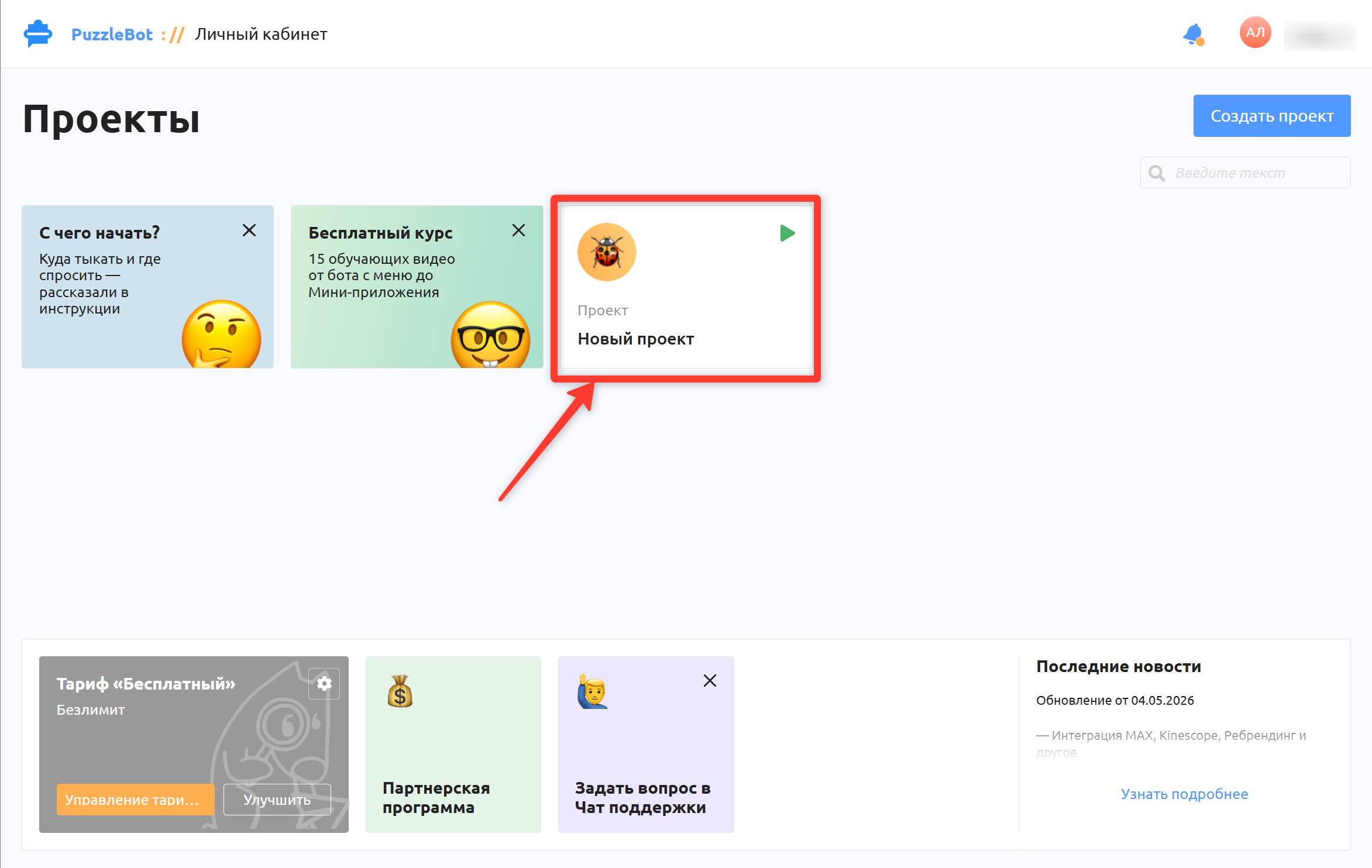
1. Go to your puzzlebot account and select the project you need.
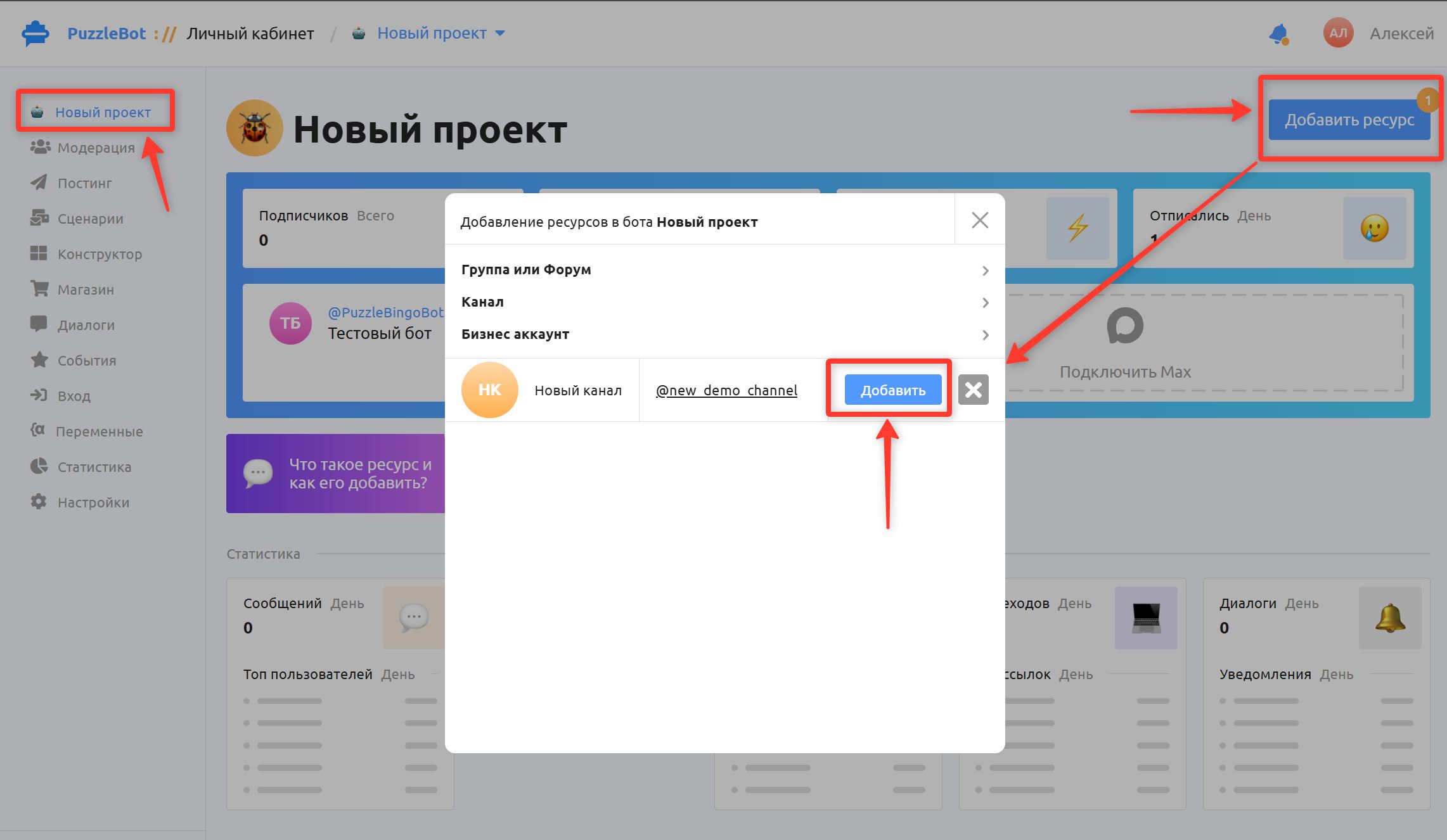
2. Click Add resource (the button will already show a notification (1) about a request to add a resource).
3. Select the resource you need and click Add.
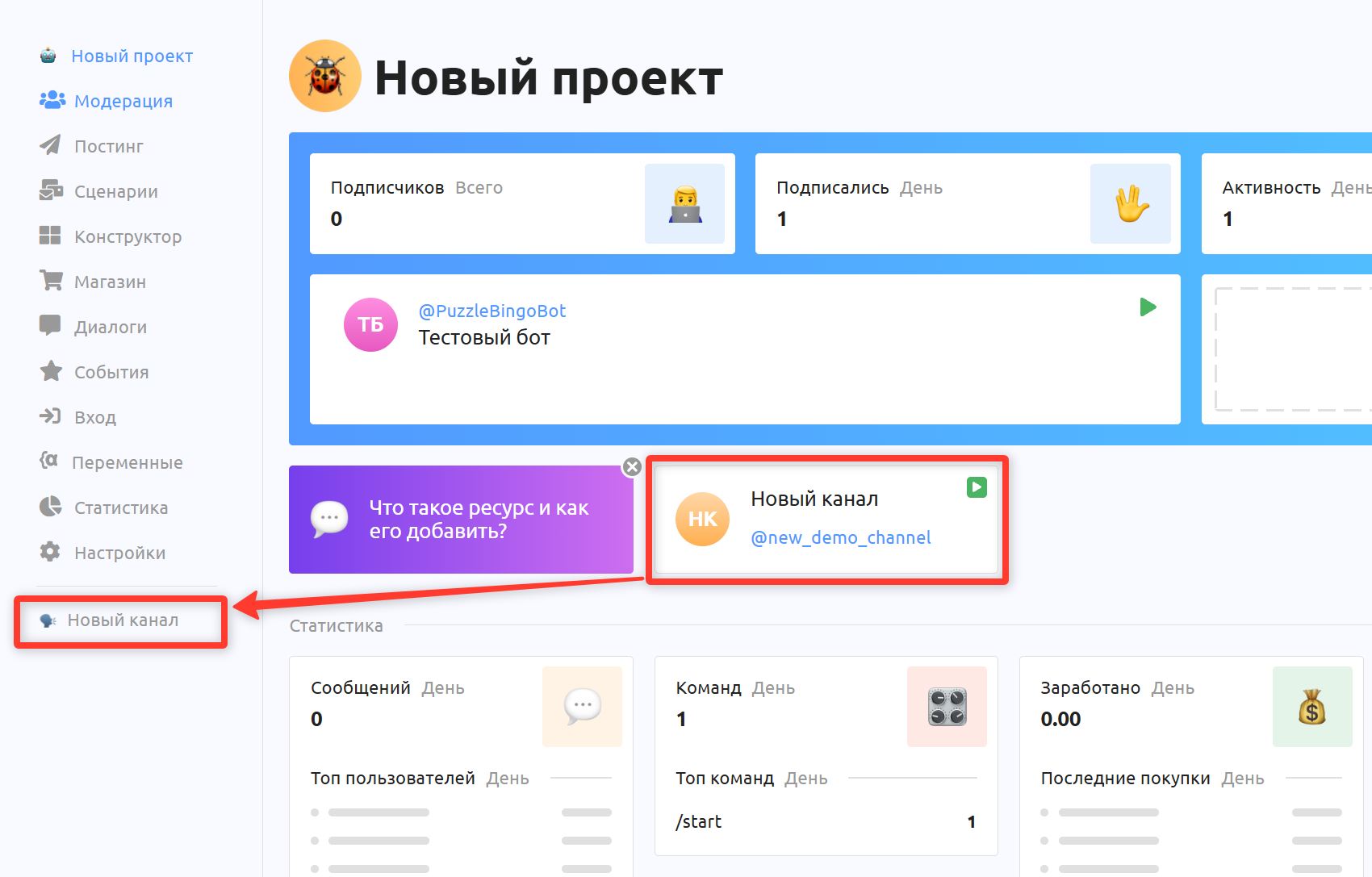
The resource will appear on the project's main page.
Congratulations! The resource has been added.