A resource is the general name for the Telegram entities a bot can work in. Currently these are channels, groups, forums and business accounts.
Before connecting a resource, create a bot and connect it to puzzlebot. Learn more:
Connecting a business account resource is covered in a separate guide:
Connecting a group, channel or forum
Once the steps above are done, connect the resource as follows:
Add your bot to the resource you want to connect. Learn more: How to add a bot to a resource.
Give the bot administrator rights. Learn more: How to change bot and user rights in resources.
If you are connecting a group, go to the next step. If you are adding a channel, then after adding the bot and making it an administrator, post any message in the channel (you can delete the message once the channel is connected).
Open your puzzlebot account and select the project. On the project page, click "Add resource".
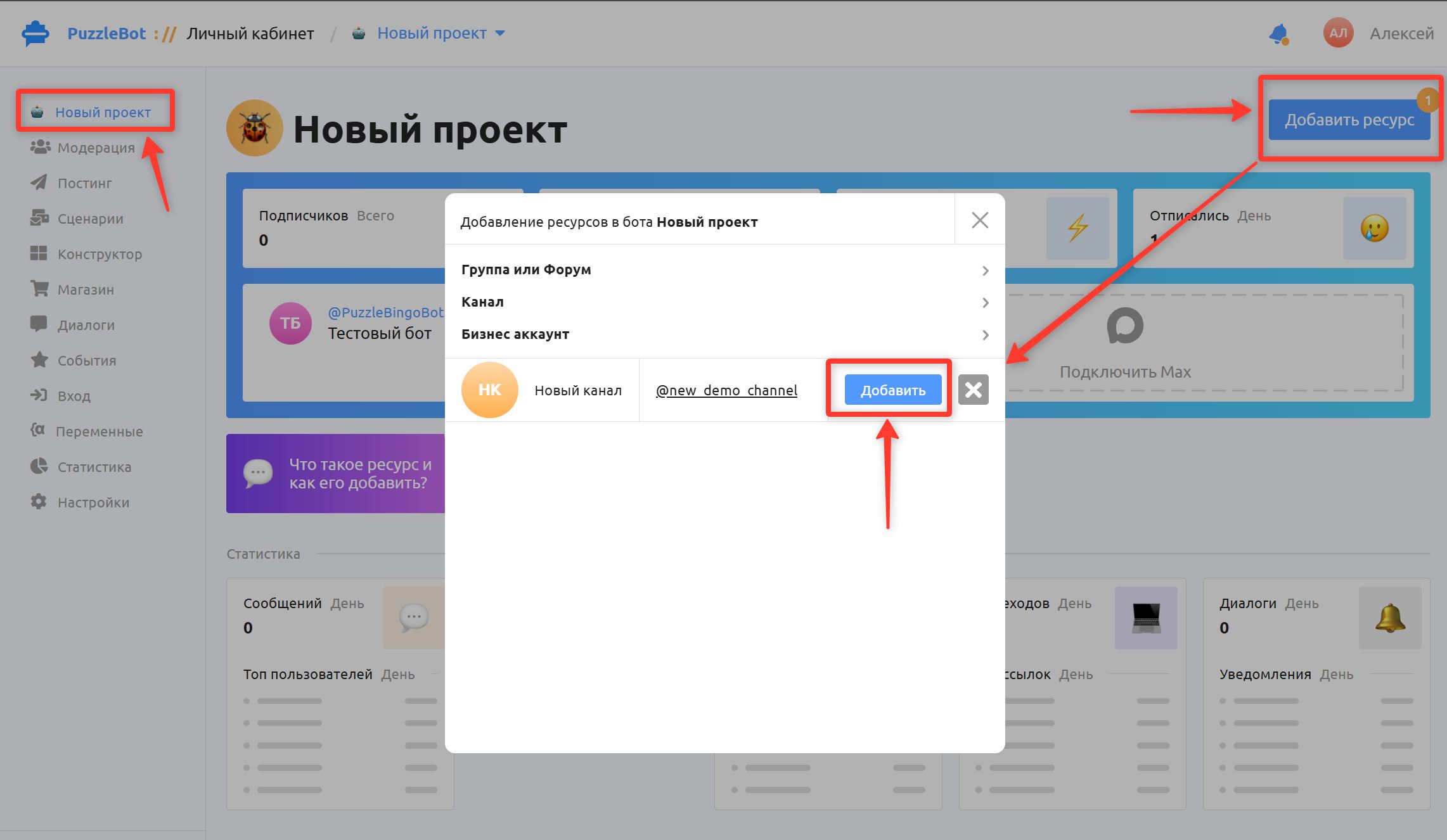
In the window that appears, click Add next to the resource (the cross tells the bot to leave the resource).
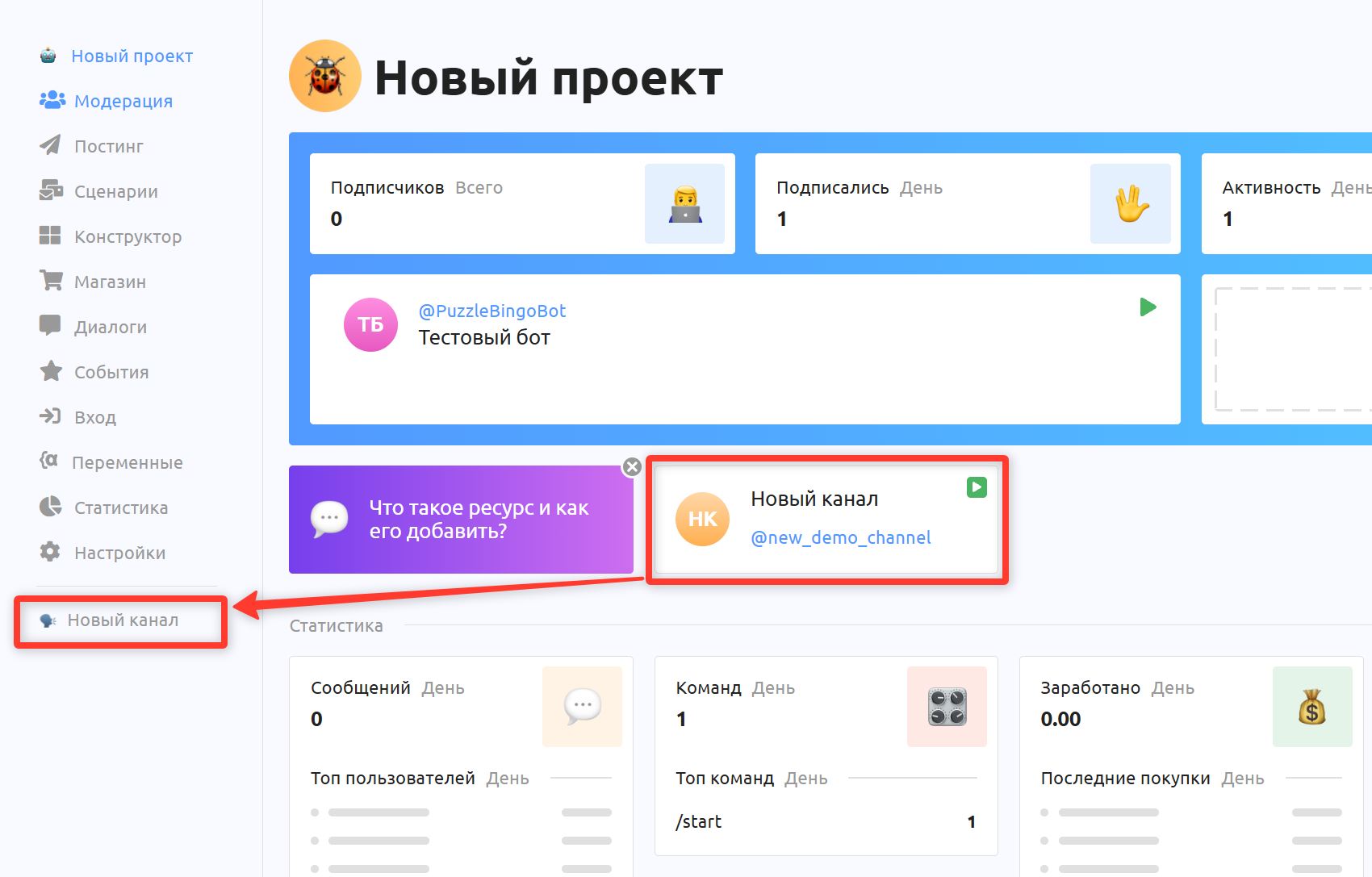
Done! You have added the resource.
Important! If the bot was added to an unfamiliar resource and it wasn't you who did it, don't worry: the bot automatically leaves all unconfirmed resources after 20 minutes.
Important! If you couldn't connect the resource, read this article: Can't connect a resource (group or channel).
Connecting a business account resource is covered in a separate guide: