This article explains how to send a message to user categories and audiences.
The article has two parts:
Steps for sending a post to a Category or Audience
Setting up Categories or Audiences for sending
We also recommend reading:
How to send a post to the bot and to resources (multiposting)
What categories are and how to create them and add users to them
Steps for sending a post to a Category or Audience
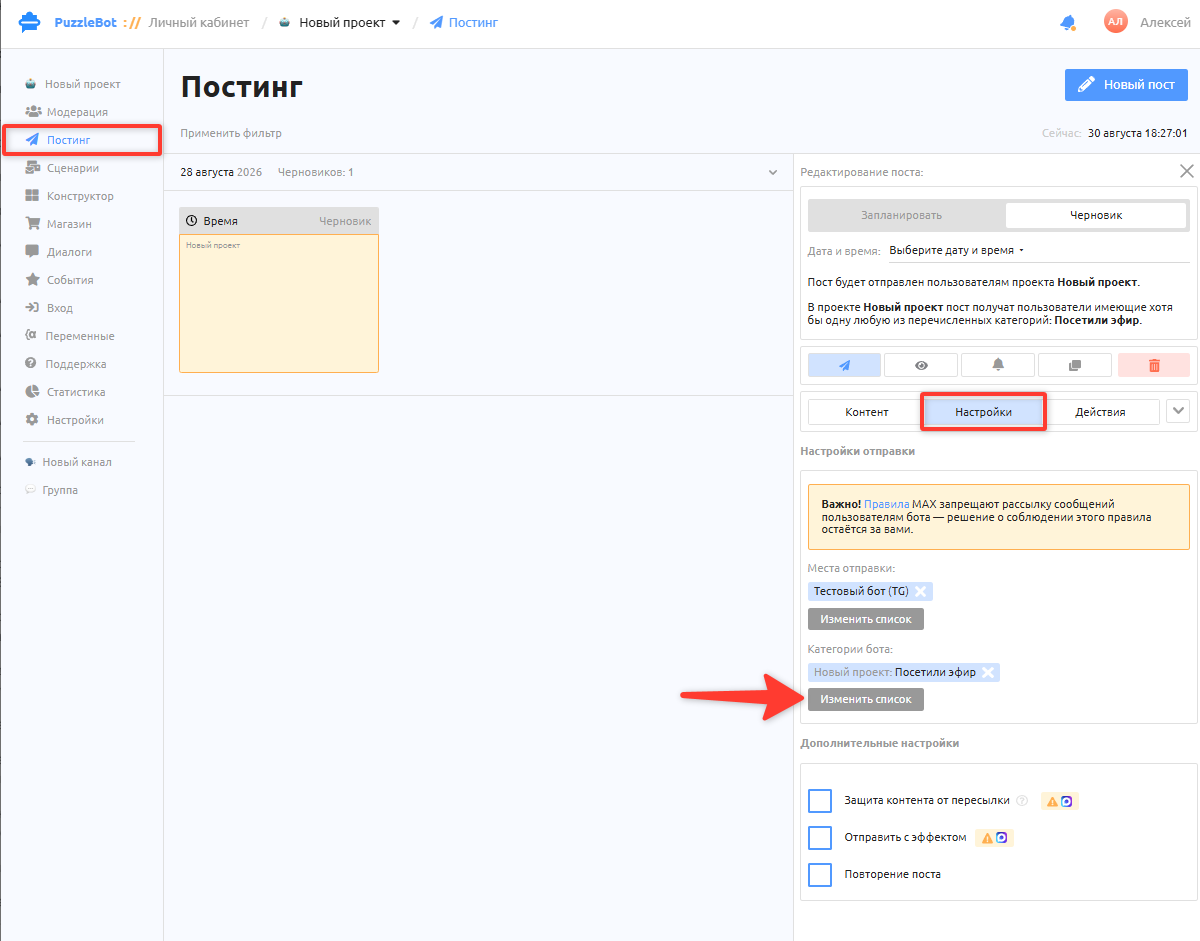
To send a post to a specific category:
Create a user category and assign it to users. Learn more: What categories are and how to create them and add users to them.
Go to the Posting tab and create a new post.
In the post settings, select Bot categories.
Important! Sending by categories and audiences is available only if the bot is selected among the destinations. If the post is sent only to resources, you cannot select a category.
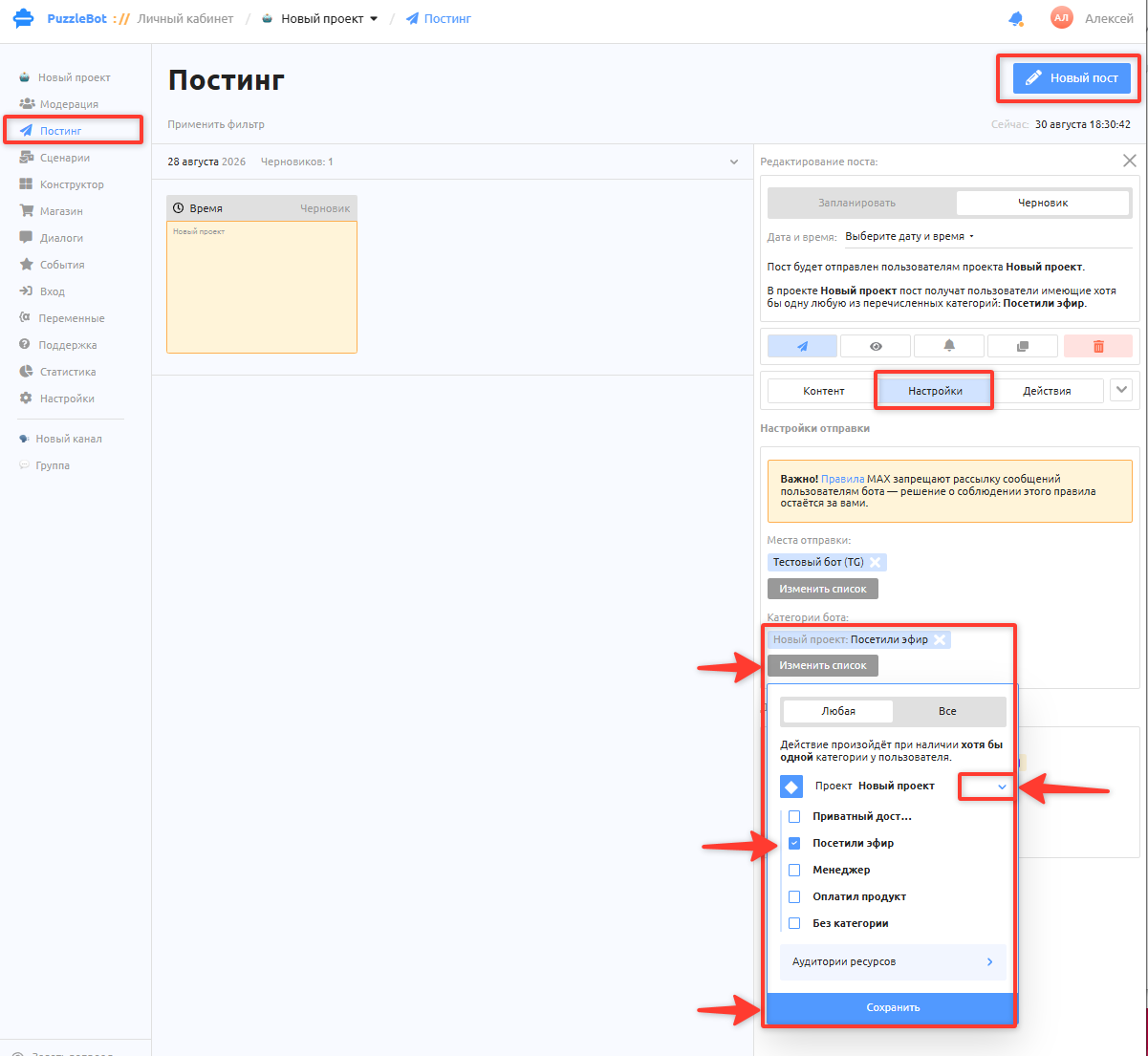
4. Next to the project name, click the arrow that expands the list of categories, select the one you need, and then click Save.
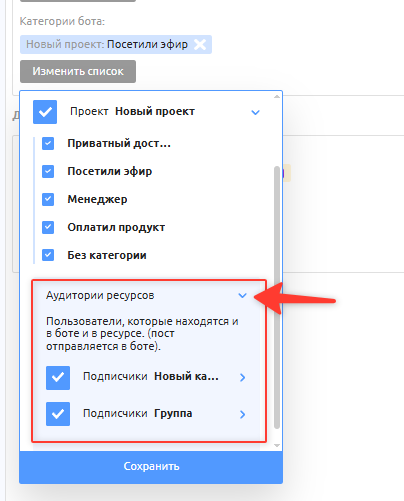
A post can be sent to a Category or an Audience.
Here is the difference:
Category — a group of users of a bot or a resource.
Audience — an overlapping group of users who are in the bot and in a specific resource at the same time.
Important! Sending to selected Categories or Audiences happens only in the bot. It is not possible to send a post to a limited number of subscribers in a chat or a channel.
If you need to send a post only to a channel or a group, all users will see it. Learn more: Posting section overview
Setting up Categories or Audiences for sending
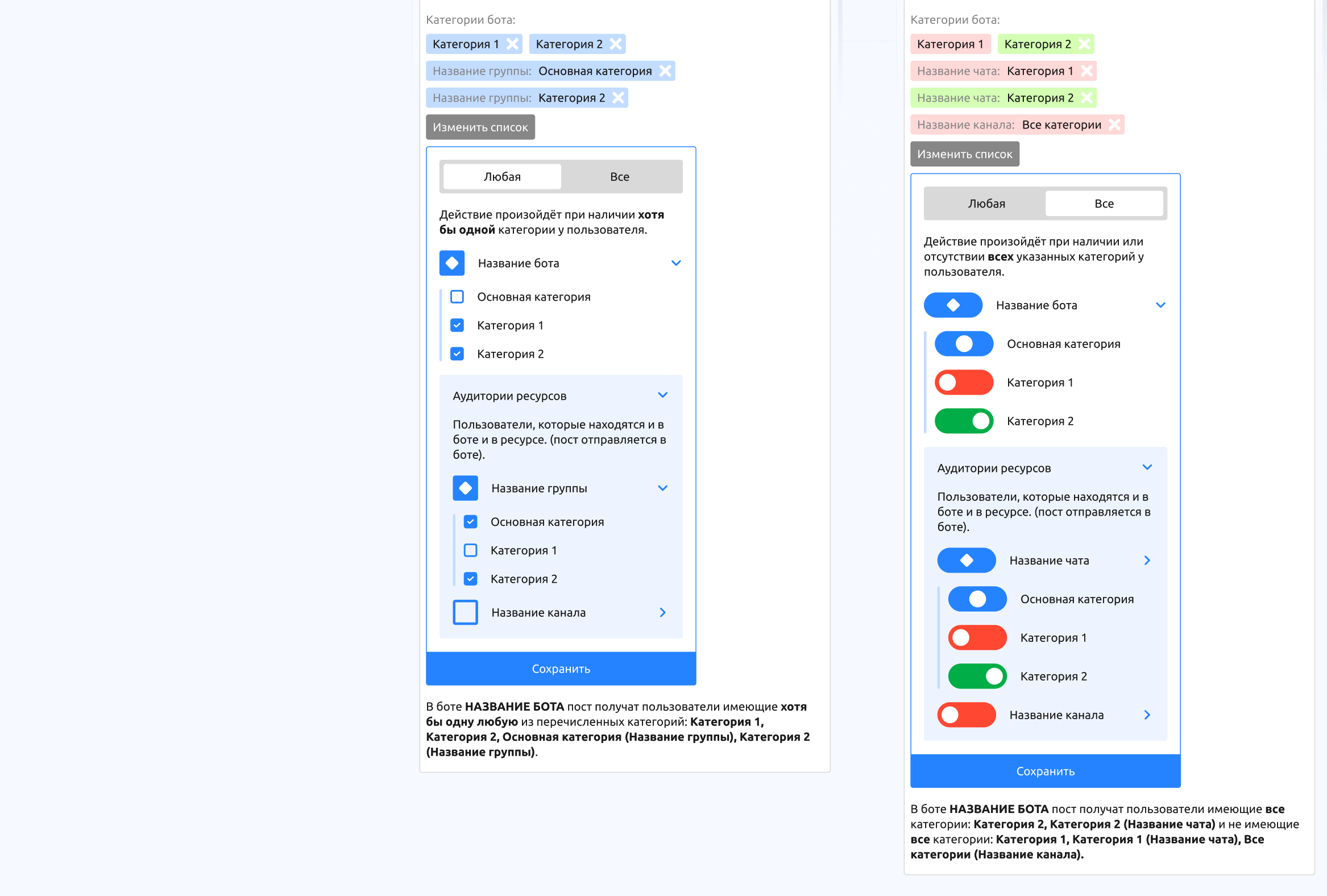
Let's look at the updated dropdown in the category settings for sending. The administrator can choose between several methods: Any and All.
Any — checks that the user has at least one of the listed categories.
Example: a post is set to be sent to the "Moscow" and "Paying" categories. If a user has the "Newbie" and "Moscow" categories, they will receive the post, because they are in the "Moscow" category.
Another example: there are 4 users: Sasha with Category "1", Anya with Category "2", Misha with Category "3", and Ksyusha with Categories "1" and "2". If the post is set to be sent to categories 2 and 3, and the selected method is Any, then Anya, Misha and Ksyusha will receive the post.
All — checks the presence and absence of all the listed categories.
Example 1:
A post is set to be sent to users who are in the "Newbie" category but not in the "Paying" category. If a user has the "Newbie" and "Moscow" categories, they will receive the post, because they are in the "Newbie" category and not in the "Paying" category.
Example 2:
A post is set to be sent to users with the "Newbie" and "Moscow" categories. If a user has only "Newbie" or only "Moscow", they will not receive the post. Only users who have both categories will receive it.
Another example:
There are 4 users: Sasha with Category "1", Anya with Category "2", Misha with Category "3", and Ksyusha with Categories "1" and "2". If the post is set to be sent to users who have category 2 but do not have category 3, and the selected method is All, then Anya and Ksyusha will receive the post.