How to create a Telegram bot with @BotFather and connect it to puzzlebot ://
Creating a new Telegram bot is easy. Follow these steps:
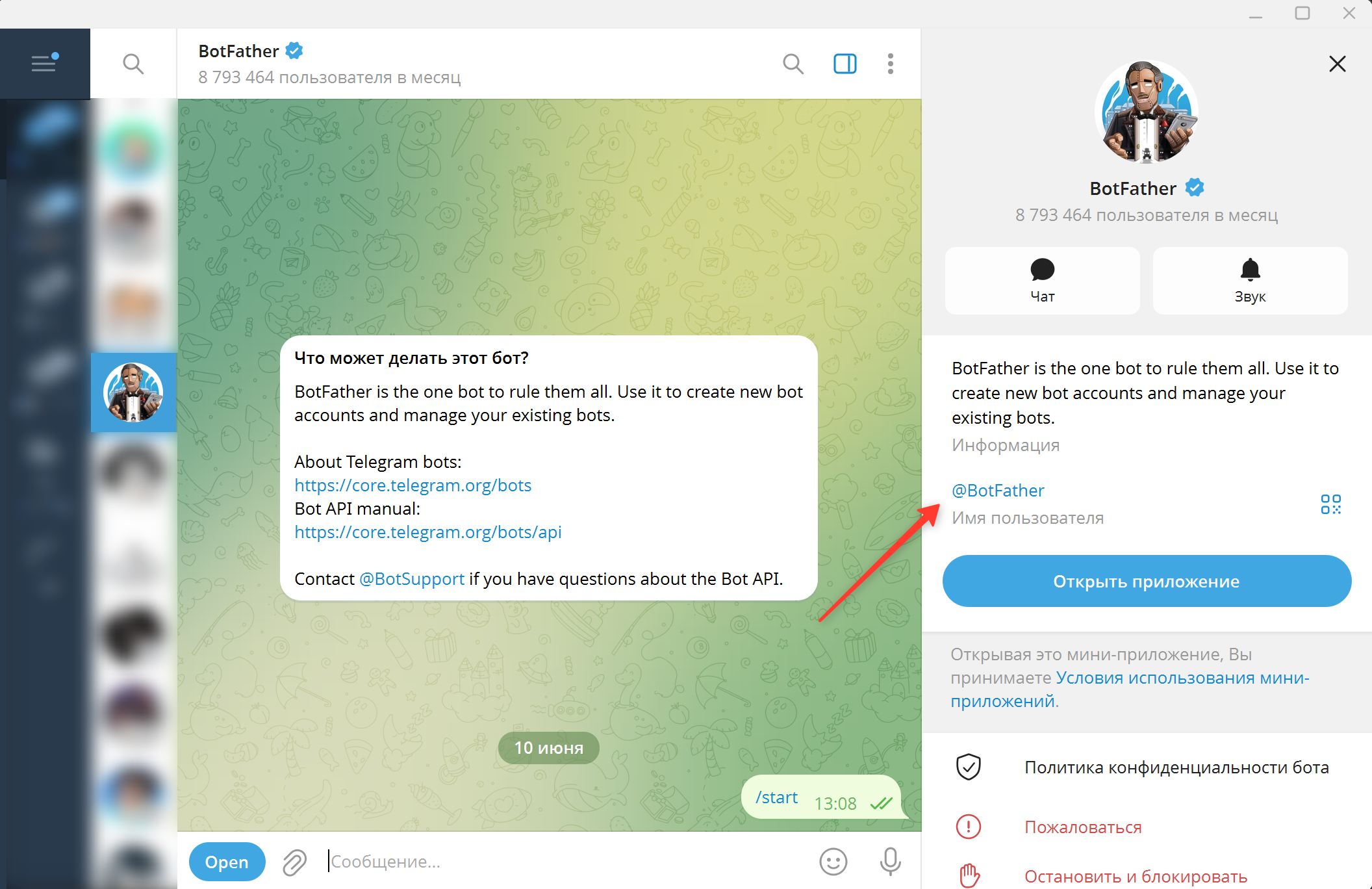
1. Open Telegram, find the system bot @BotFather and start a chat with it.
@BotFather is the official Telegram bot that creates and registers other bots in the messenger.
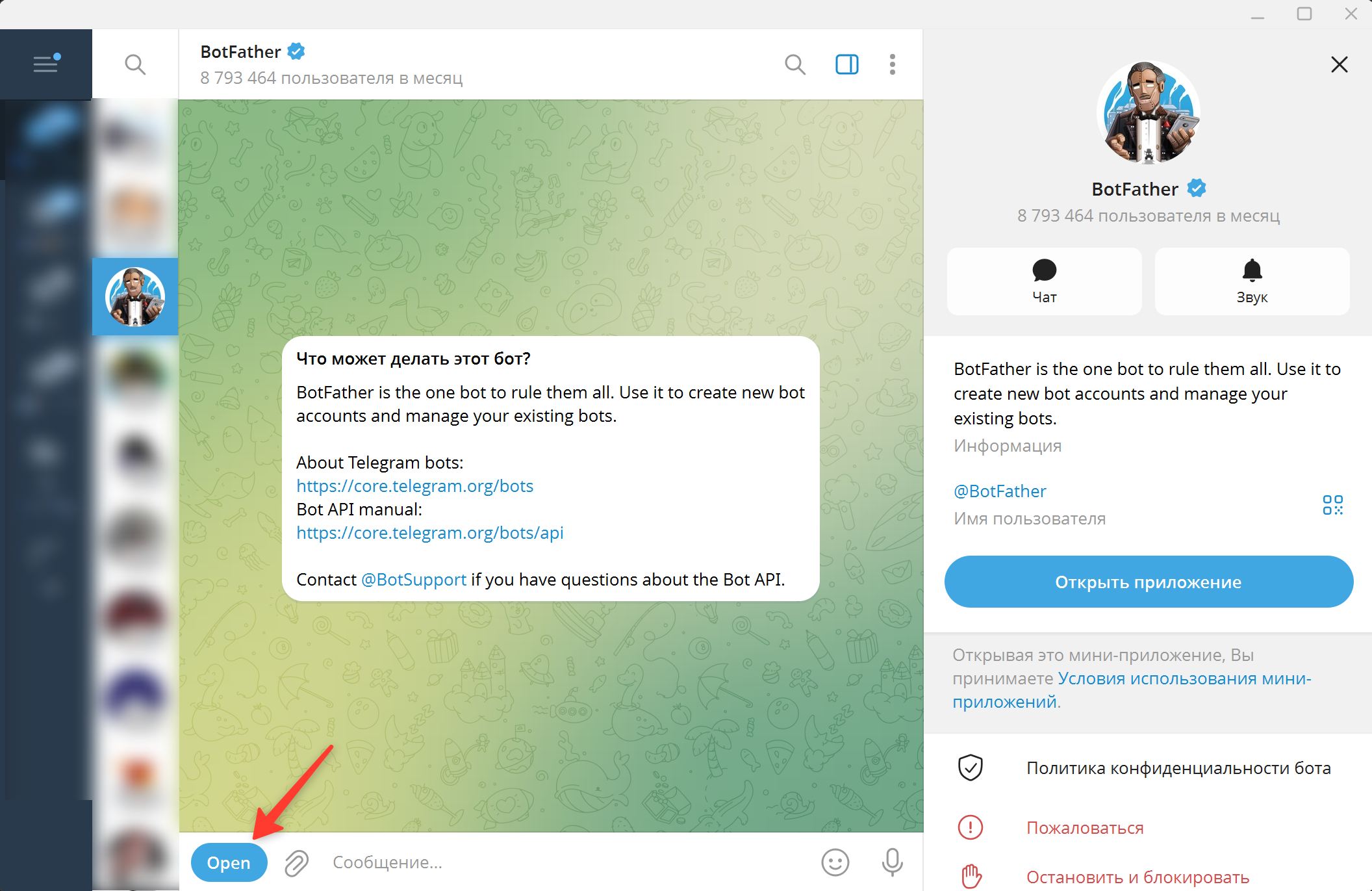
2. Tap Open.
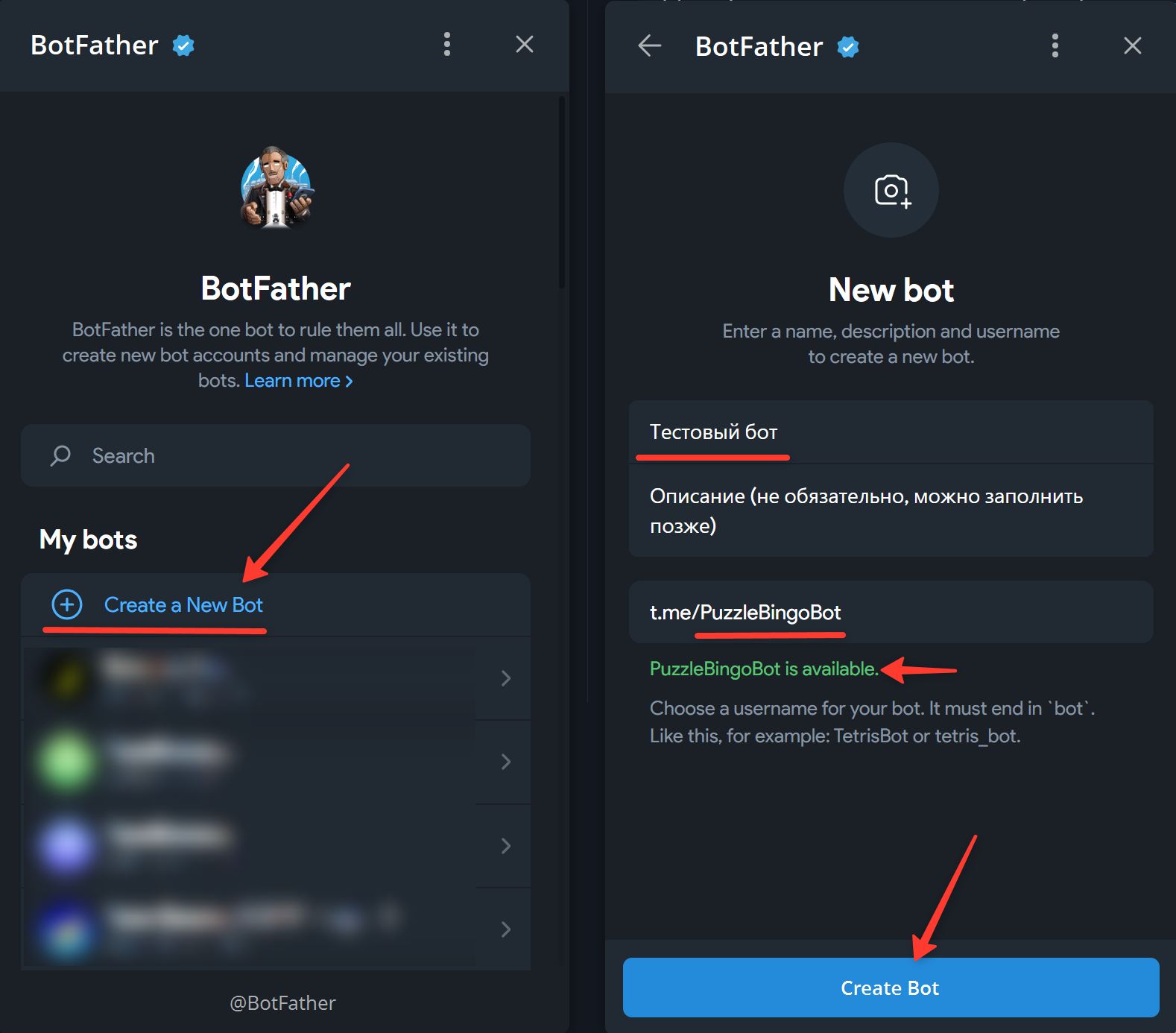
3. Tap Create a New Bot.
4. Enter a name for the bot. It can be anything: Cyrillic or Latin letters, spaces and emoji are all allowed.
5. Enter a unique username for the bot. It must end in "bot" or "_bot", for example "hello_bot", "newbot", "best_bot" or "puzzlebot". The username becomes part of the link to your bot, for example t.me/puzzlebot.
6. Tap Create Bot.
Done! You have created a bot.
To connect your bot to puzzlebot, enter its API key in the corresponding field in your puzzlebot account.
An API key is a secret code that lets you control the bot from outside the Telegram app.
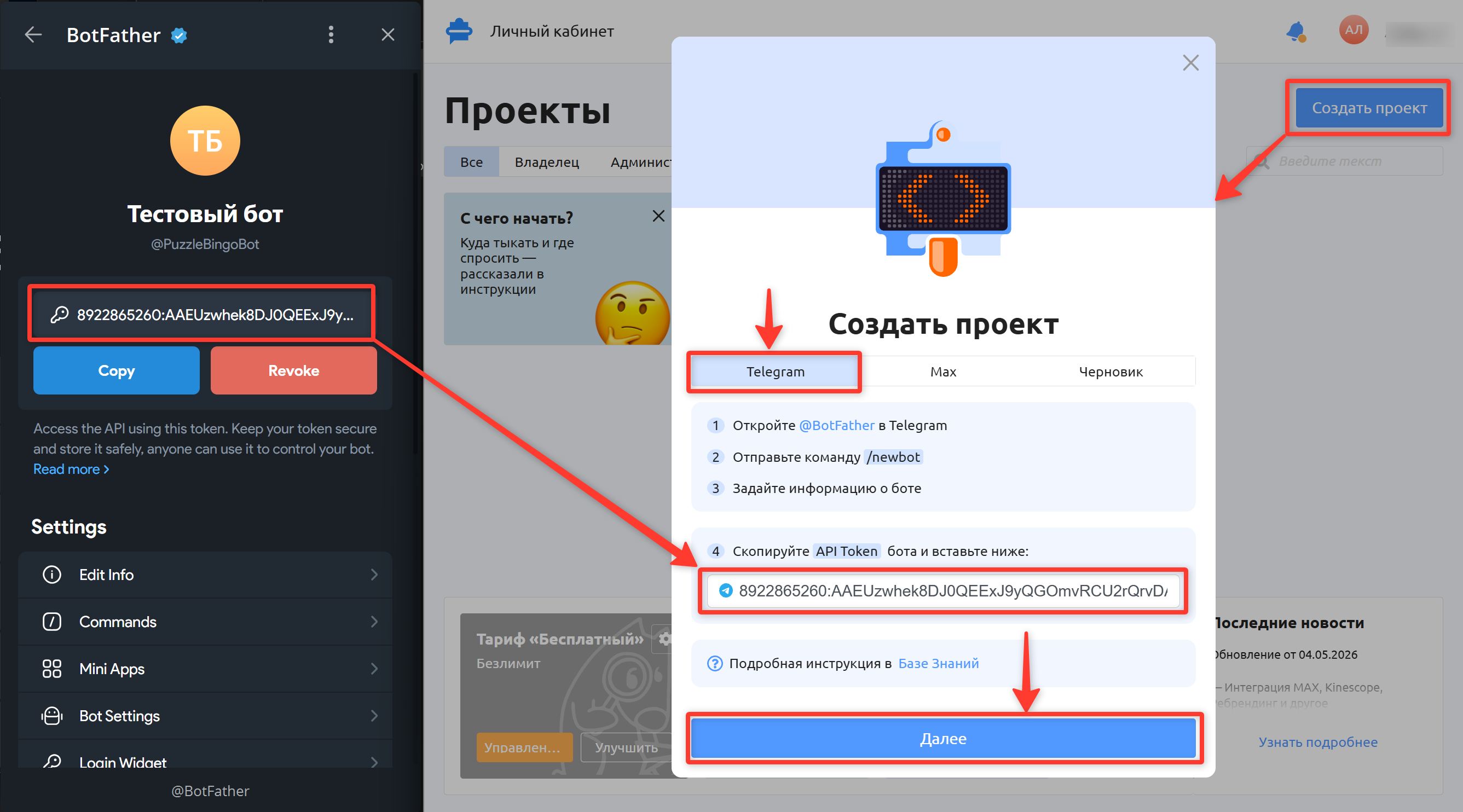
Copy the API key by tapping
Copy.In your puzzlebot account, click "Create project" and paste the key into the corresponding field.
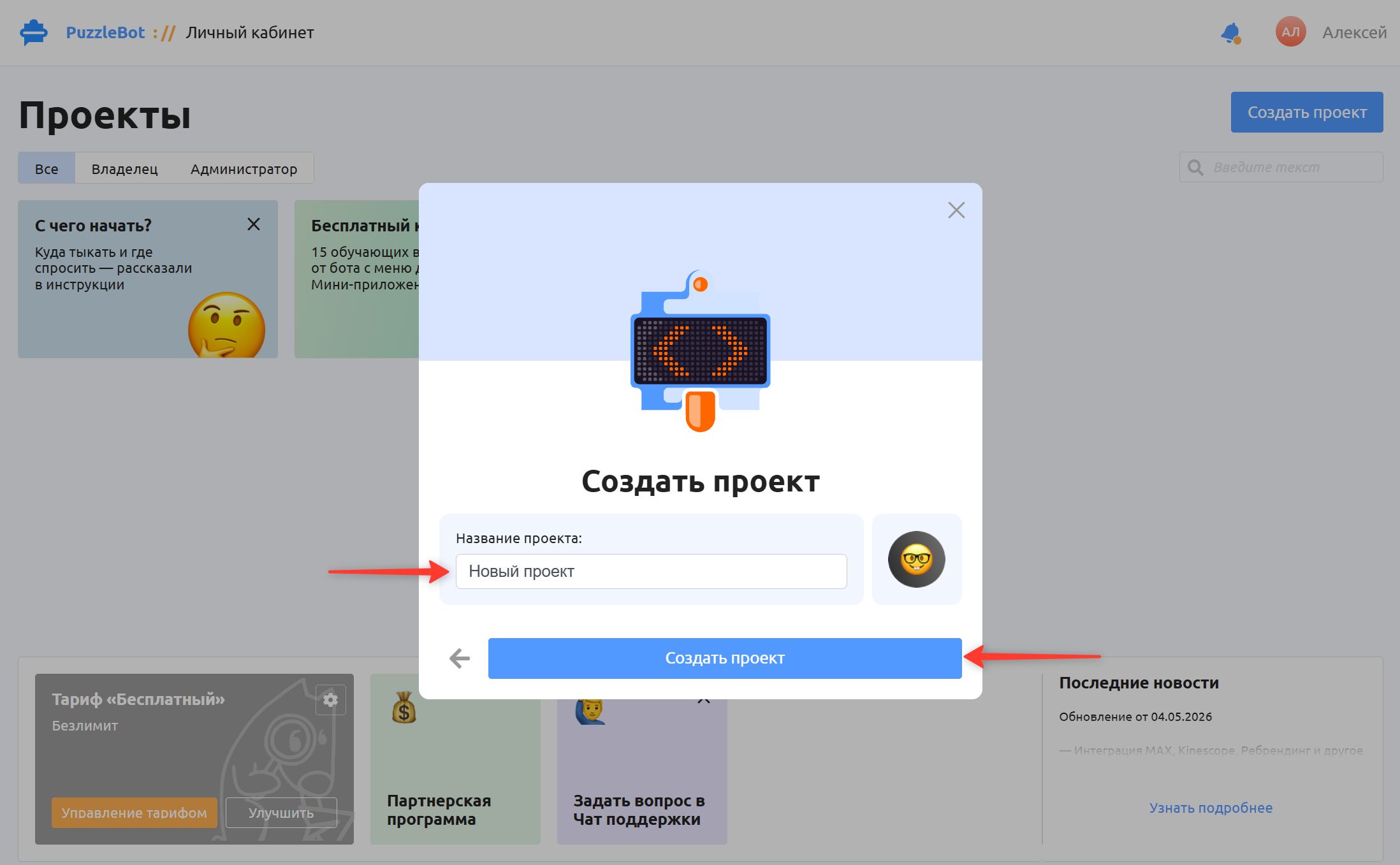
Enter a project name (it can be anything) and click Create project
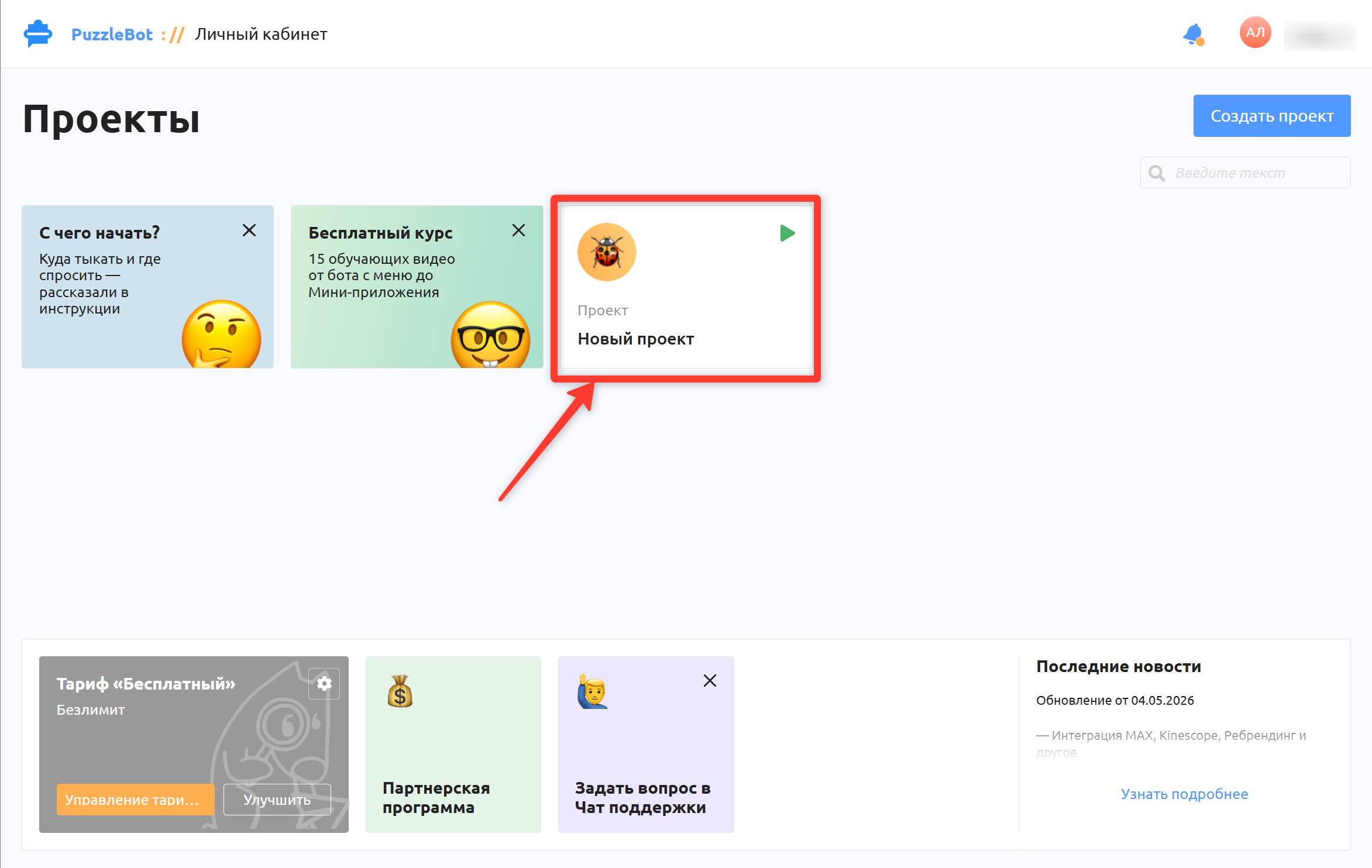
Congratulations! You have created a bot and connected it to puzzlebot. Happy building!