For a more convenient walkthrough, we recommend watching the video guides.
How to create a bot in Max as a self-employed person:
How to create and set up a chatbot in Max from scratch:
Signing up and creating a bot in Max
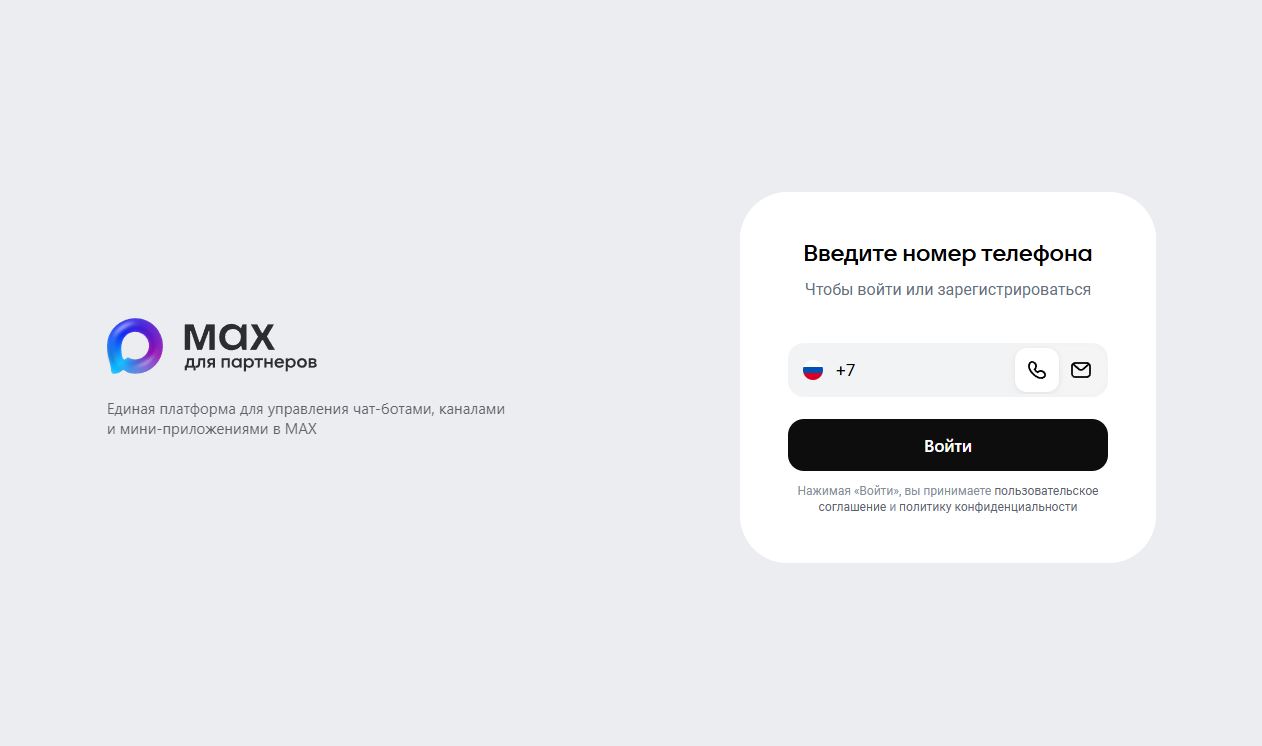
1. To create a bot in Max, first log in or sign up on the Max for partners platform — https://business.max.ru
Note: To sign up on the Max platform for partners, you must be a resident of the Russian Federation and have a company, or the status of an individual entrepreneur or a self-employed person.
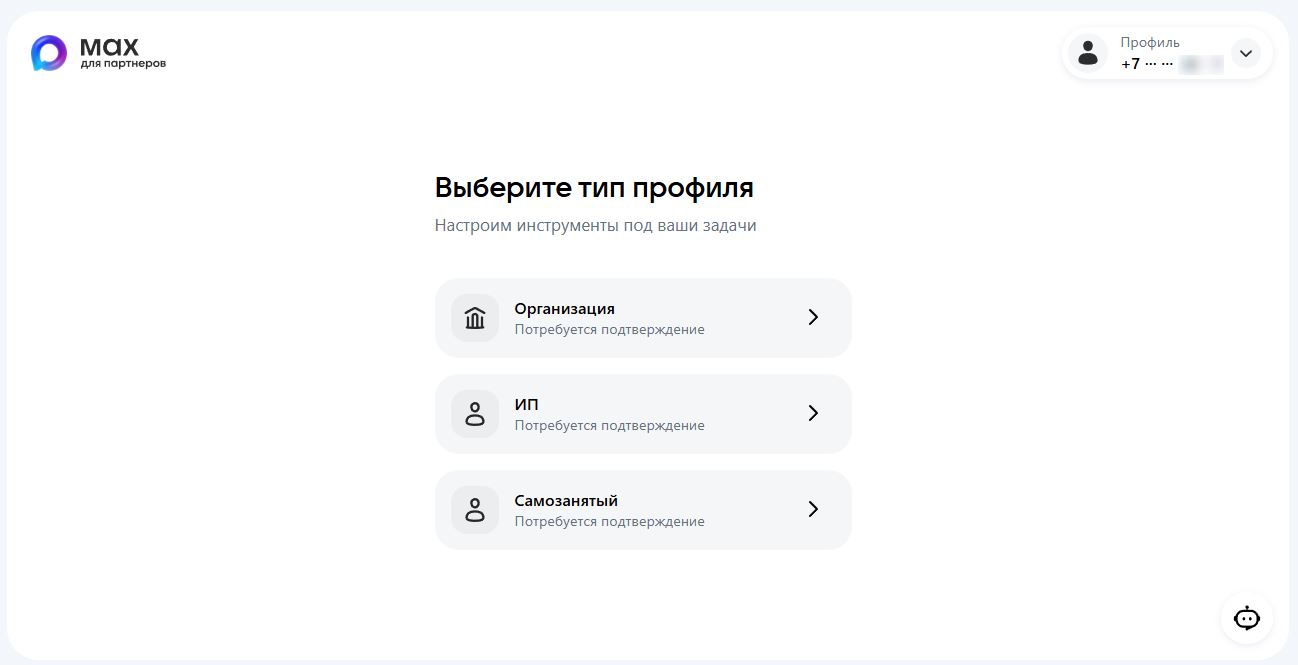
2. Select a profile type and confirm your status via Gosuslugi or a bank account.
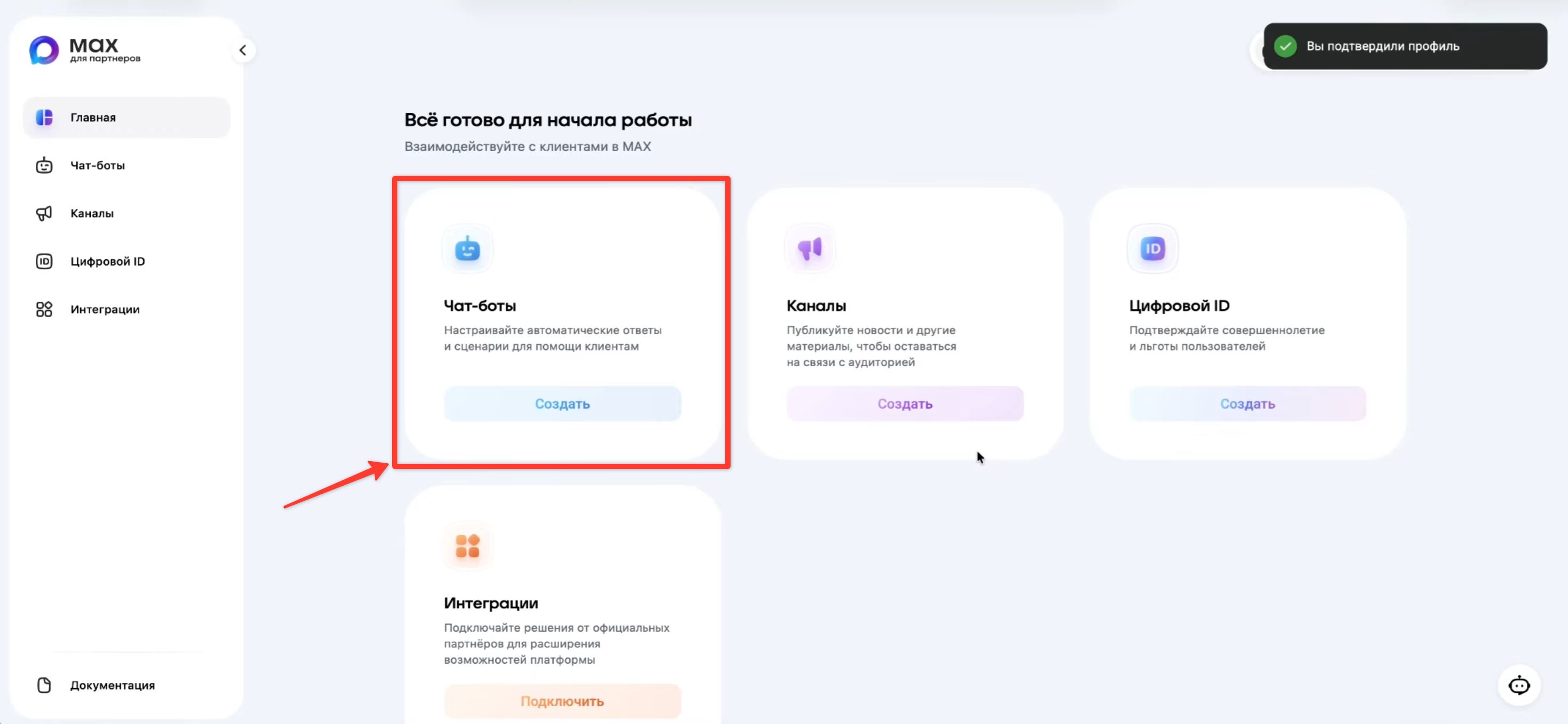
3. After your status is confirmed, go to the Home tab and click Create in the Chatbots block
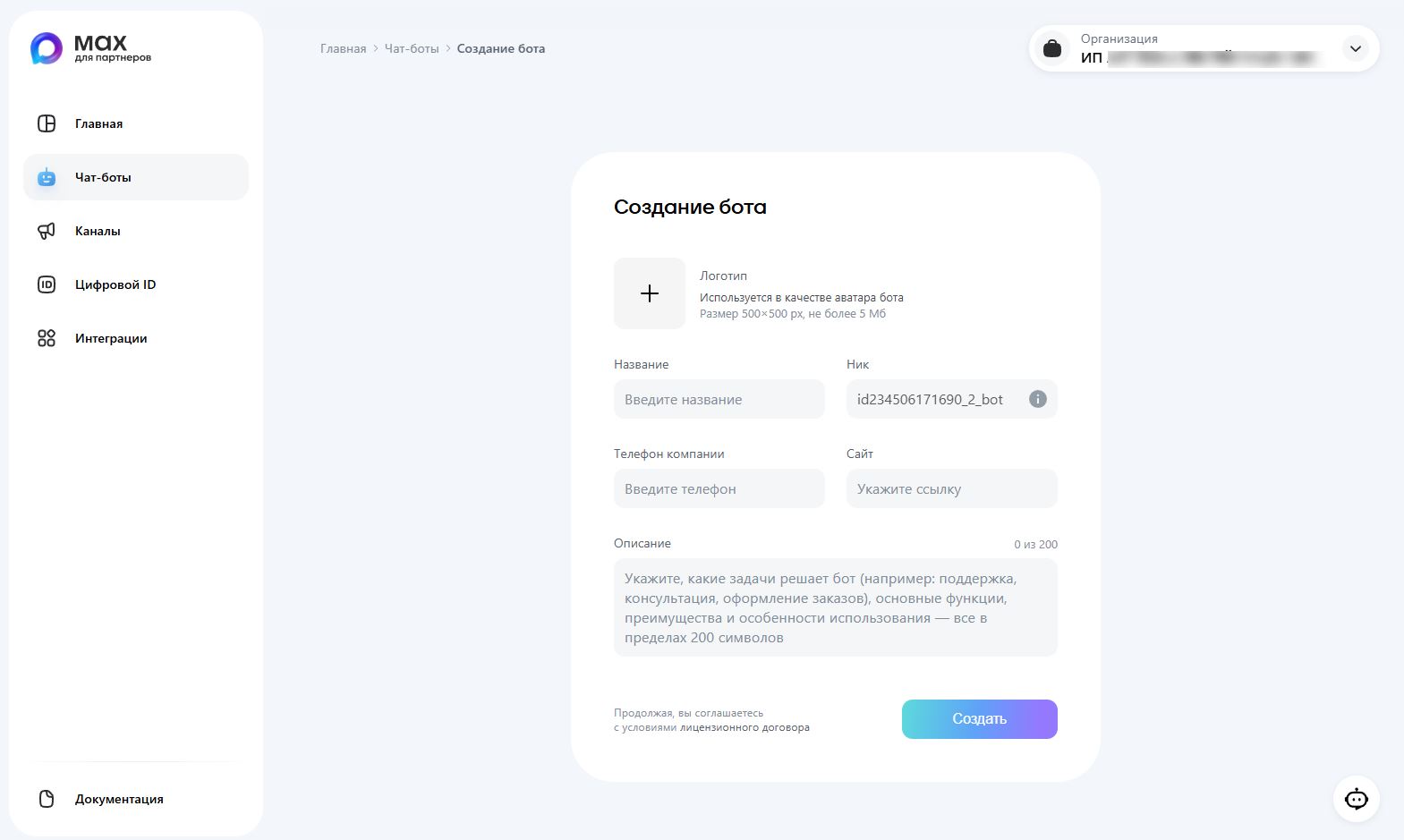
4. Fill in the bot details:
- avatar
- bot name (required)
- bot description
- phone, website
Then click Create
Only the bot name is required. You can add the other details later, but this may affect how long Max takes to moderate the bot.
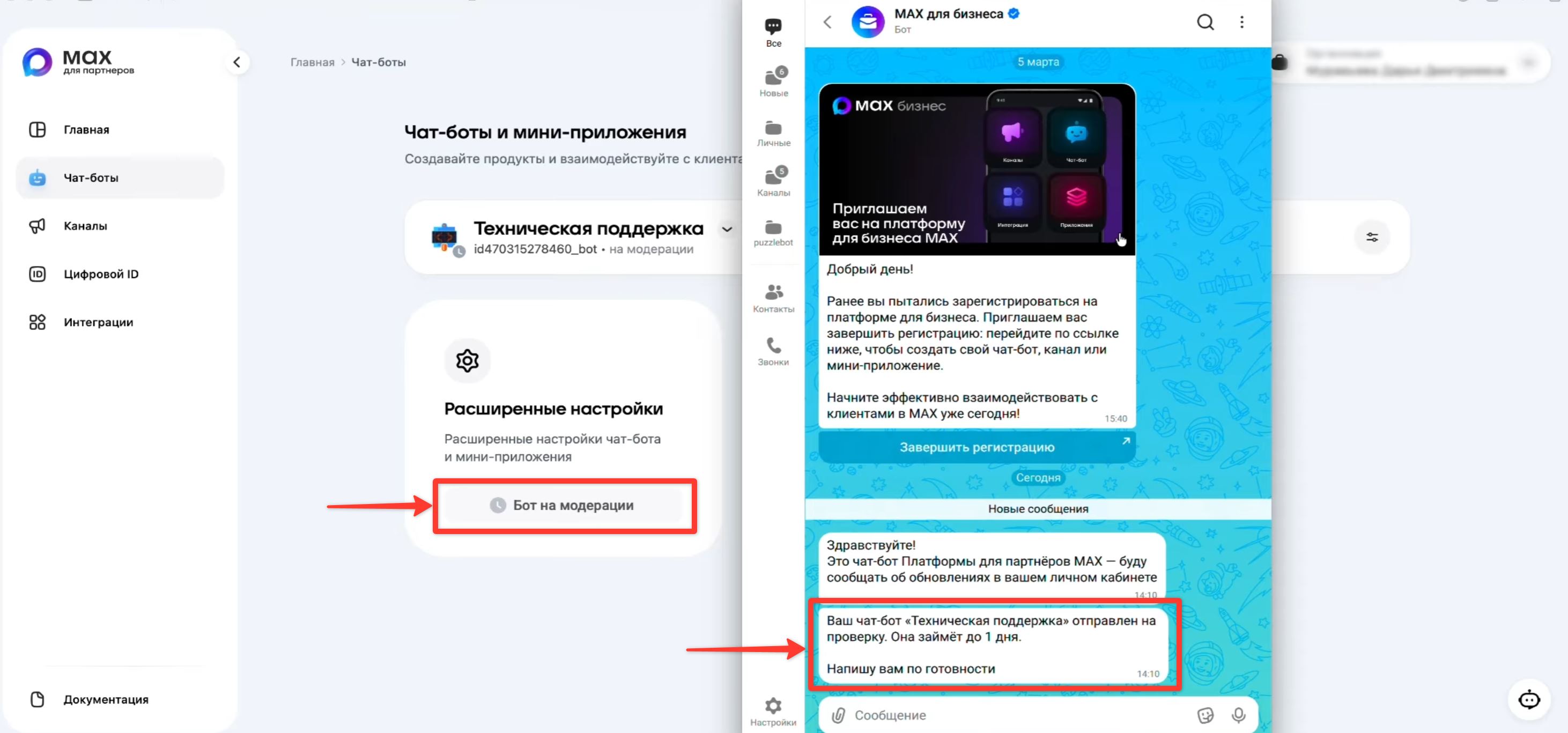
5. After creation, your bot is sent for review. You will see the "Bot under moderation" label until the bot is approved, and you will also get a notification in Max. The review takes up to 1 day, but it usually happens within 1 hour or faster.
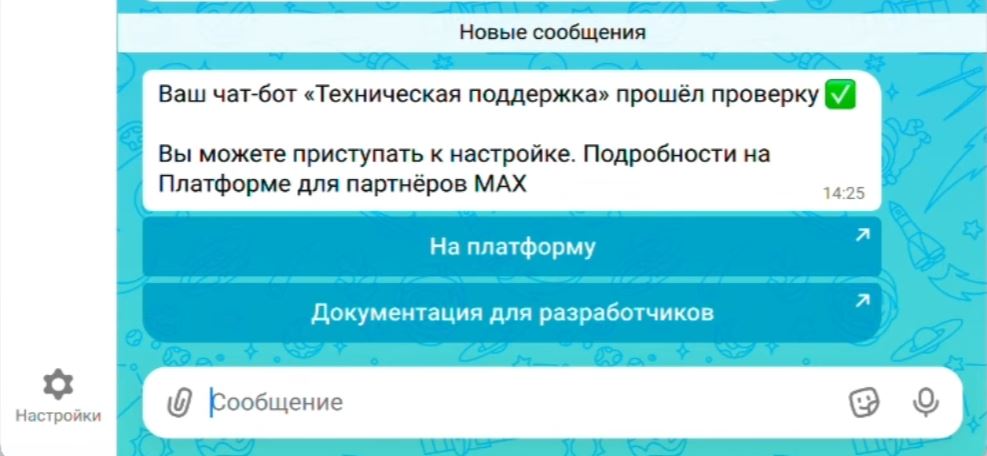
6. After the bot passes moderation, you will get a message in Max saying that the review was successful.
Congratulations! You have created a bot in Max!
Adding a Max bot to puzzlebot
After you have created a bot in Max, go back to the Max for partners platform — https://business.max.ru
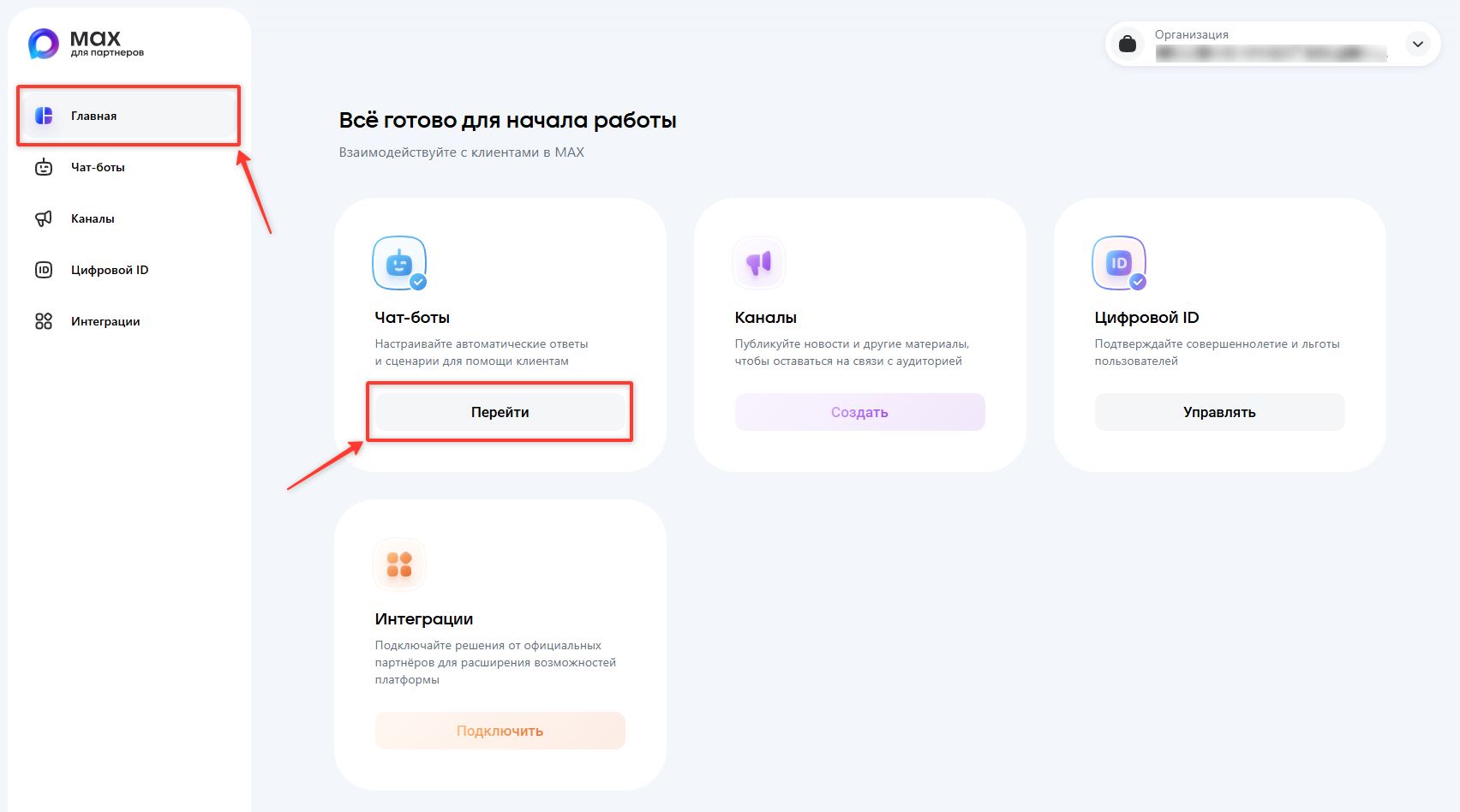
1. On the home page, click Open in the Chatbots block
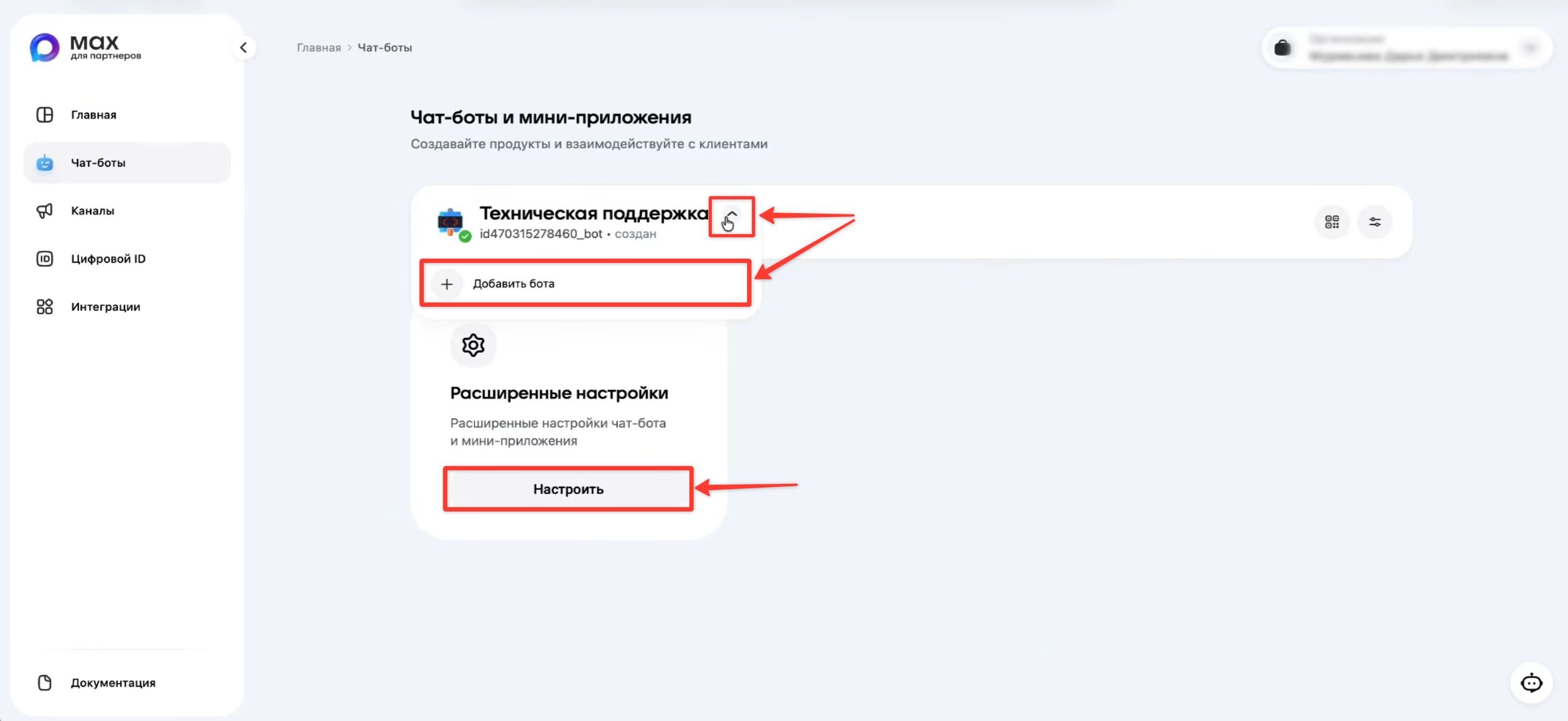
2. Click Configure to get the bot token. If you need to create a new bot, click Add bot.
Legal entities and individual entrepreneurs can create up to 5 bots, and self-employed persons up to 2 bots.
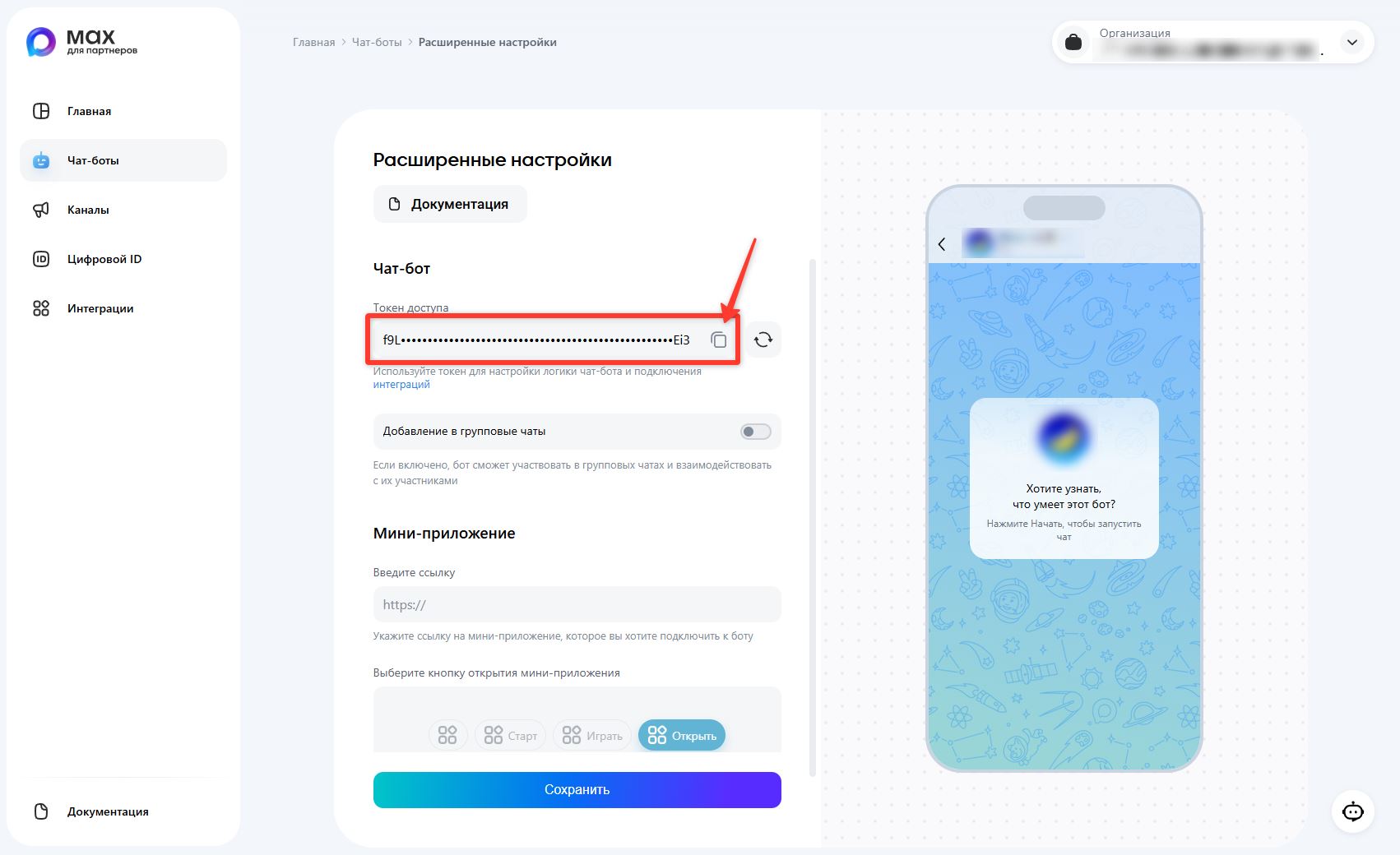
3. Click the copy button to the right of the token.
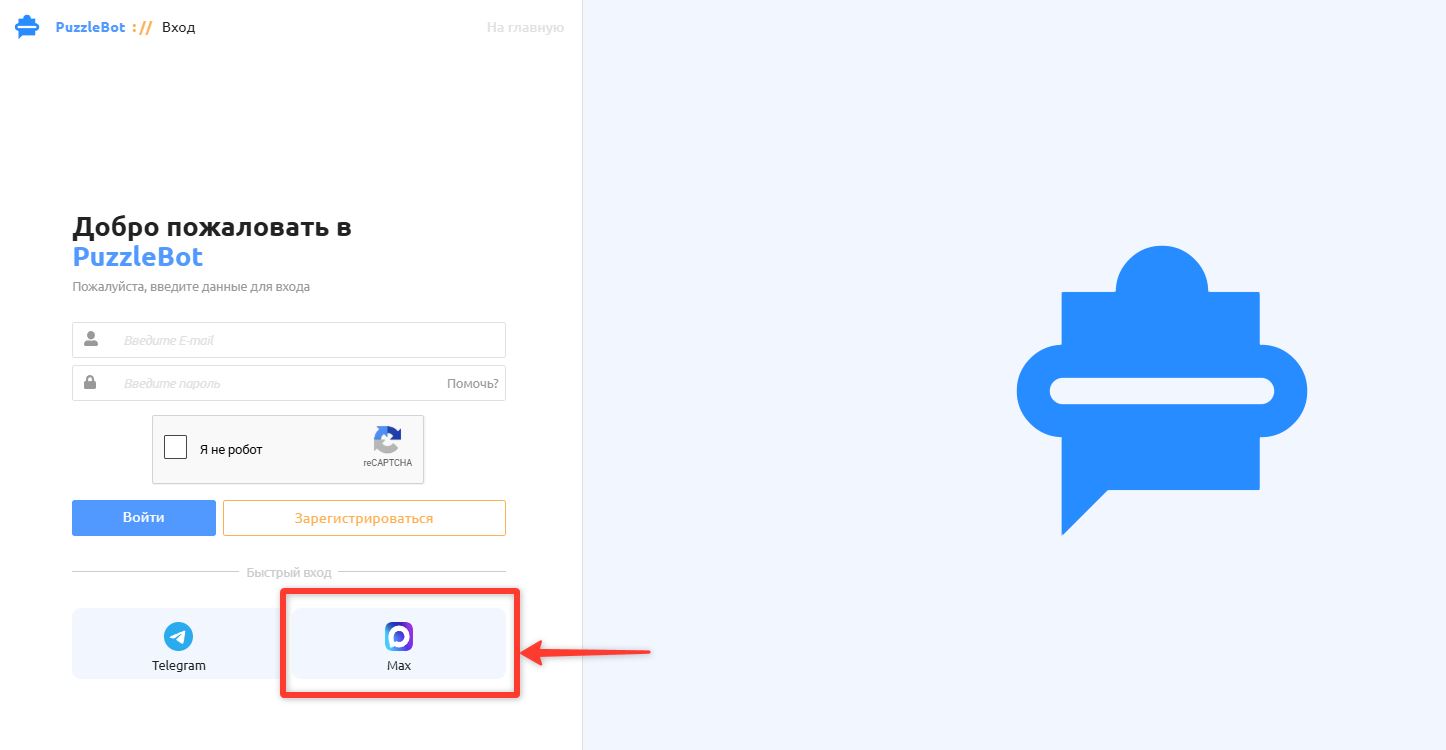
4. Log in to your puzzlebot account — https://cp.puzzlebot.top/login
Click Max for quick login or sign-up, or log in to your account if you already have one.
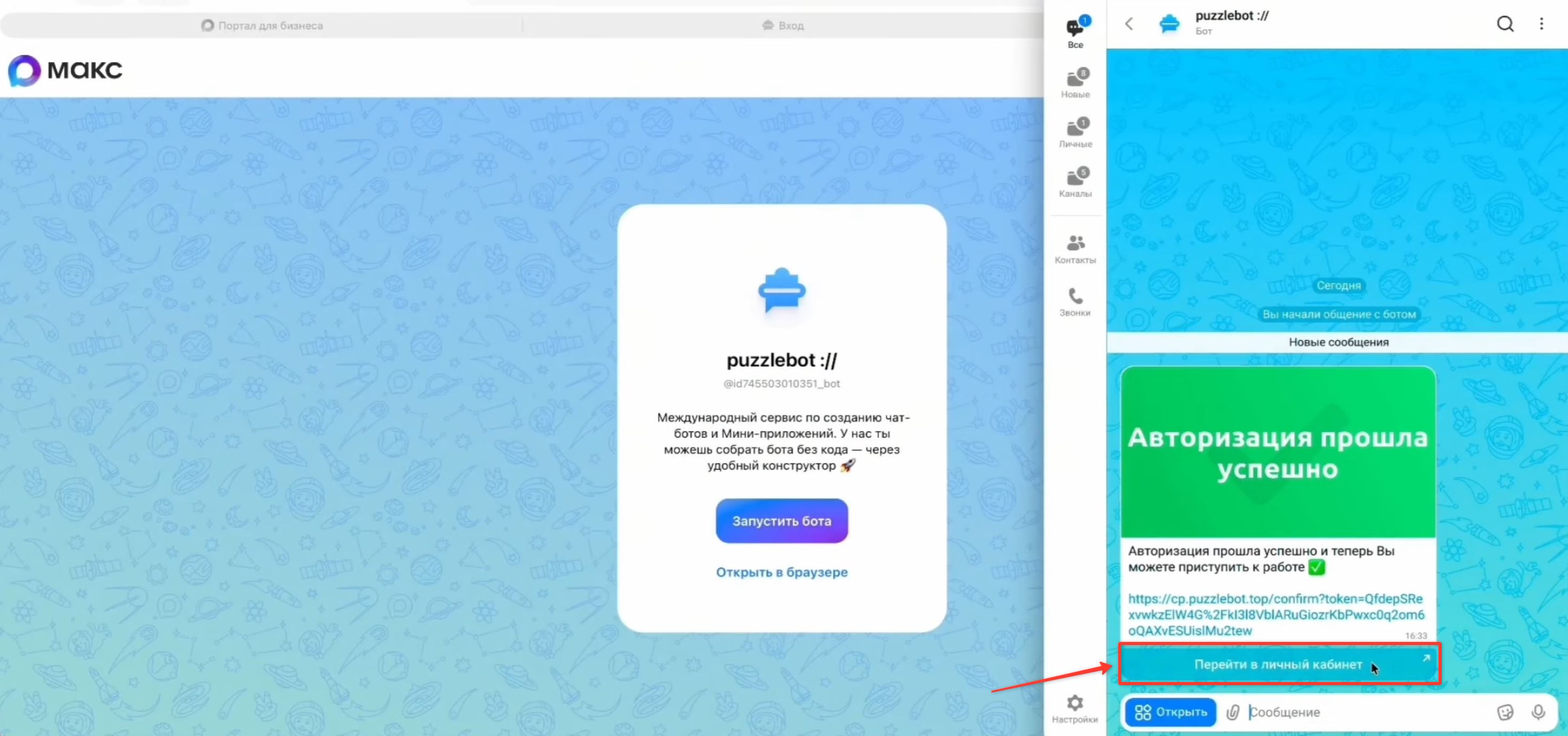
5. When you log in via a messenger, you will receive a message with a button for logging in to your account. Tap the "Go to your account" button, or open the link in any browser.
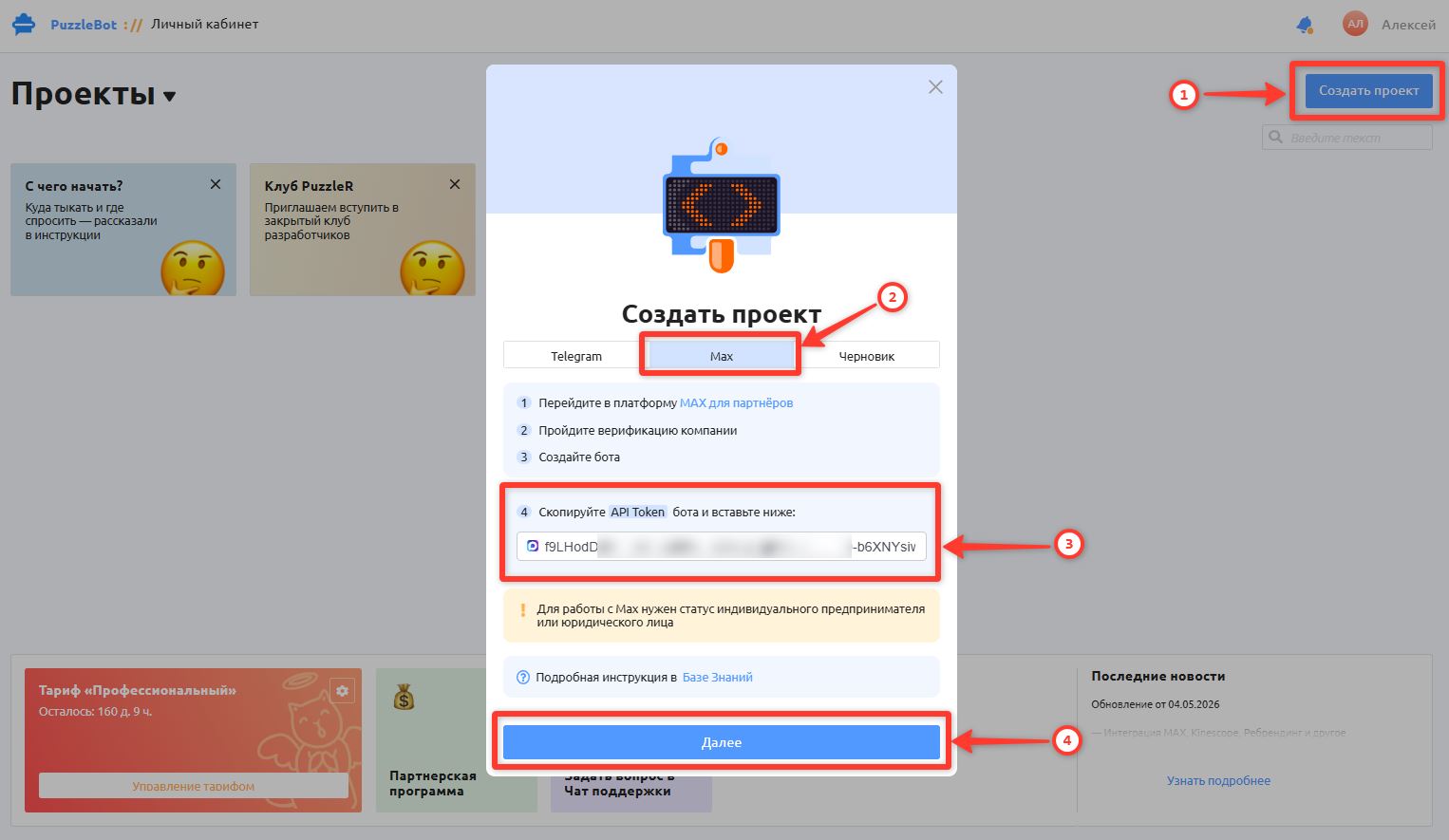
6. In your puzzlebot account, click Create project → select Max → paste the copied token of your Max bot → click Next to go to the next step.
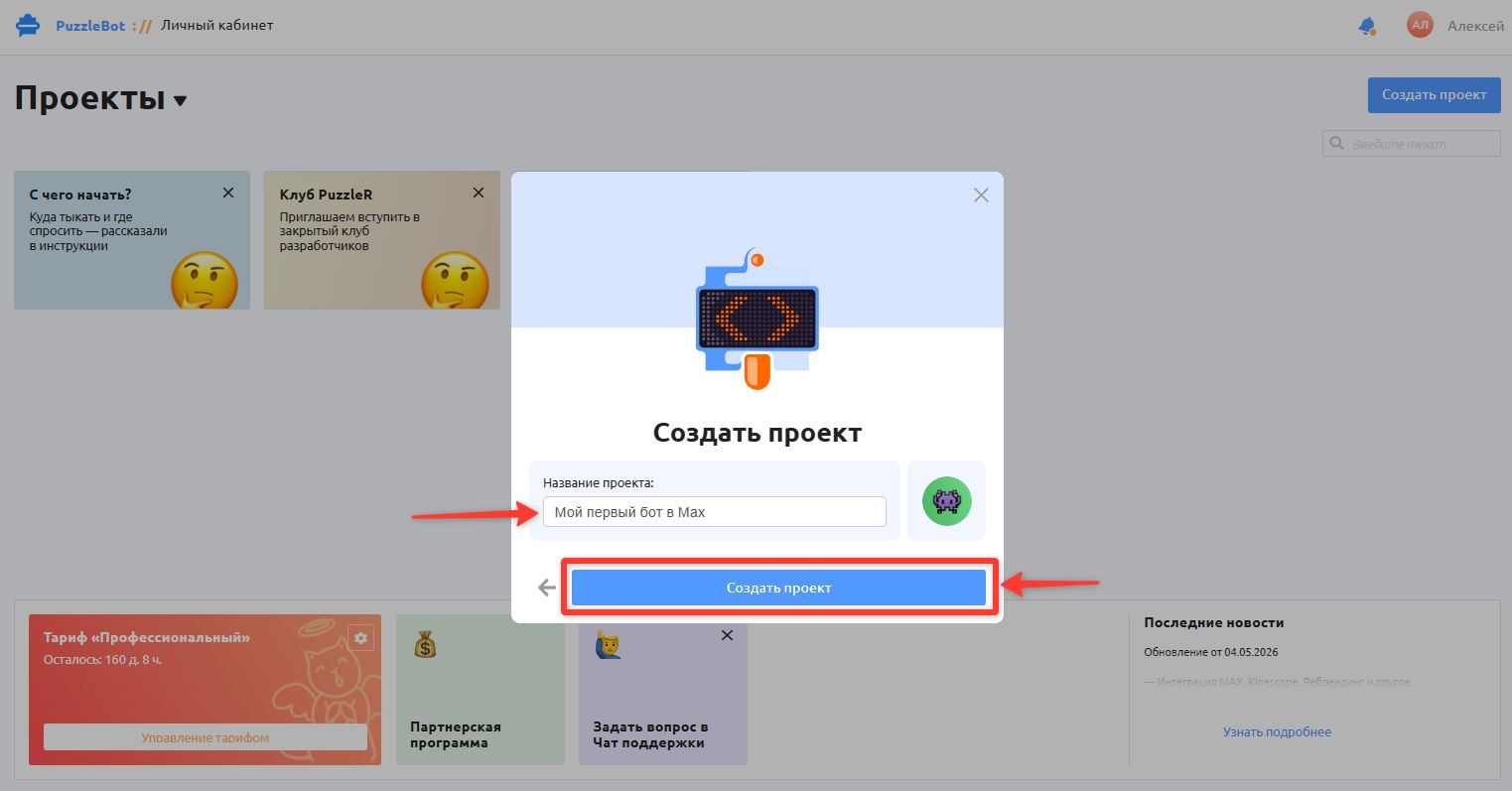
7. Enter the Project name and click Create project
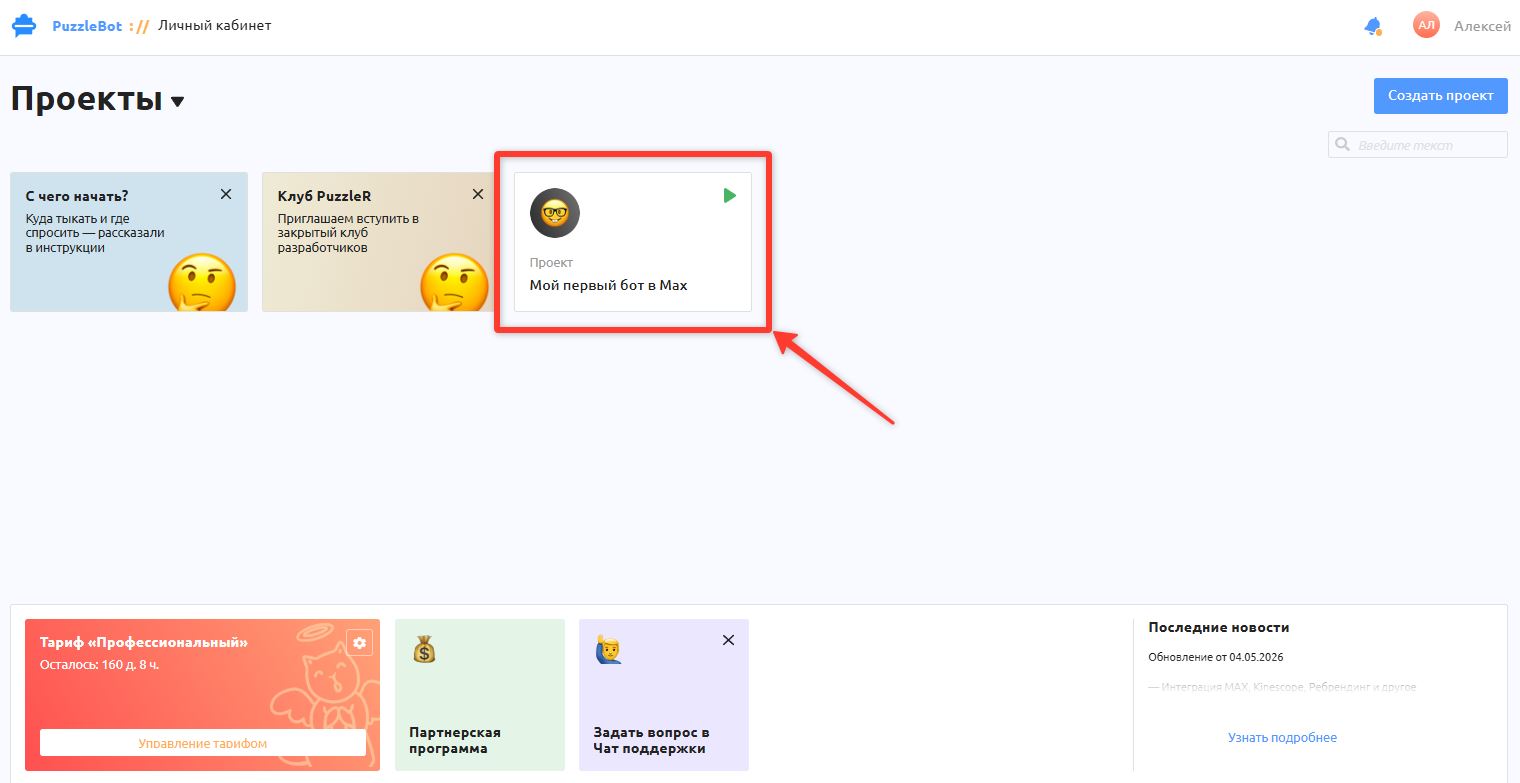
8. You have successfully created a project with your Max bot. The project will appear on the home page of your puzzlebot account.
Now you can open the project to continue the setup and create commands in the bot.
Learn more: Constructor section overview
To add a mini app in Max, see the following article: