This article covers the specifics of connecting a mini app in a Telegram bot.
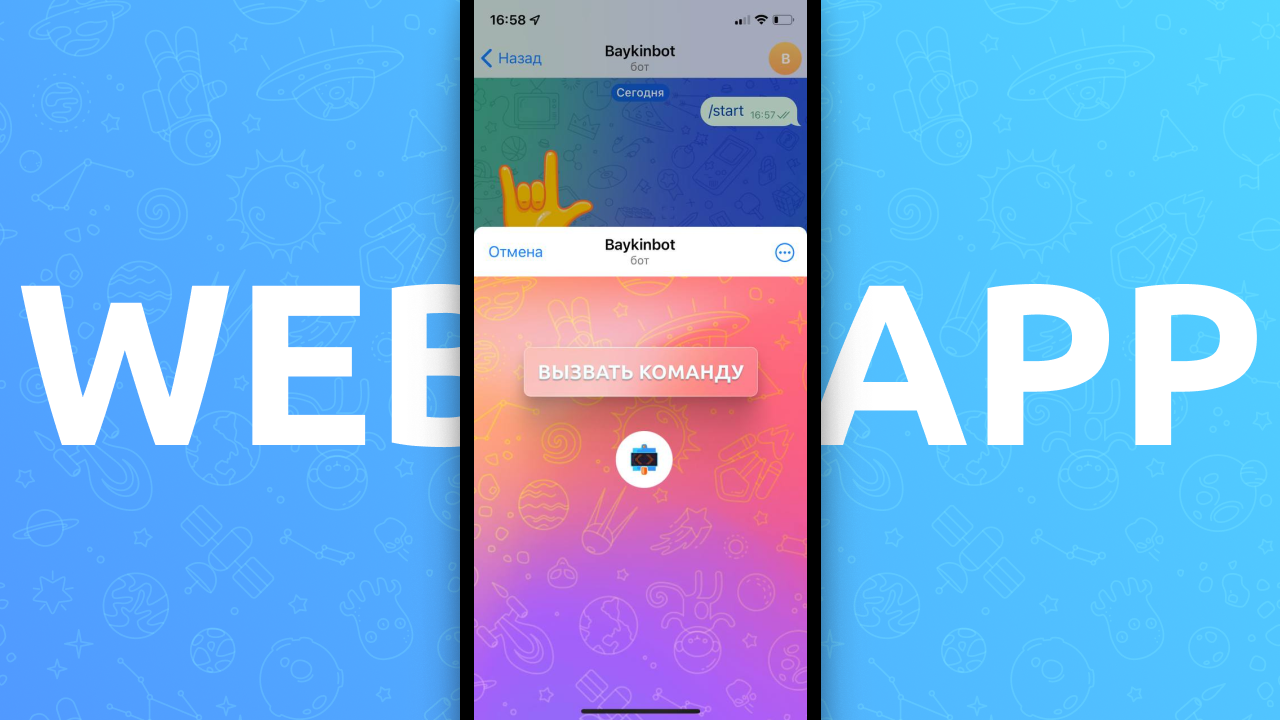
A mini app (as a feature for a Telegram bot) is a browser window that opens inside the chat with the bot and can perform actions in the bot without sending requests. For example: the user taps a button in the browser window and then receives a command in the bot.
You can also use the mini app feature simply to open a browser window in the chat with the bot, without handling button presses.
Integration with Tilda
A required step is to insert an HTML script into the code of the whole site or of a single page. To do this, select in Tilda: All blocks — Other — HTML — Code, and paste the following into the block:
<script src="https://telegram.org/js/telegram-web-app.js"></script>
<script src="https://puzzlebot.top/webapp.js"></script><script src="https://puzzlebot.top/webapp_tilda.js"></script>
In the buttons that should run bot commands, insert a link in this format:
#pbt_cmd NAME_COMMAND
It is important to write the link correctly:
There is a space between #pbt_cmd and the command name.
Write the command name in English letters
Don't forget to publish the changes both on the site and in the Constructor.
Opening a mini app
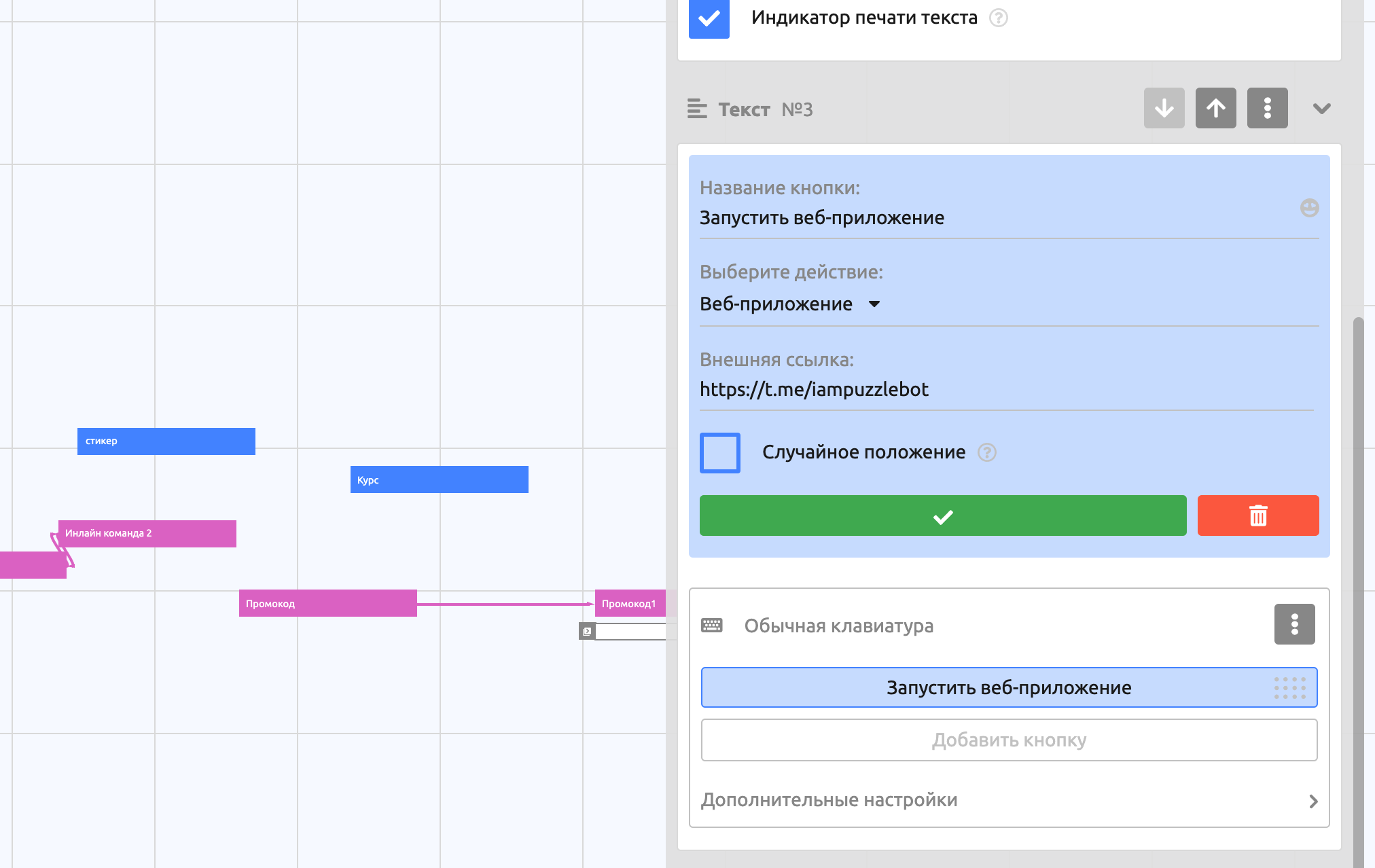
You can open the mini app window from buttons of a regular keyboard or an inline keyboard by selecting the mini app action for the button.
Important! Only the regular keyboard is suitable for handling button presses on the site.
Preparing the site
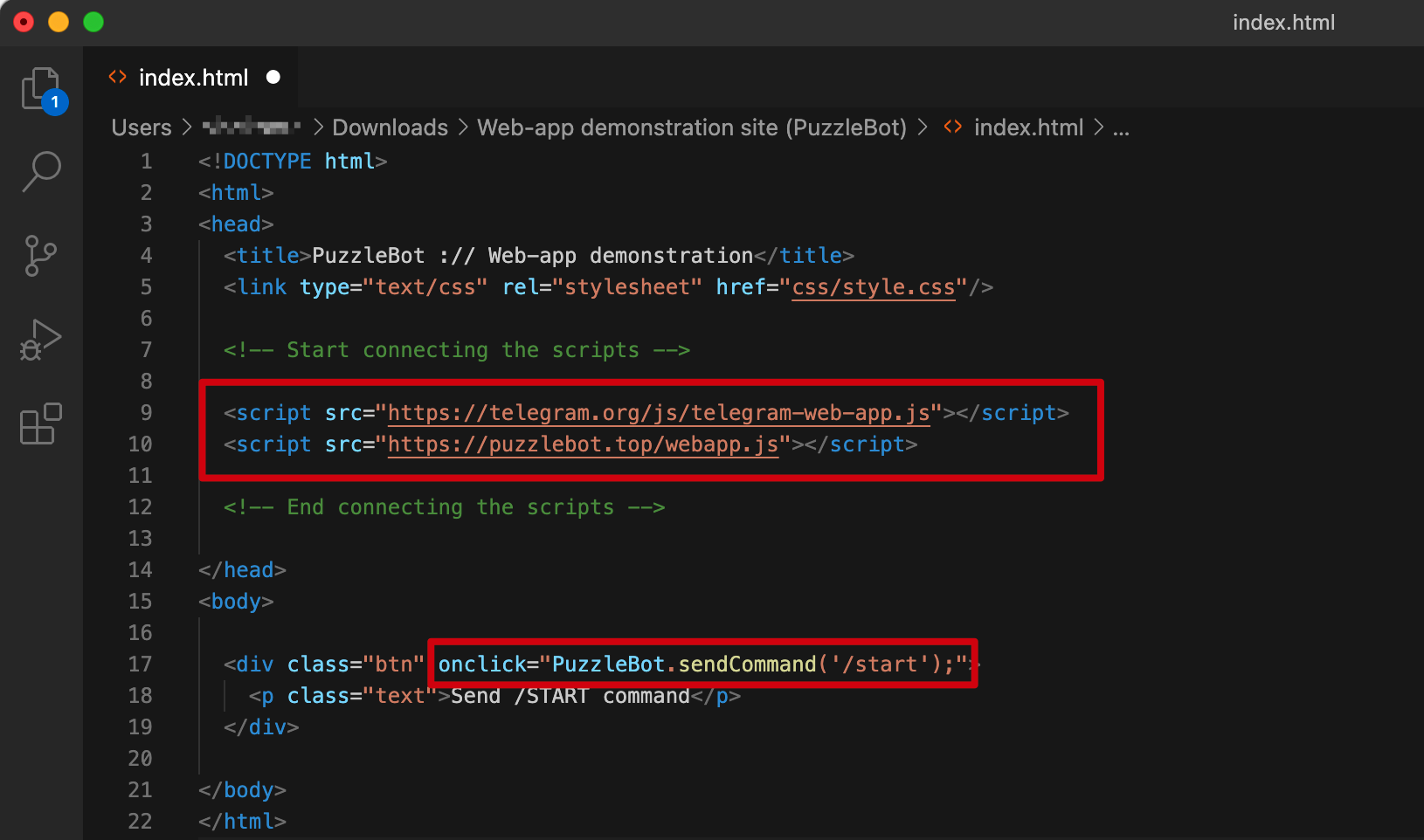
To handle button presses, include the following scripts in the HTML code of the site page between the <head>…</head> tags:
<script src="https://telegram.org/js/telegram-web-app.js"></script>
<script src="https://puzzlebot.top/webapp.js"></script>
Available actions:
puzzlebot.sendCommand('COMMAND_NAME')— calls a command, which closes the browser window. Example:<button onclick="puzzlebot.sendCommand('/start');">Run the /start command</button>puzzlebot.changeVariable('VARIABLE', 'NEW_VALUE')— changes a variable, which closes the browser window. Example:<button onclick="puzzlebot.changeVariable('BALANCE', 10);">Change variable</button>
You can also download an archive of a demo site to upload to your own hosting: Mini App demonstration site (puzzlebot).zip