This article explains how to add a command description that is shown when the user types "/" or opens the Menu.
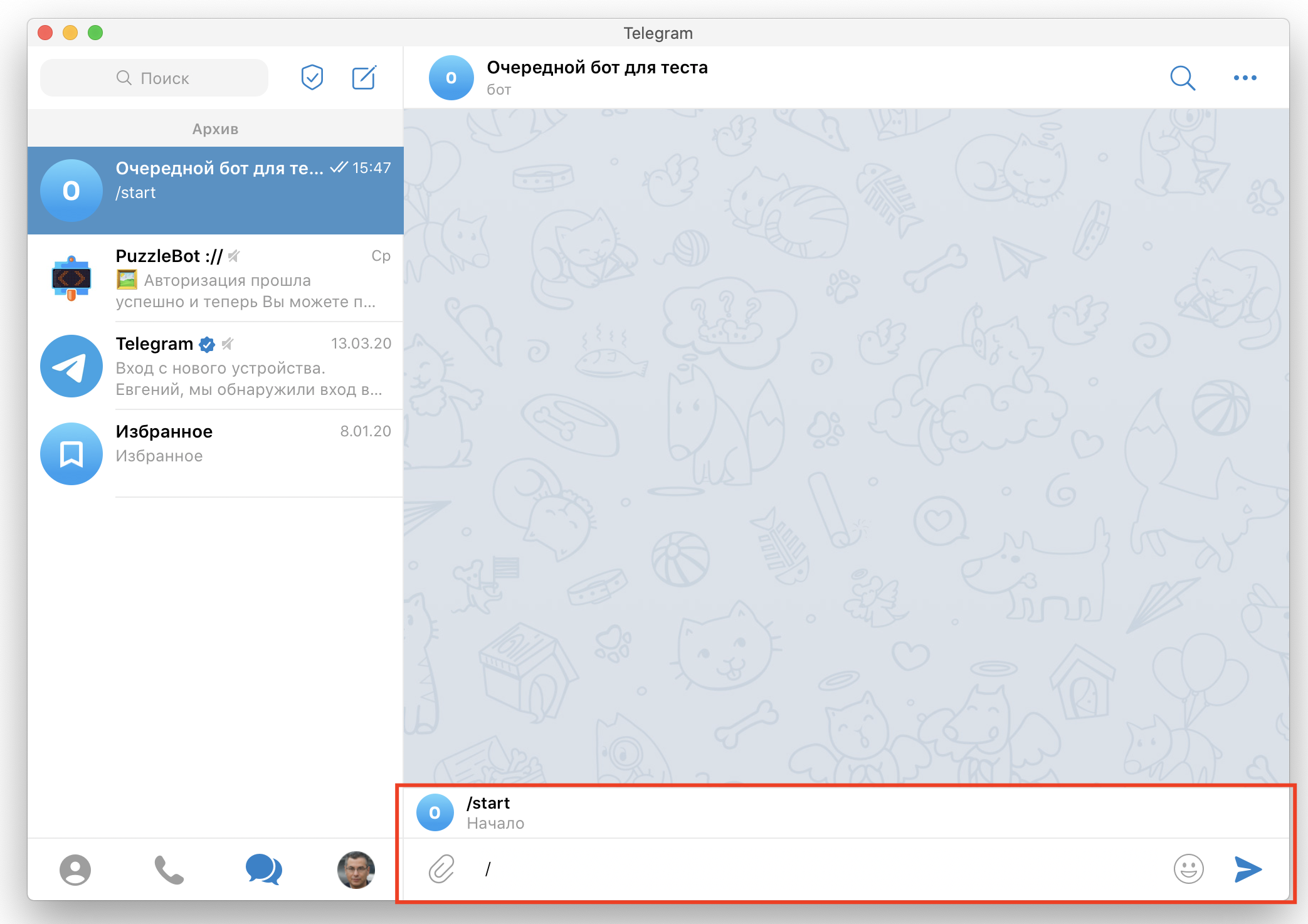
To set up this feature:
Open the bot.
Go to the Constructor tab.
Select a command.
Expand the additional settings.
Turn on "Show when typing /" and enter a description for the command.
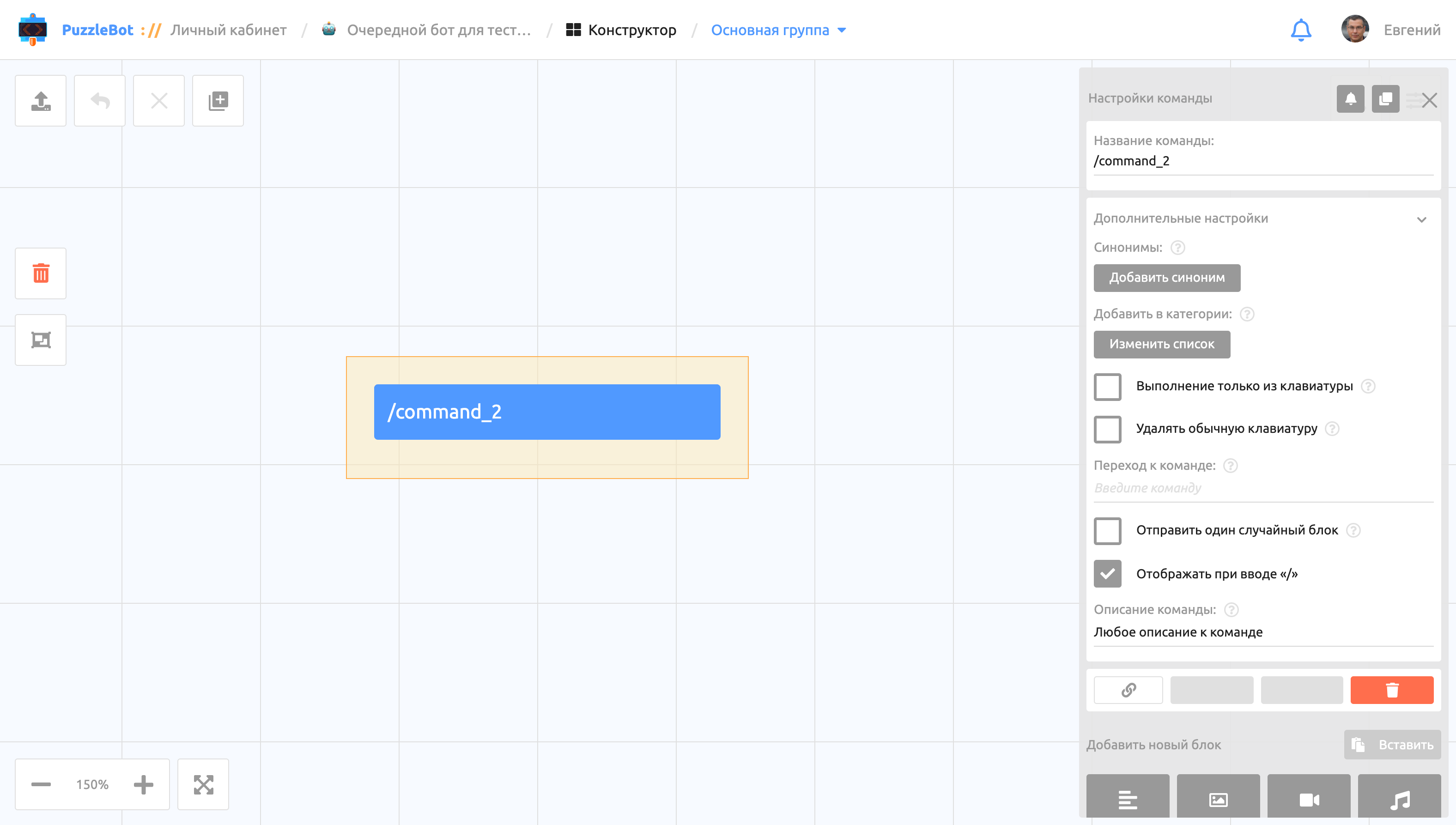
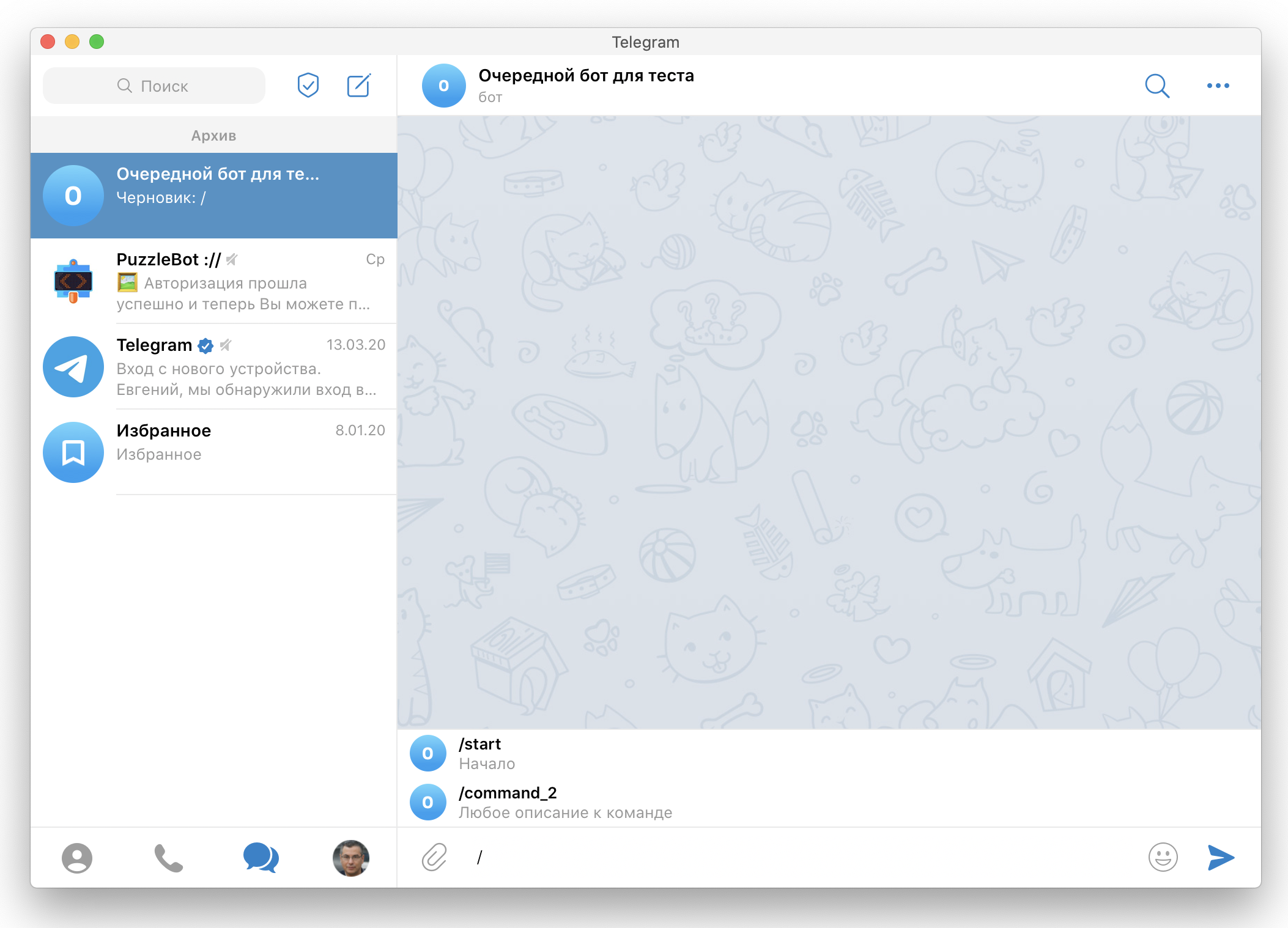
Important! For the feature to work: 1. The command name must start with "/", consist of Latin letters or digits (the "_" character is allowed) and be 1 to 32 characters long. 2. The command description must be 3 to 256 characters long.
Important! The list of commands with descriptions may not update right away. Try sending any command to check, or restart your Telegram client.
Important! If you previously set descriptions via @BotFather, they will be replaced with the new ones for all commands. If a command has no description in the Constructor, its old description will be removed in the bot as well.