This article covers multiposting, or sending a post to several places at once: a Telegram bot, Max, a channel, a group.
Useful articles:
For an easier walkthrough, we recommend watching the video overview:
01:53 — Multiposting, or sending to several places.
Before you send a post to a resource (channel or group), connect the resource to puzzlebot. Learn more: How to connect a resource to puzzlebot ://
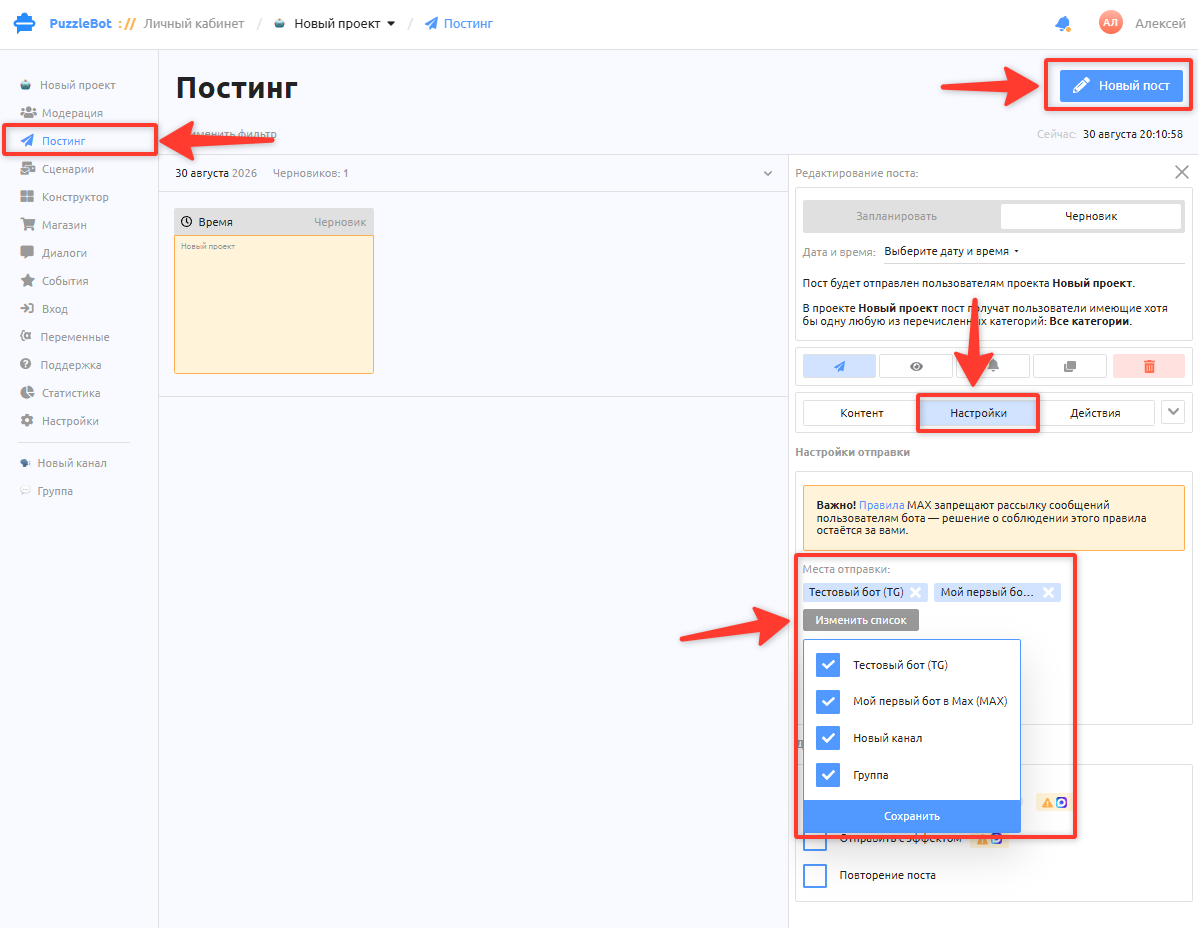
To send a post to several places at once, go to the Posting section and create a new post → Create post → go to Settings → Send to → select the connected bots, channels or groups → click Save.
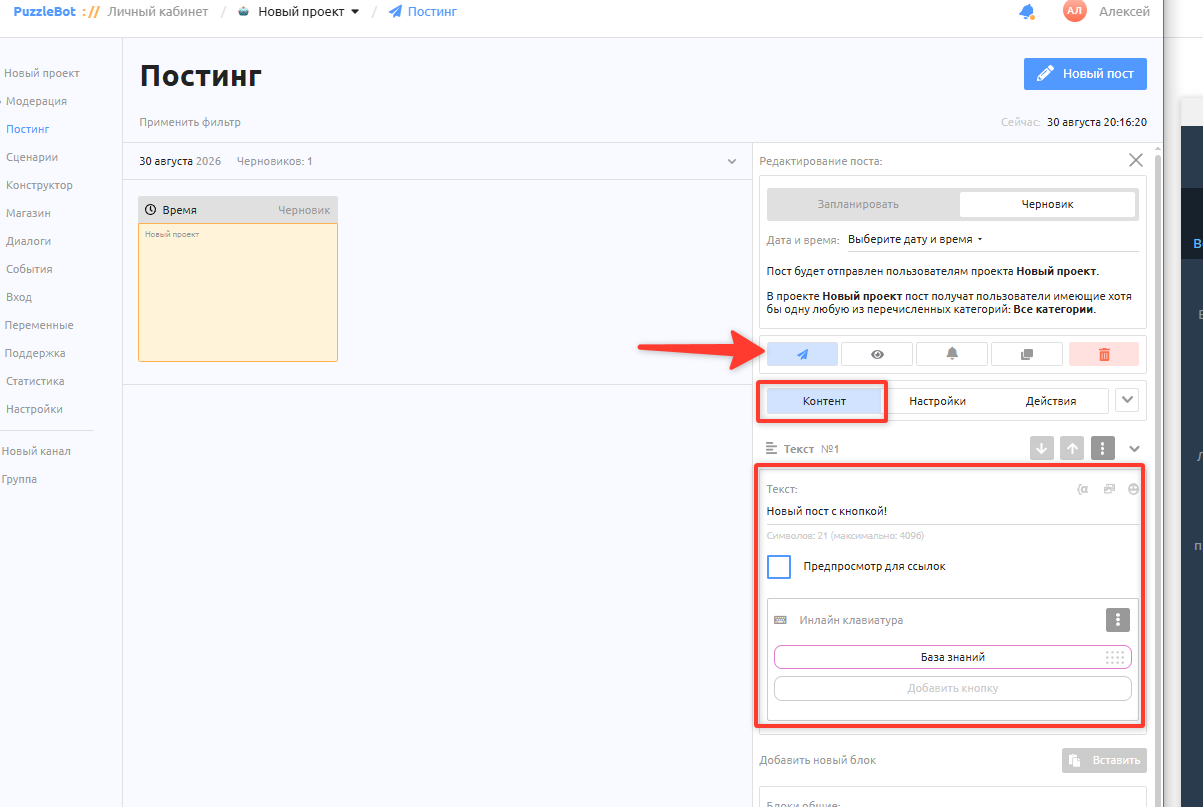
After creating the post and choosing where to send it, click the send button.
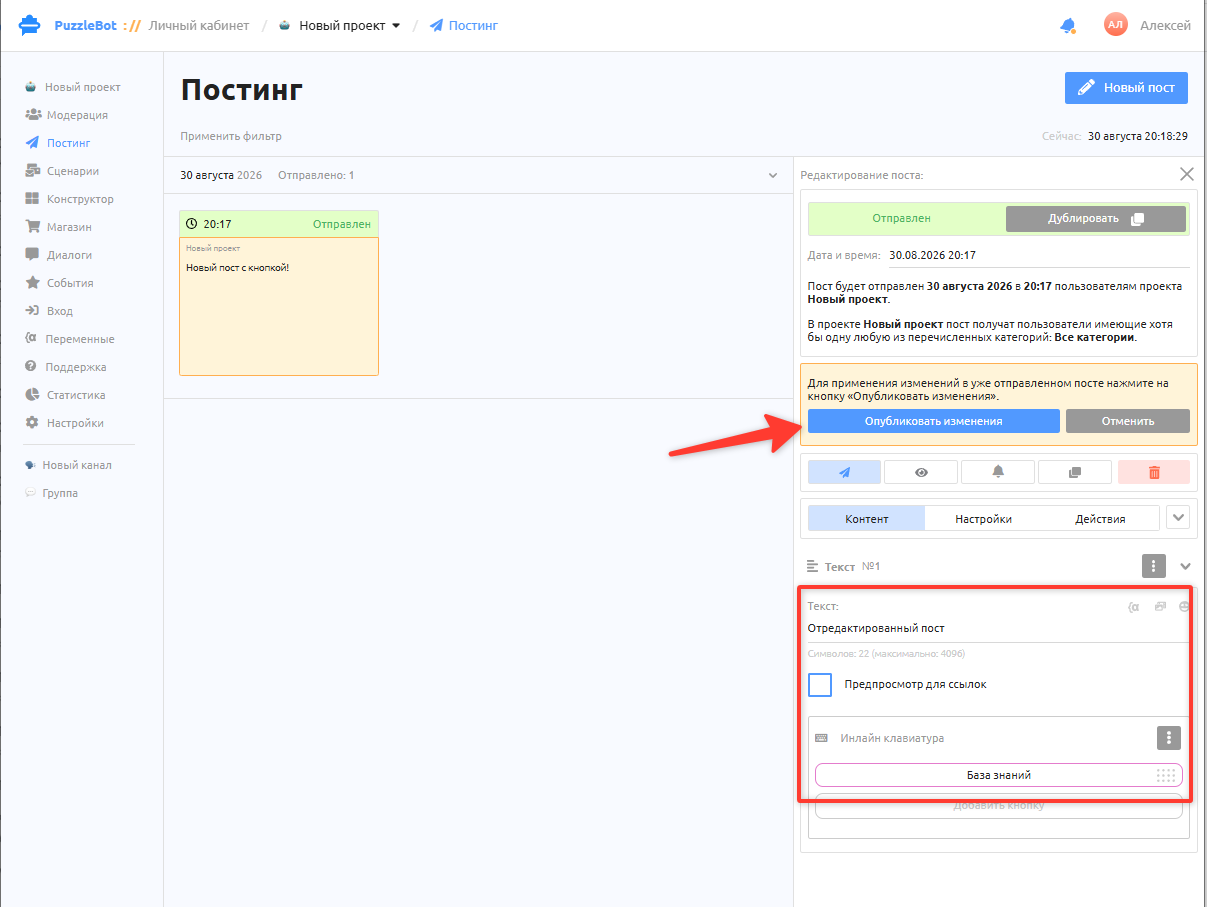
If you notice a mistake after sending, or the information has changed, you can edit the text and buttons and click Publish changes. The changes will then appear in the already published posts in all places.
To learn more about the other features, see the article: Posting section overview.