This article explains how to enable autopayment and on what terms funds are charged.
Important! Autopayment can be enabled only when paying with a bank card issued in the Russian Federation.
You can enable autopayment when buying, changing or renewing any paid plan. To enable it, check the box next to the corresponding phrase.
The autopayment window always shows your individual charge terms, based on the date of the first payment and the selected plan.
Once autopayment is enabled, the plan is paid for automatically every month.
Autopayment discount
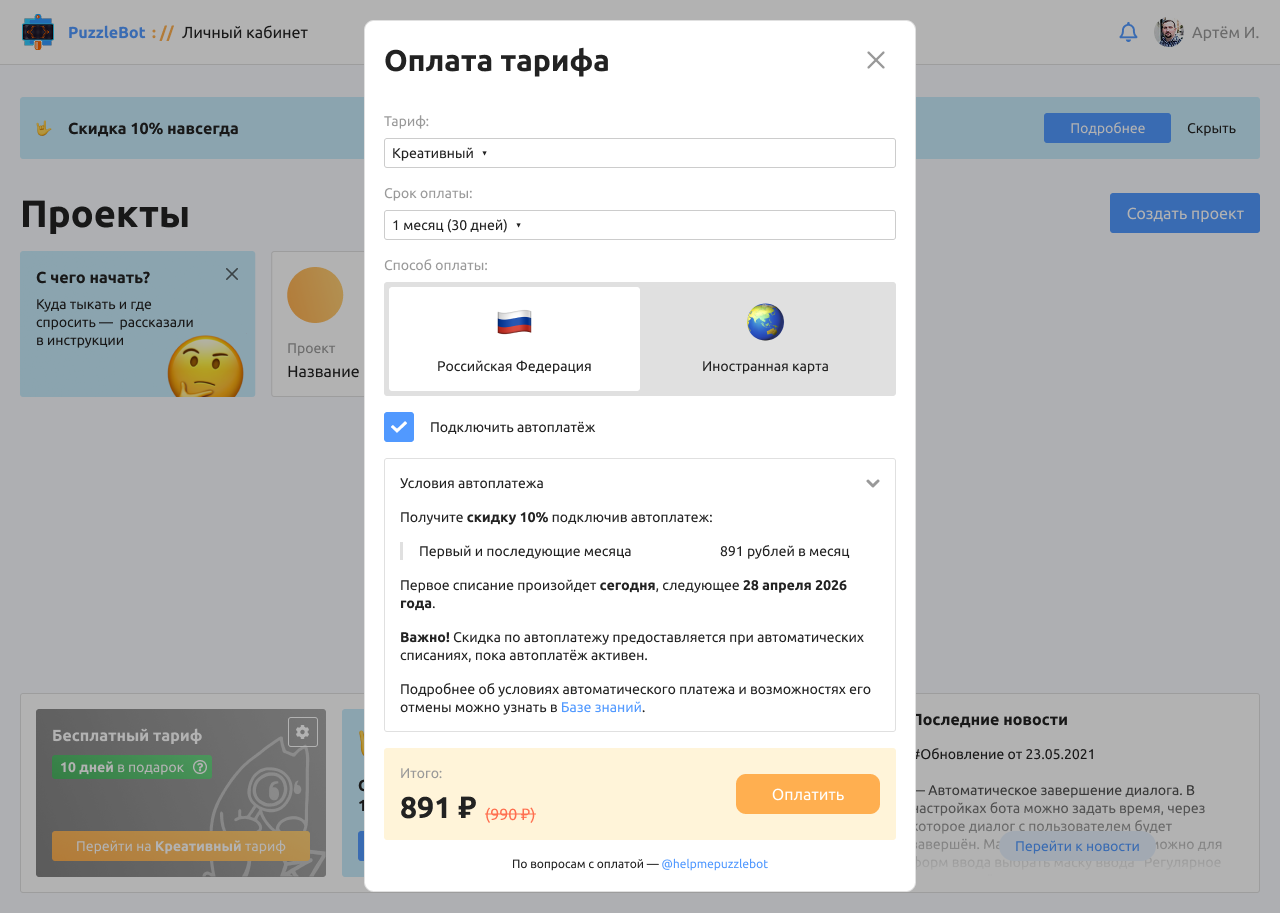
When you enable autopayment, you get a 10% discount on monthly autopayment charges. The discount applies to every monthly charge and stays in effect as long as autopayment is active.
If you disable autopayment, the discount stops applying and further plan payments are made at full price.
If you enable autopayment again, the 10% discount will apply again to the following monthly charges.
Important! The discount applies only to monthly autopayment charges and does not apply when paying for a plan for several months or a year.
Managing autopayment
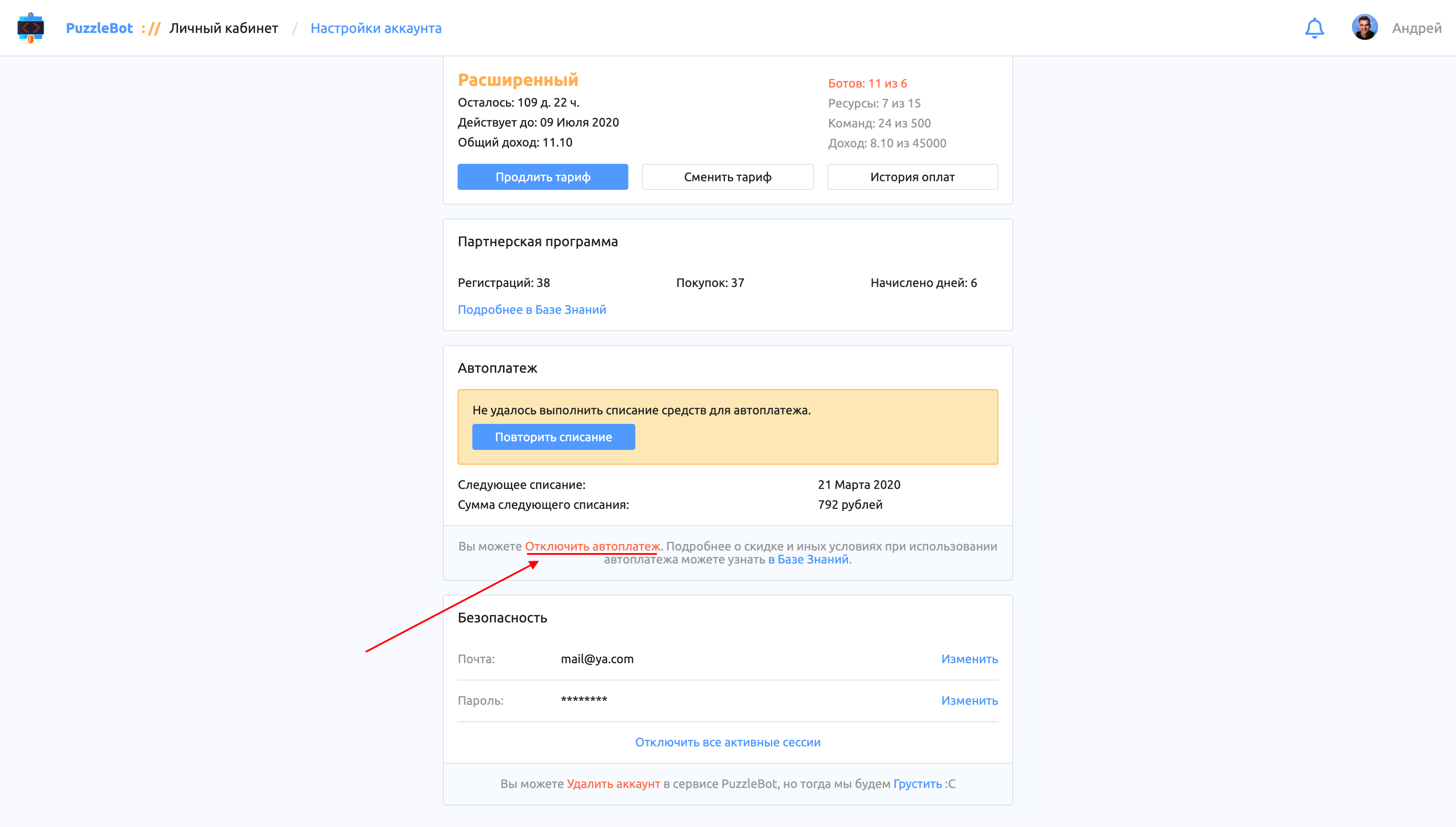
You can view autopayment details and disable it in your account settings. You can also email support@puzzlebot.top with the request:
"Disable autopayment".