This article explains how to set up command synonyms and what they are for.
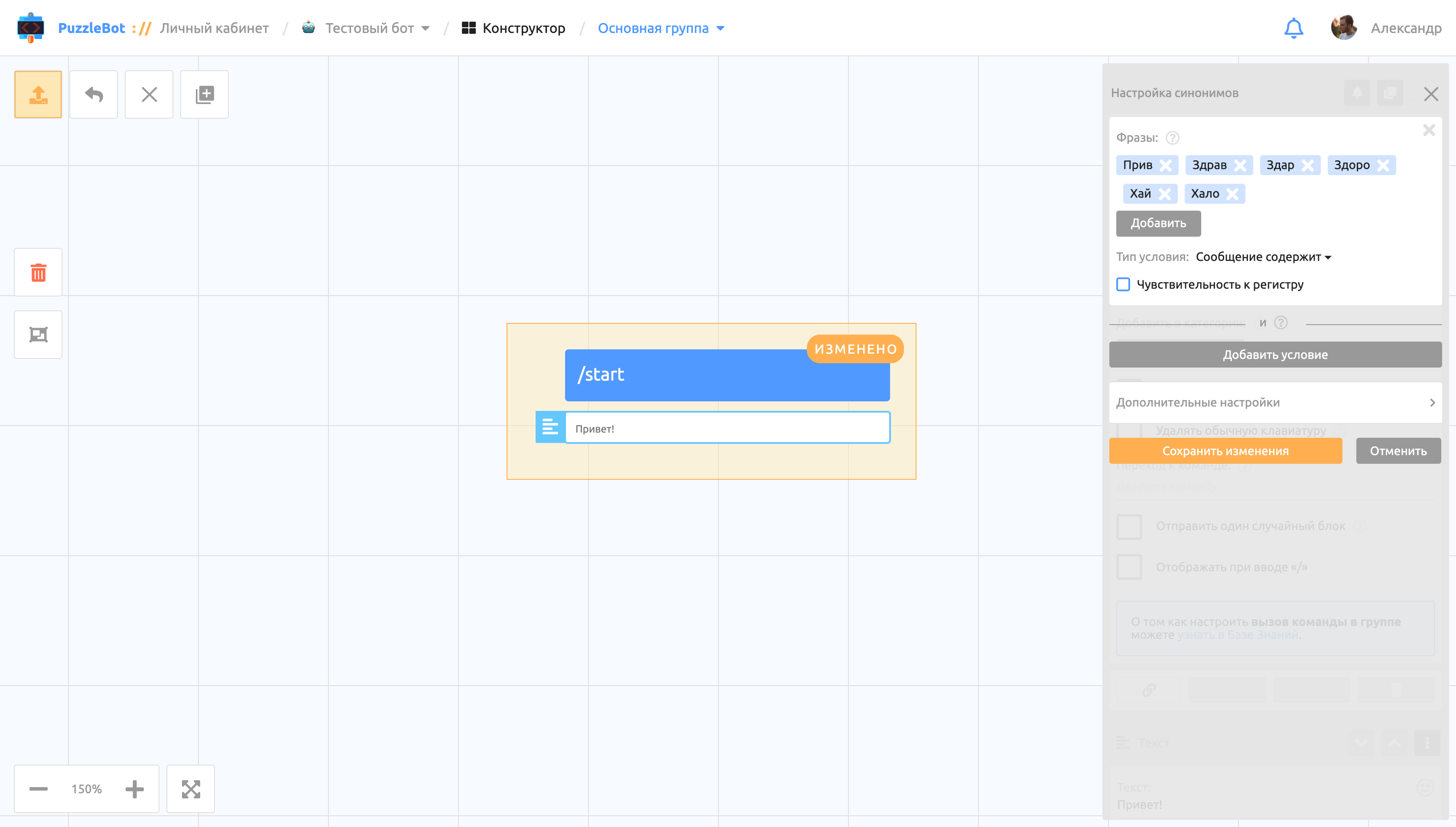
Synonyms are an advanced command feature that lets you set alternative phrases or conditions for calling a specific command.
Example: set up a synonym with the condition phrase "Hello" to trigger the /start command.
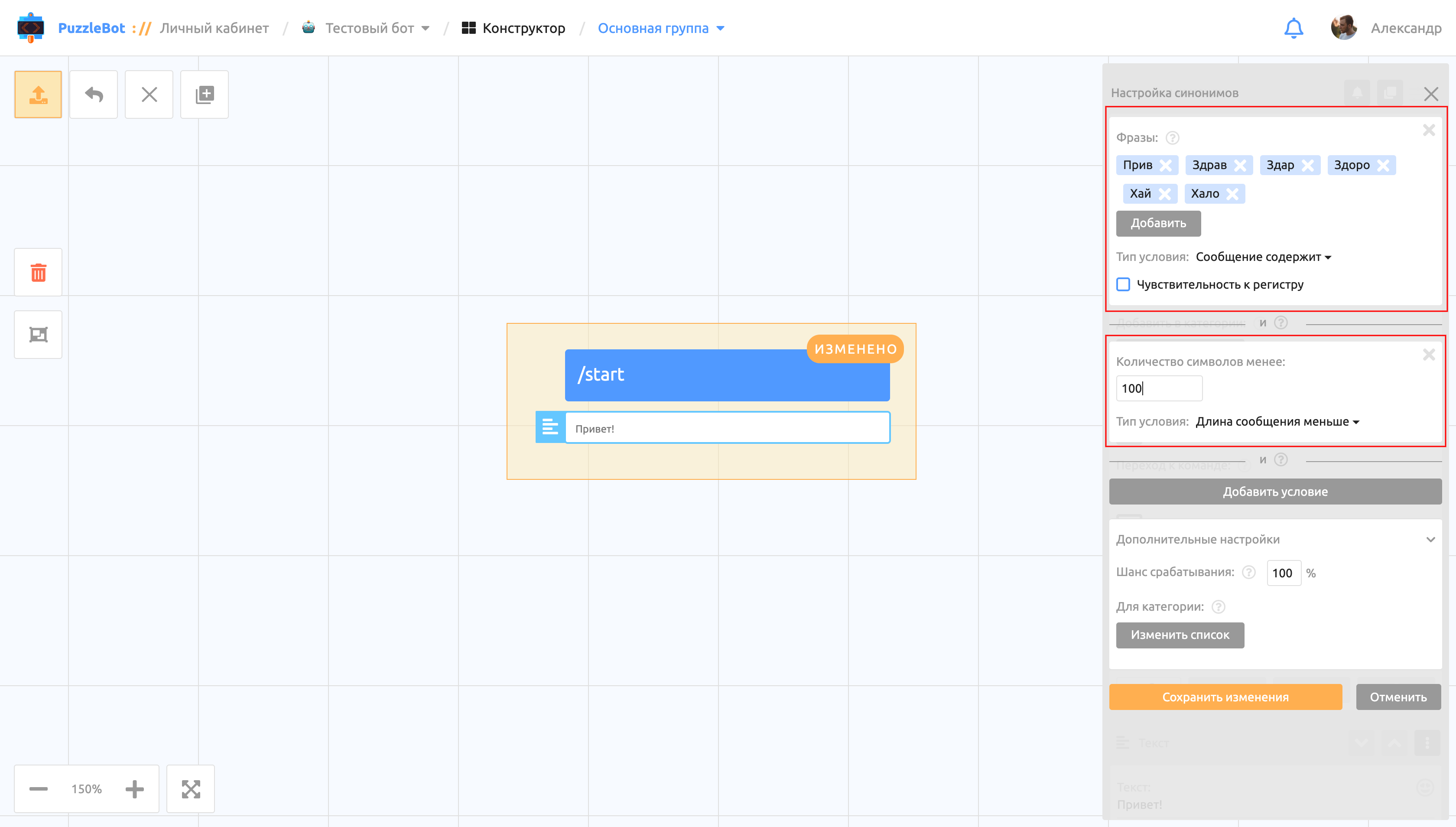
Each synonym can contain many condition groups (the number depends on your plan), separated by a bar labeled "AND". This means the synonym triggers only if the message meets all the conditions.
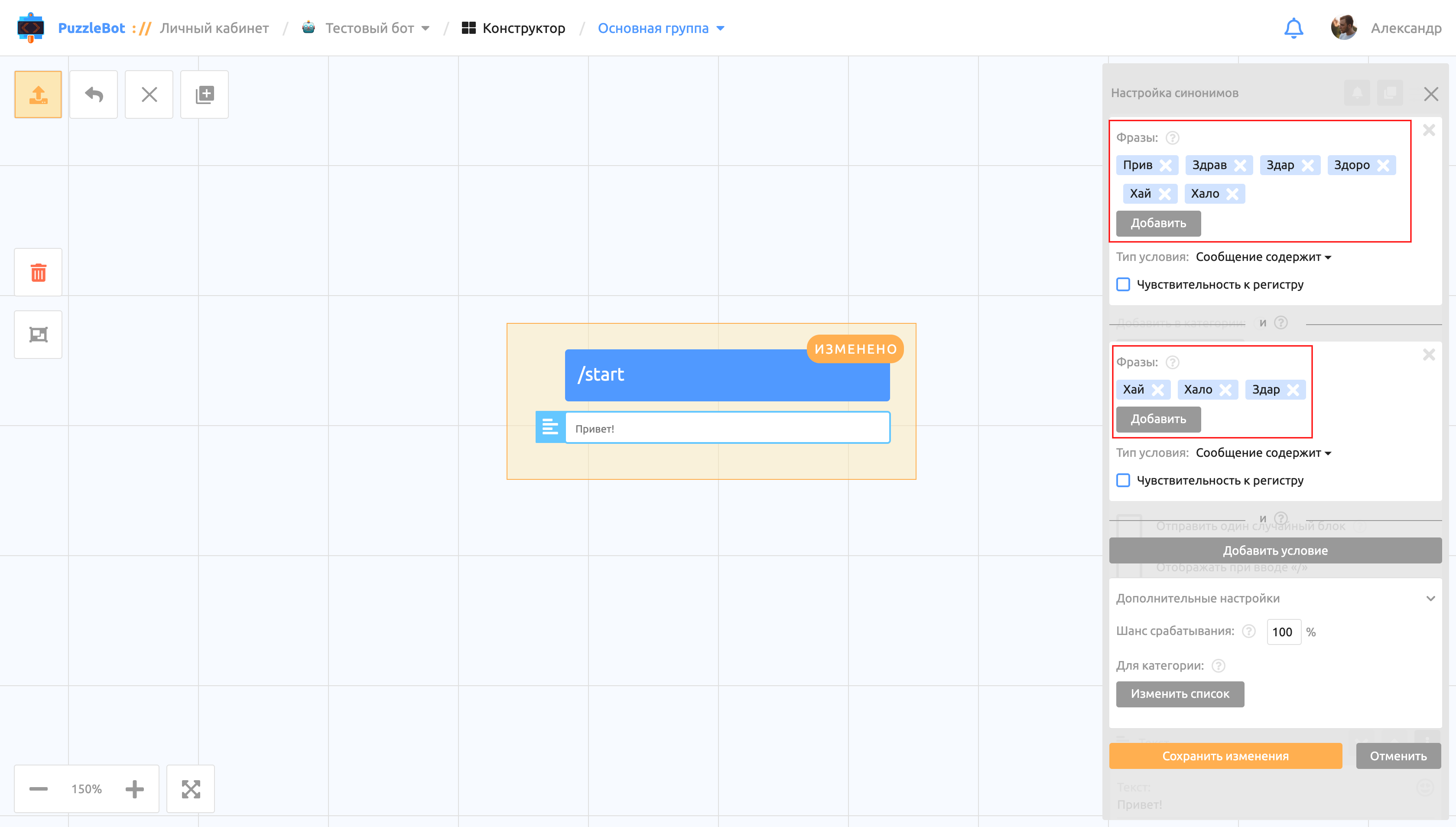
Inside a condition you can add many phrases (the number depends on your plan). The synonym triggers if the message contains just one of the listed phrases.
Condition types:
Full match — the synonym triggers only if the message sent by the user exactly matches the condition phrase set in the synonym.
Example: with the phrase "Hello", the synonym triggers if the user sends "Hello", but does not trigger if the user sends "Oh, hello friend!", "Well hello", "Hellooo" and so on. Here the whole message is checked.
Partial match — the synonym triggers if the message and/or a phrase in it partially matches the condition phrase.
Example: with the phrase "Hel", the synonym triggers if the user sends "Hello", "Hellooo", "Oh, hello friend!", "Well hello", but does not trigger if the user sends "Good day" or "Glad to see you". Here each phrase is checked separately for the condition phrase.
Message starts with — the synonym triggers if the message starts with the condition phrase.
Example: with the phrase "Hello", the synonym triggers if the user sends "Hello" or "Hello, glad to see you", but does not trigger if the user sends "Oh, hello friend!" or "Well hello". Here the word or phrase at the beginning of the message is checked for the condition phrase.
Message ends with — the synonym triggers if the message ends with the condition phrase.
Example: with the phrase "Hello", the synonym triggers if the user sends "Hello", "Oh, hello" or "Well hello", but does not trigger if the user sends "Hello, glad to see you". Here the word or phrase at the end of the message is checked for the condition phrase.
Regular expression — a special condition type that checks the user's message against a pattern. Learn more about regular expressions.
Example: with the regular expression "^((8|\+7)[\- ]?)?(\(?\d{3}\)?[\- ]?)?[\d\- ]{7,10}$", the synonym triggers if the user sends a phone number.
Message length is less than — the synonym triggers if the message contains fewer characters than the set number.
Message length is greater than — the synonym triggers if the message contains more characters than the set number.
Operators
To refine the condition that calls the command, you can add special operators. An operator is a special character placed at the beginning of a phrase.
Operator types:
Minus phrase — the special character "-" adds a condition under which the synonym does not trigger if the message contains the specified phrase.
Example: with the phrase "Hello" and the negative phrase "Friend" (in a synonym with the Message contains condition type), the synonym triggers if the user sends "Hello" or "Hello everyone", but does not trigger if the user sends "Hello Friend".
Important! If you add only negative phrases (with no other conditions), the trigger fires on every message that doesn't contain the negative phrase.
2. Exact phrase — the special character "!" lets you insert, inside a Message contains condition, a phrase that works like the Full match condition.
Example: with the exact phrase "Hello" (in a synonym with the Message contains condition type), the synonym triggers if the user sends "Hello", but does not trigger if the user sends "Hellooo".
Important! To make the operator be ignored, enter the special character twice: "--" or "!!" (to add the phrase "-Hello", enter "--Hello"). To use an operator with a condition phrase that itself starts with the operator's character, enter the special character three times: "---" or "!!!" (to add the negative phrase "-Hello", enter "---Hello").
Additional synonym settings:
Trigger chance — the probability that the synonym triggers, set as a percentage.
For category — the synonym triggers only for users in the selected categories.