This article explains how to create a copy of, or transfer, an existing project/bot connected to puzzlebot.
Important! This feature is available on paid plans only.
Important! When a bot is duplicated, files, images and videos added by file ID, as well as the bot's users, are not copied. You will need to upload all media files again in the Constructor.
A bot transfer requires no extra steps and moves everything in full.
Transferring a bot/project:
In your puzzlebot account, open the project.
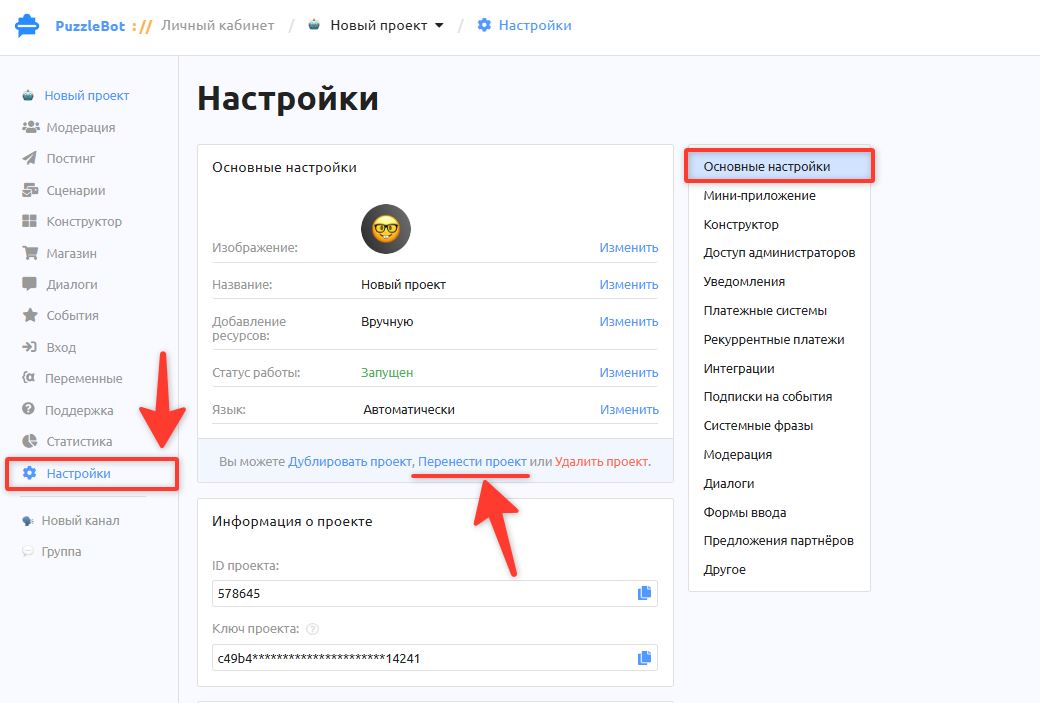
Select the Settings tab.
Click Transfer project.
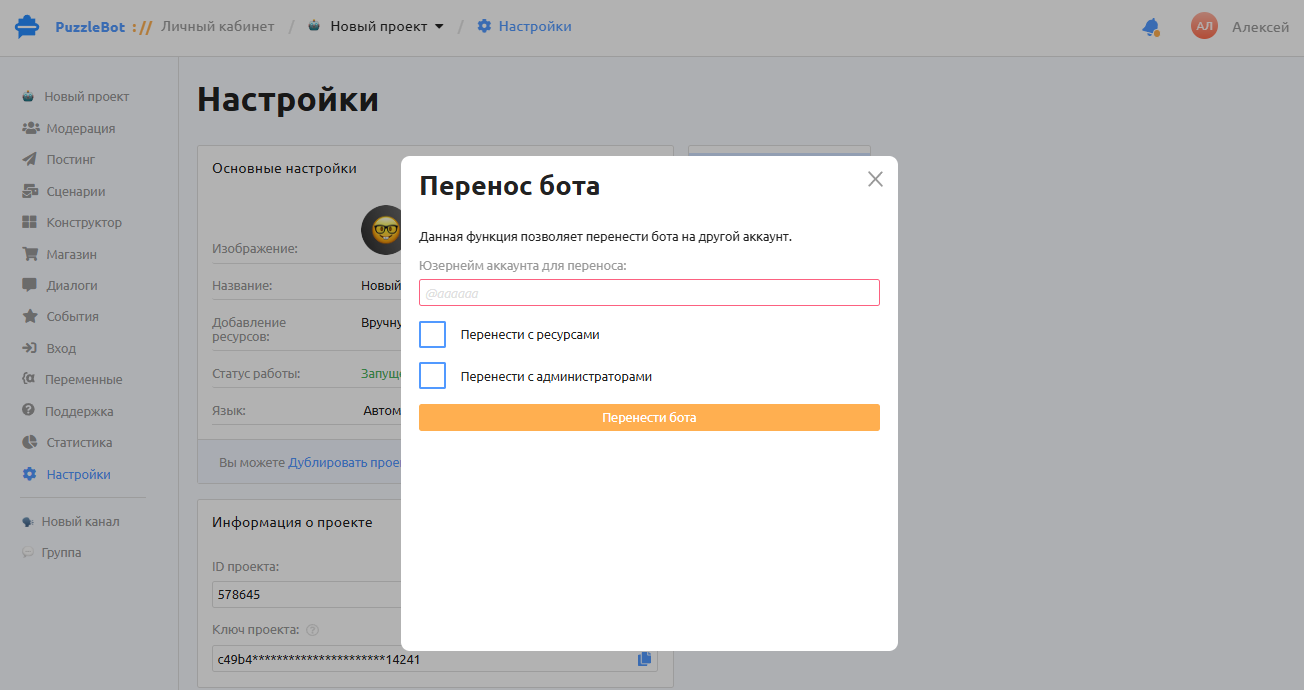
4. In the window that appears, enter the username of the user whose account you want to transfer the bot to. Check "Transfer with resources" and "Transfer with administrators" if you want the connected channels, chats and administrators to be transferred too.
Important! This user must have a puzzlebot account, and the plan on that account must have limits that fit the bot being transferred.
Duplicating a bot/project:
In your puzzlebot account, open the project.
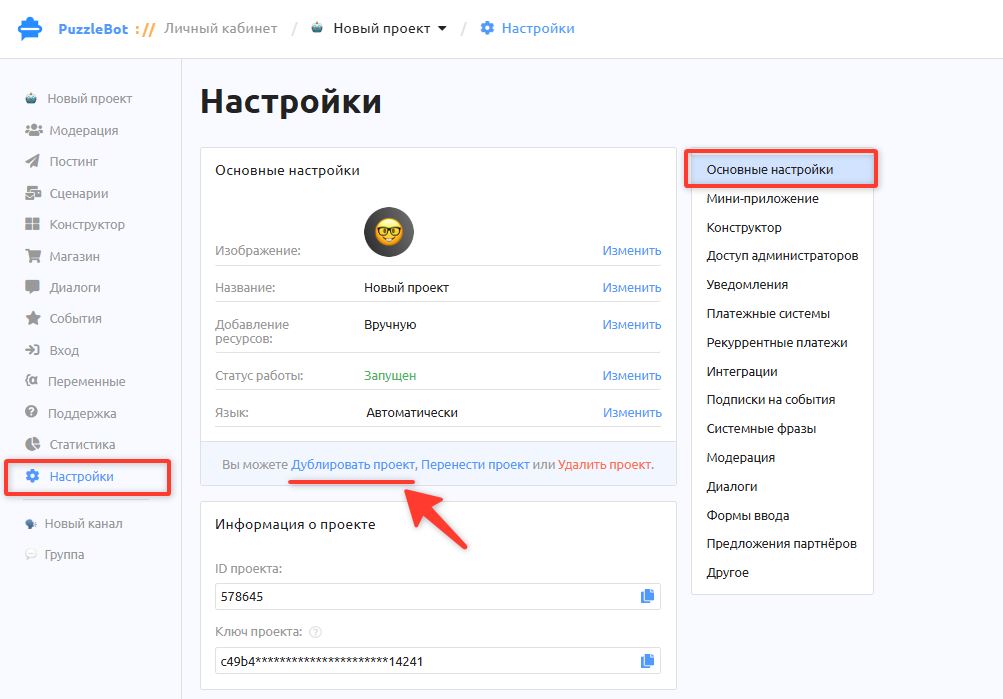
Select the Settings tab.
Click Duplicate project.
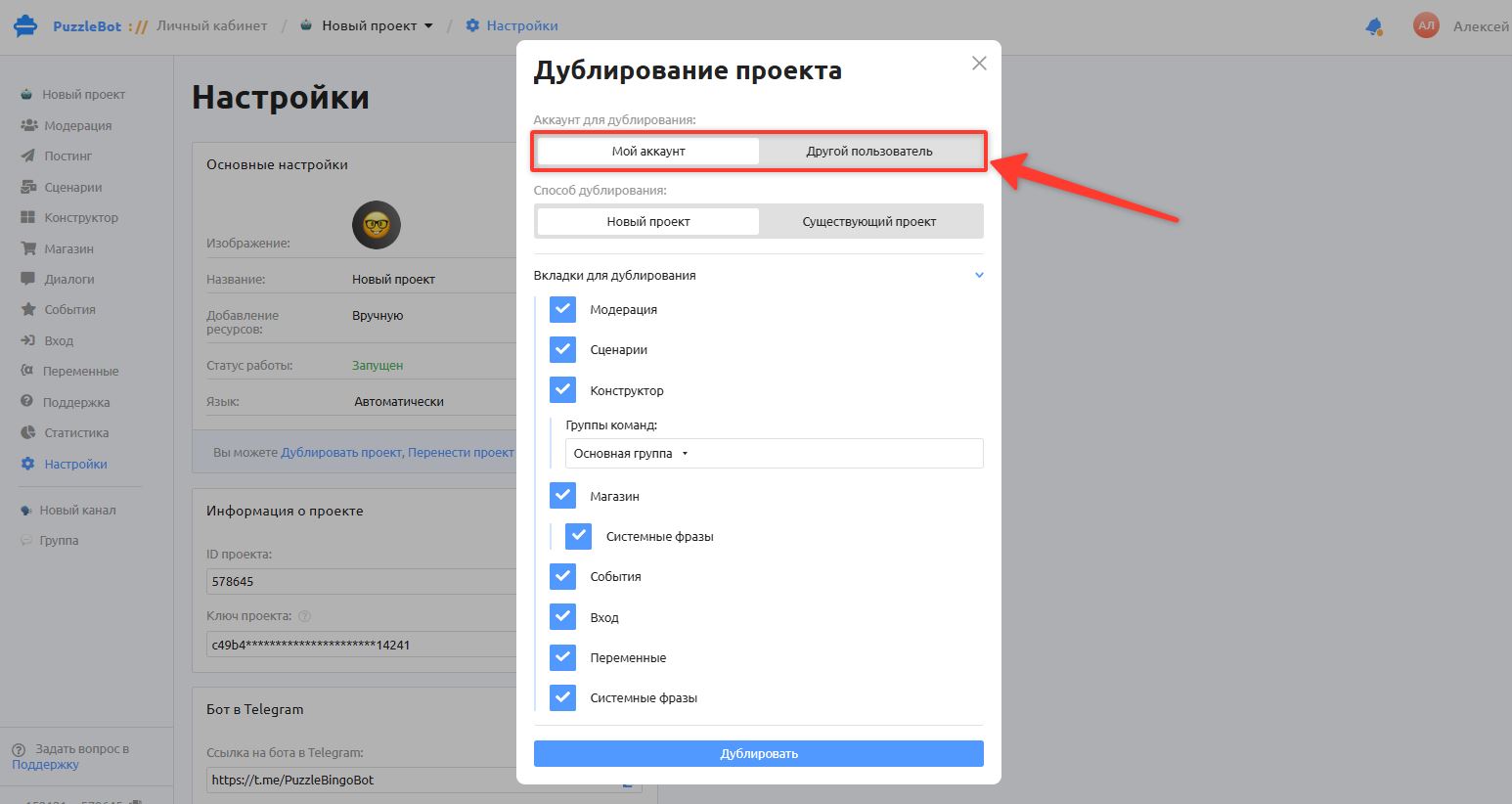
In the window that appears, choose which account to duplicate the bot to: select My account, or Another user if you want to duplicate the bot to a different puzzlebot account.
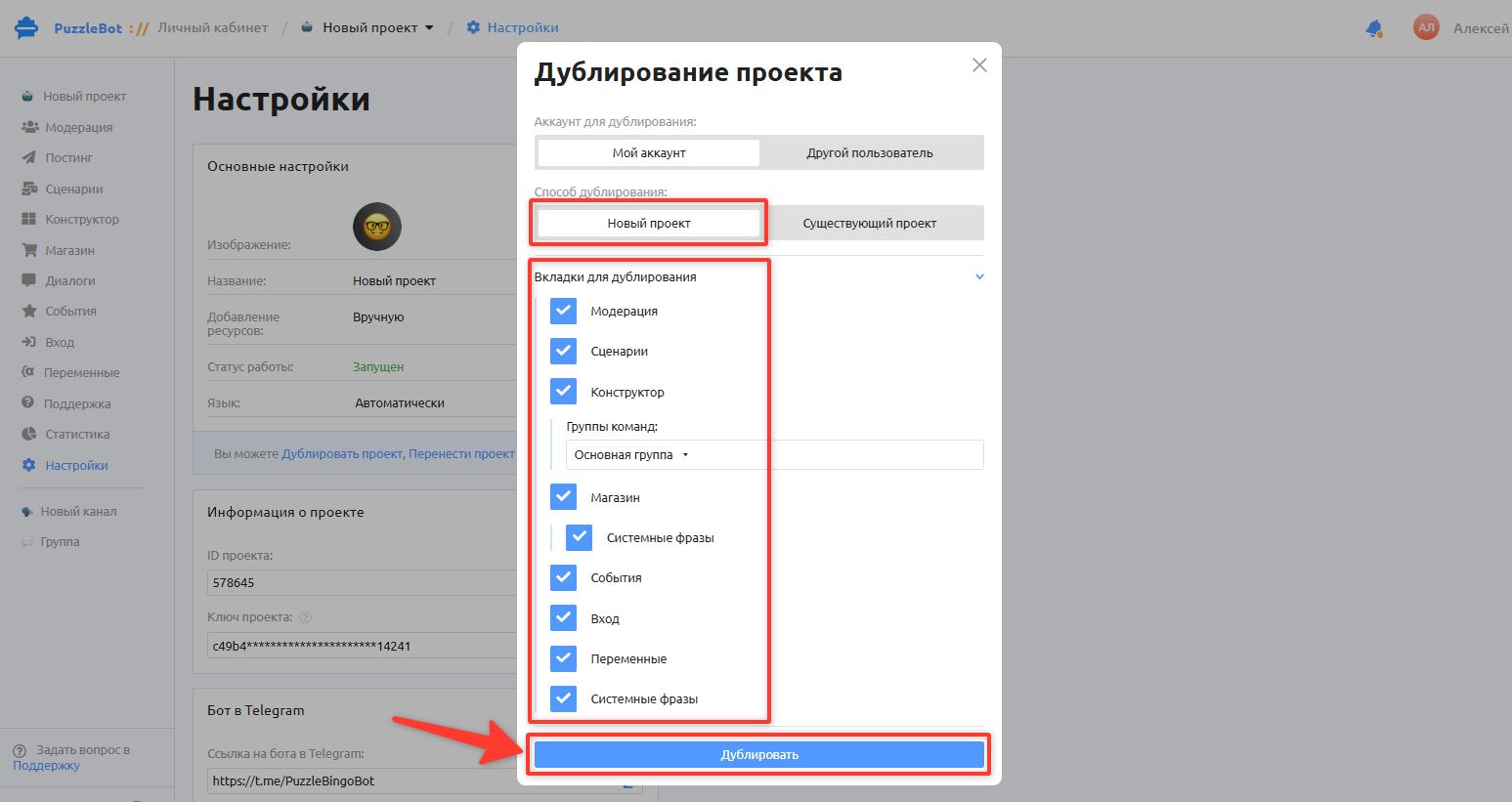
Select "New project" if you want to create a new copy of the project and connect bots later.
Select the tabs to duplicate and click "Duplicate".
• If you leave some tabs unselected, the settings in those tabs will be set to defaults.
• If you want to duplicate only the commands or some of them, select only the Constructor tab and the command group that contains the commands to duplicate.
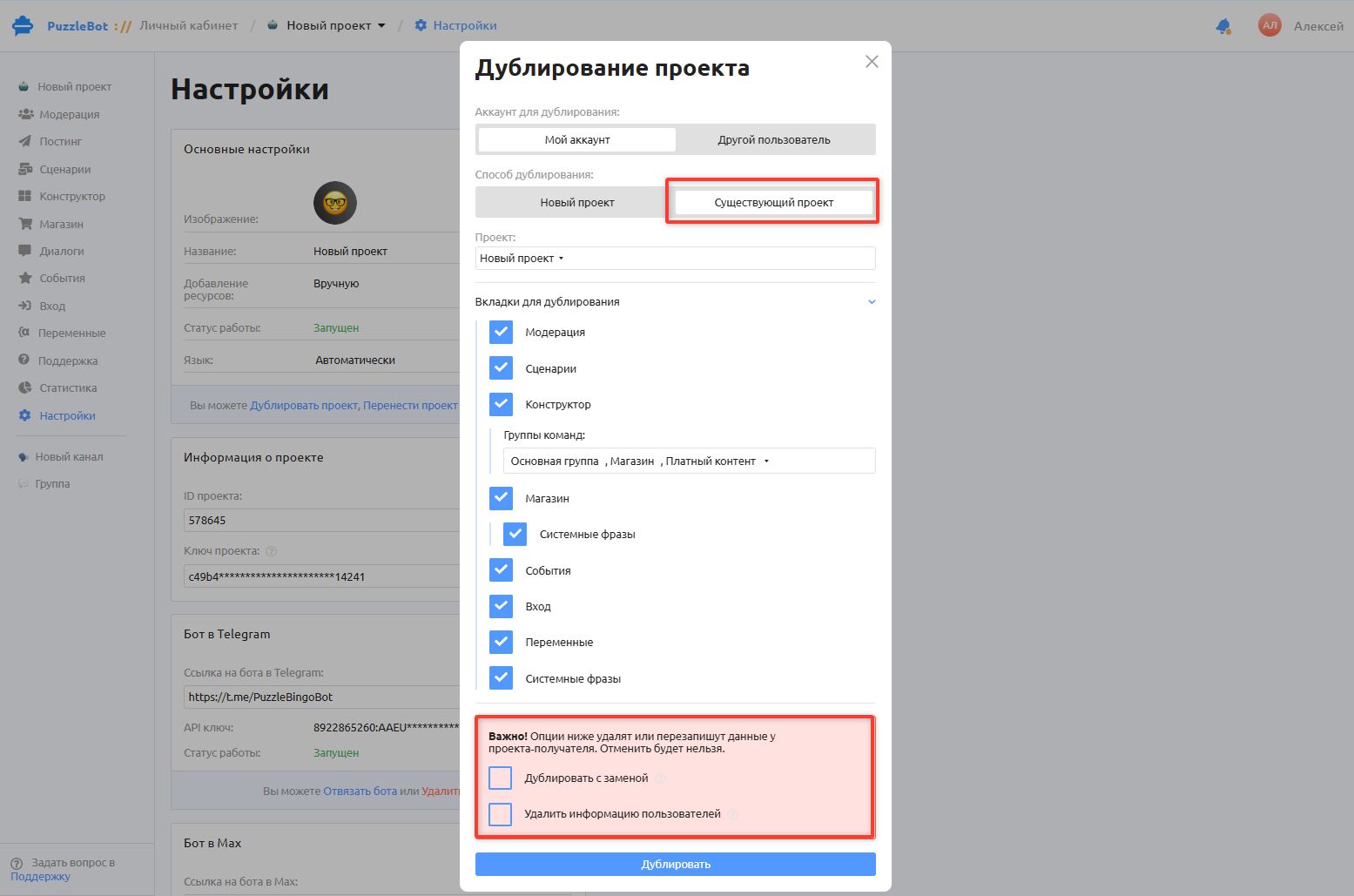
If you need to duplicate the bot into a project that already exists in your account, select "Existing project"
Important! There is a "Duplicate with replacement" setting here. Check it if you need to replace everything in the bot you are duplicating into.
For example, the existing bot already has a /start command with a configured greeting. When you duplicate with replacement, the /start command and its settings are replaced with the new /start command from the bot you duplicated. The previous settings cannot be restored.
If you leave "Duplicate with replacement" unchecked, all old commands are kept, and new duplicated commands with the same name are renamed, for example to /start2
Duplicating a project to another puzzlebot account
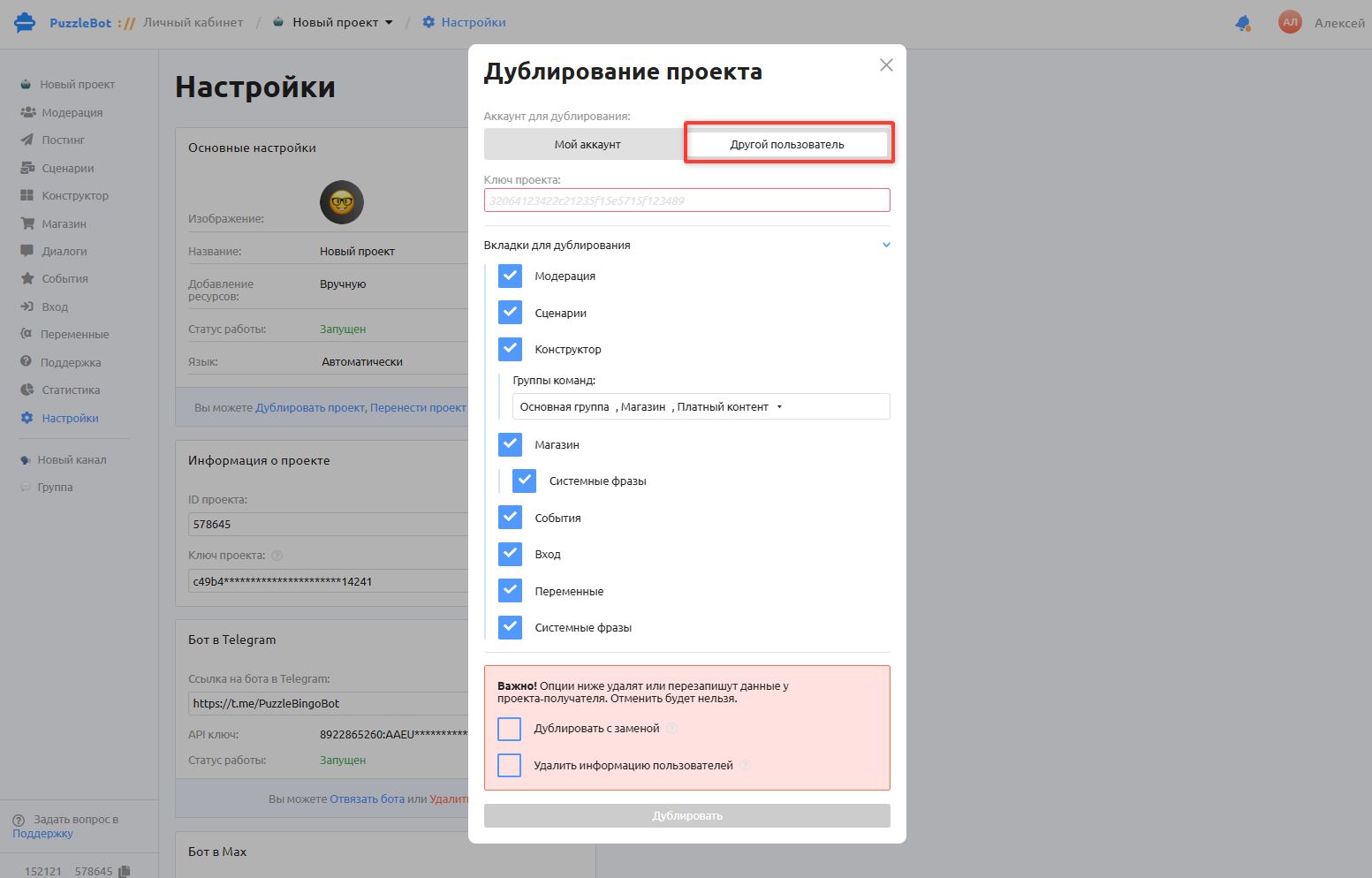
Select "Another user" and enter the key of the existing project you want to duplicate the bot into.
If the project has not been created yet, create it first and get the Project key in its settings.
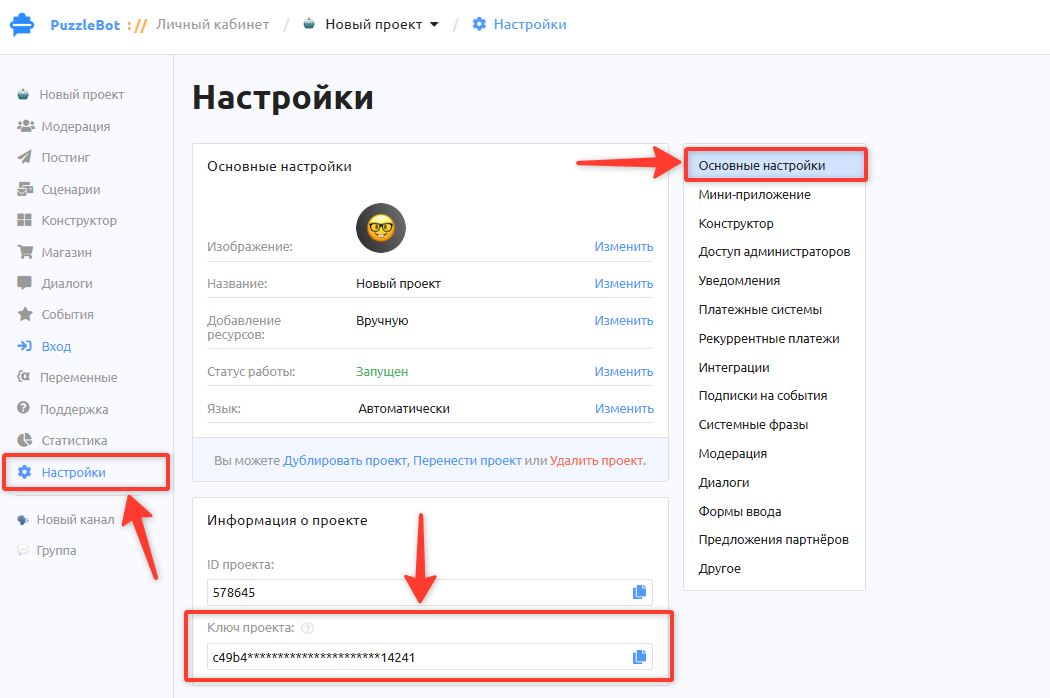
You can get the project key in Settings - General settings - Project info