To add a mini app to a Max bot, first create the bot and connect it to puzzlebot.
Learn more: How to create a new bot in Max
If you have already connected the bot to puzzlebot, follow these steps:
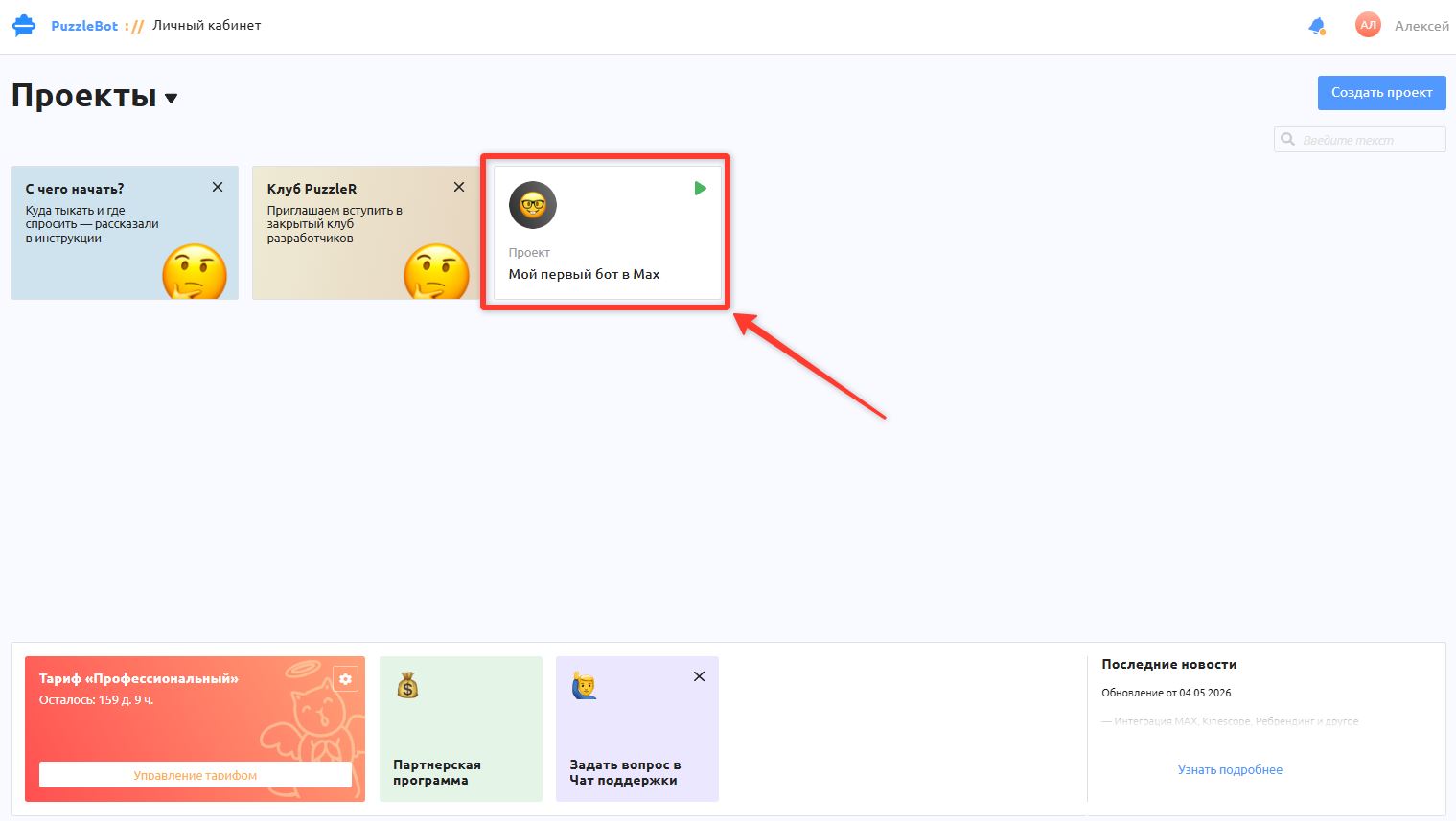
1. Open the project where you added the Max bot.
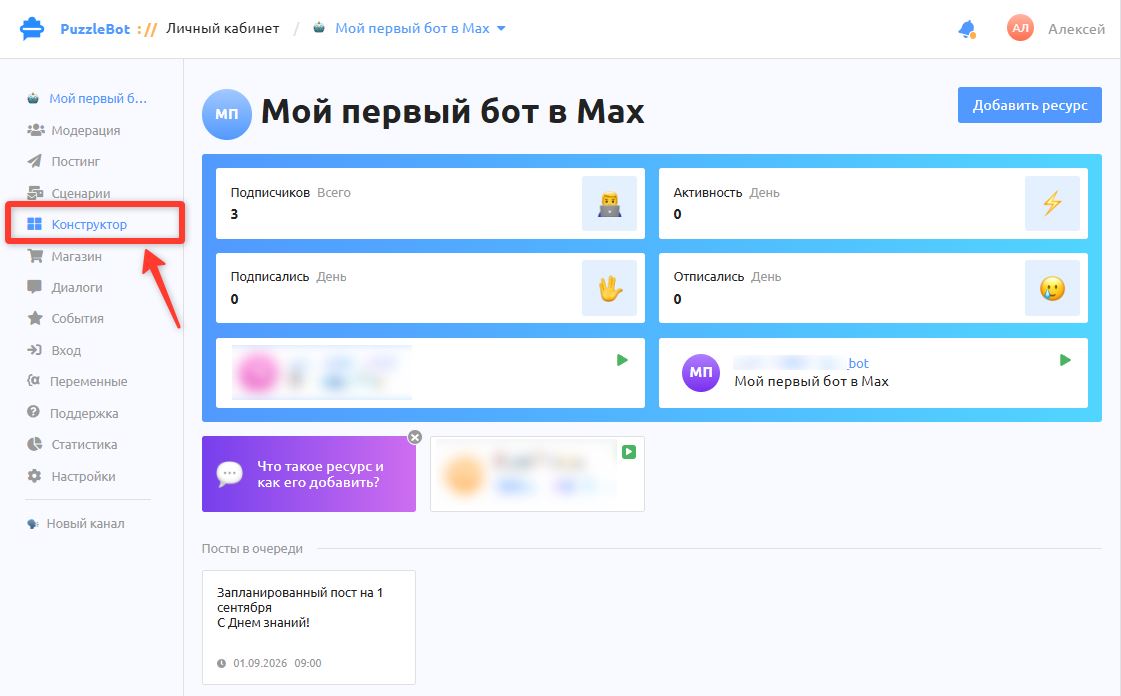
2. On the project's main page, go to the Constructor section.
![В конструкторе нажмите кнопку [+]](/api/media/file/%20%D0%92%20%D0%BA%D0%BE%D0%BD%D1%81%D1%82%D1%80%D1%83%D0%BA%D1%82%D0%BE%D1%80%D0%B5%20%D0%BD%D0%B0%D0%B6%D0%BC%D0%B8%D1%82%D0%B5%20%D0%BA%D0%BD%D0%BE%D0%BF%D0%BA%D1%83%20%5B%2B%5D.jpeg)
3. In the Constructor, click [+] → select Mini app → enter the app name in the window that appears → then publish the changes by clicking [📤] in the top left corner of the Constructor (if the button is inactive, first click an empty area of the Constructor).
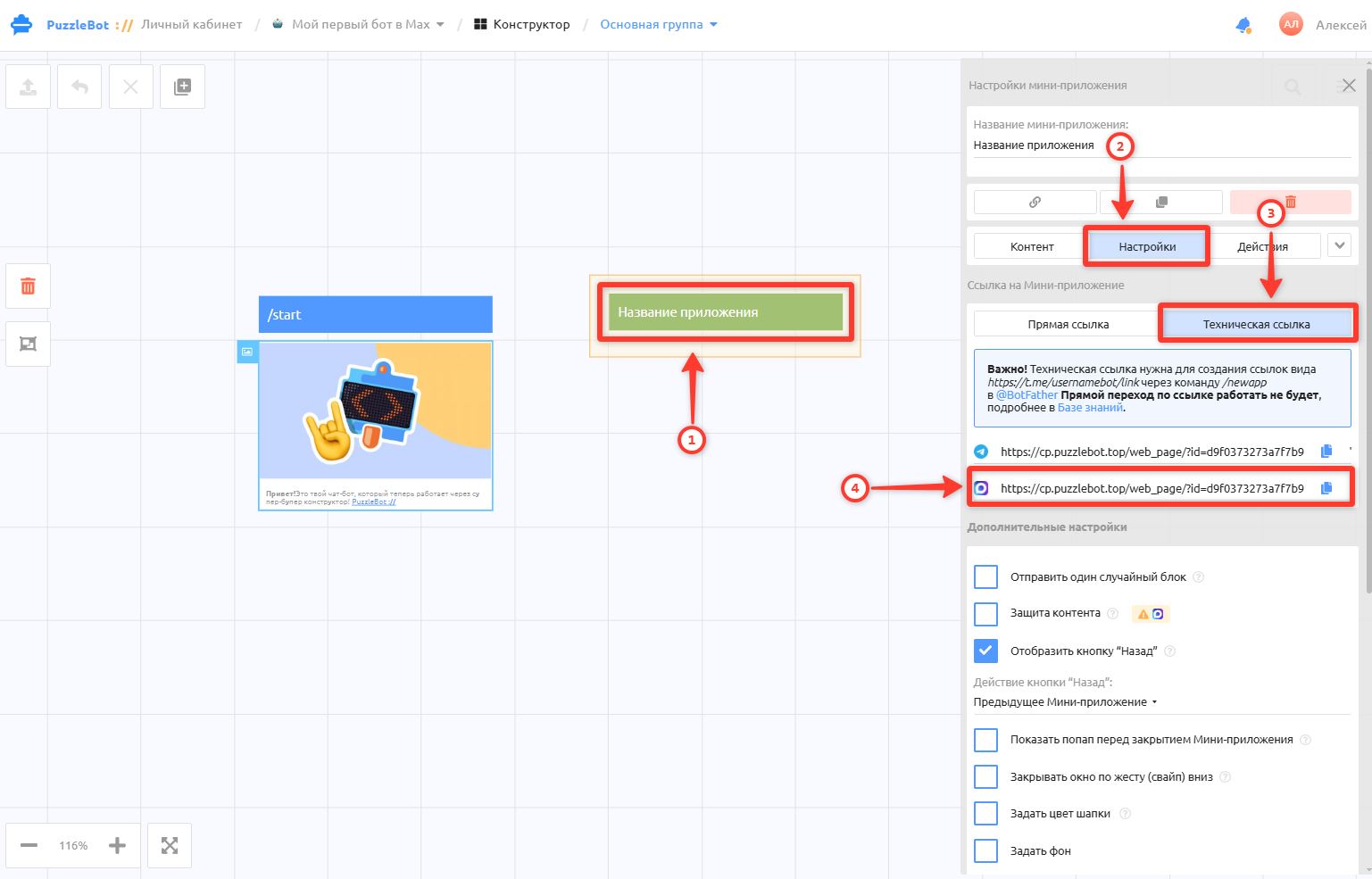
4. After publishing the changes, open the app you created again → open the Settings tab → select Technical link → copy the app link (you will enter it in your Max account).
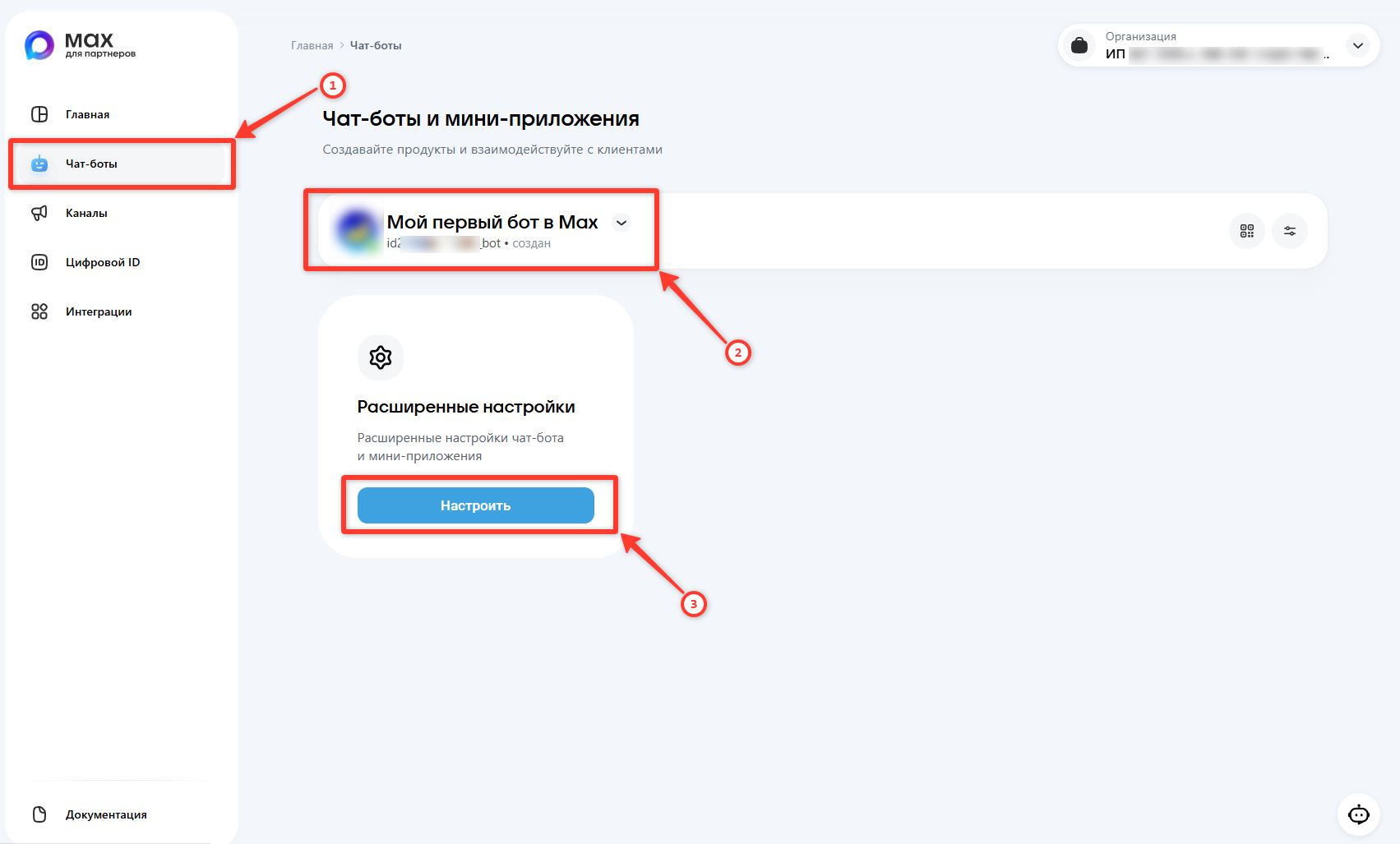
5. Go to Max - Business Portal — https://business.max.ru → select your bot → Configure
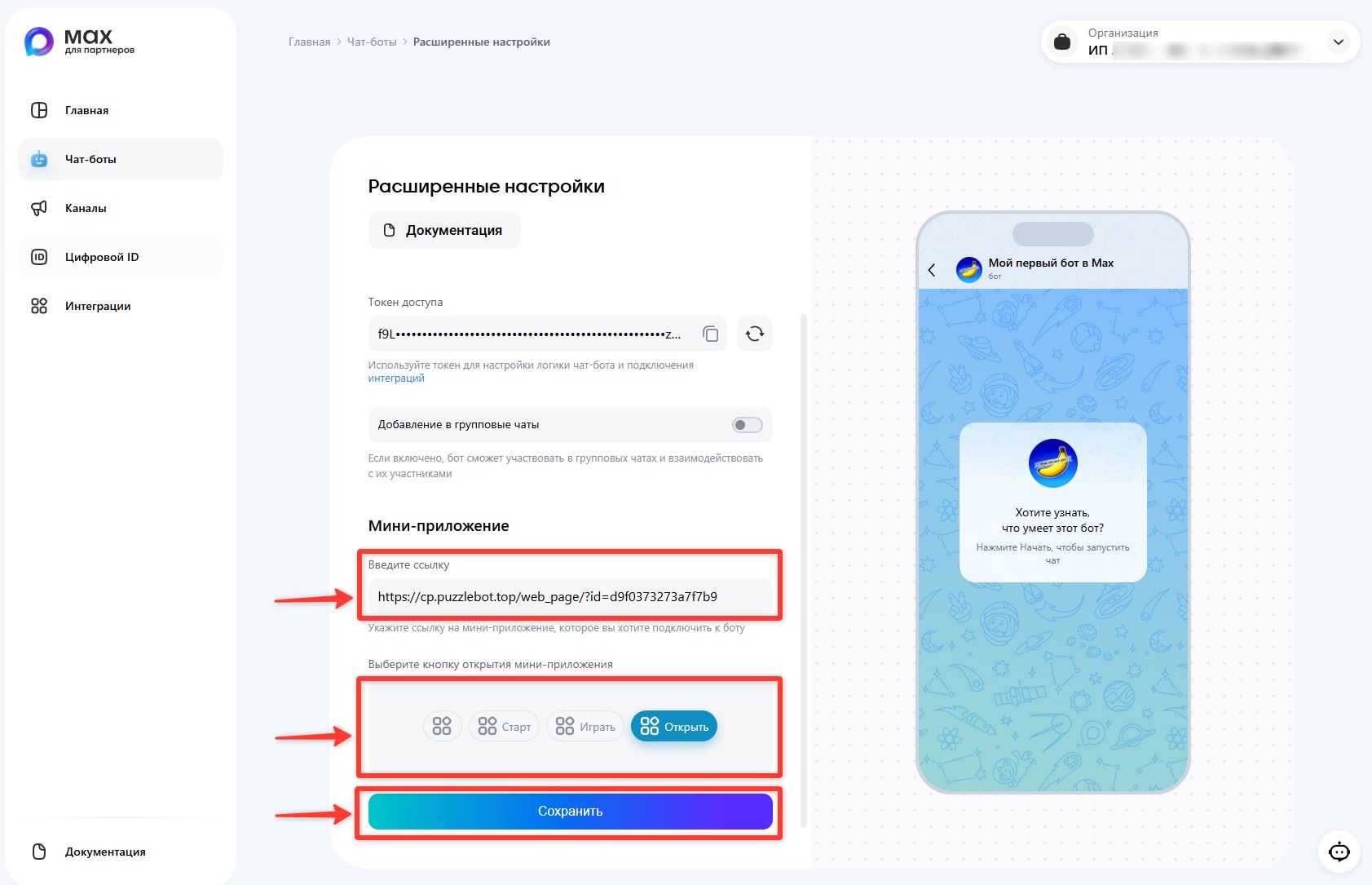
6. Paste the link into the Mini app field → select the button that opens the mini app → click Save.
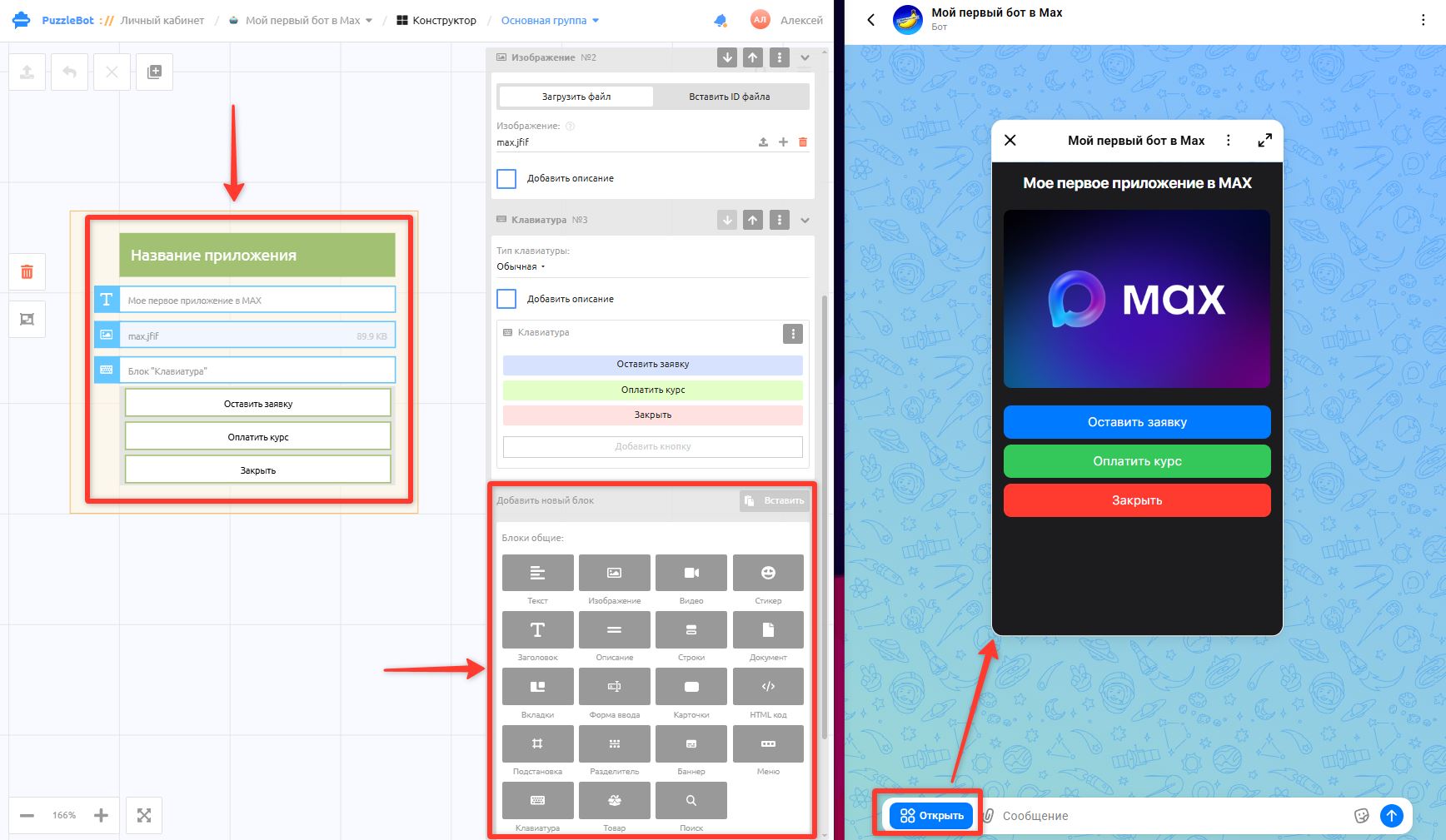
7. Go back to the Constructor and continue setting up and filling your app. In Max, the app will be available via the button in the right corner of the bot.
Great! You have created an app in Max!
You can now add features to the app and design its look. Learn more in the article:
Mini apps