This article explains how to transfer ownership of a bot to another user in Telegram via @BotFather.
Important! You can transfer a bot to another user within puzzlebot while keeping the owner role in @BotFather. To do this, open Bot settings and click Transfer bot.
Ownership can be transferred only through @BotFather.
Transfer restrictions:
Two-step verification must have been enabled at least 7 days before the transfer. The password must not change during this time.
The session you make the transfer from must be at least 24 hours old.
The user receiving the bot must message the bot and unblock it (if the user had blocked the bot).
Important! After the transfer you will no longer be able to manage the bot. The new owner will get access to messages about the bot and other data, and will even be able to delete the bot completely.
Please make sure you do not violate your users' privacy (consider GDPR and other laws).
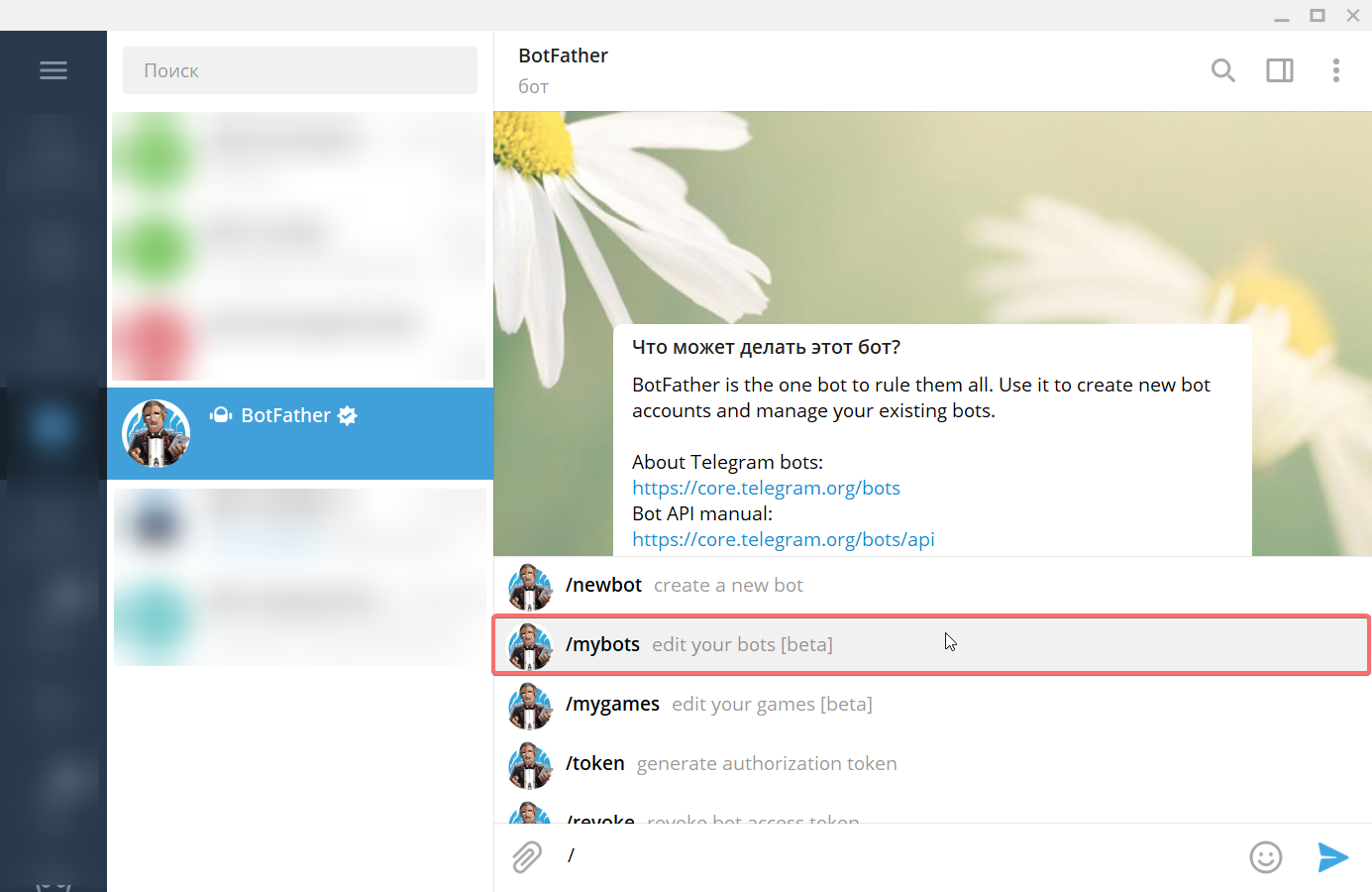
1. Open the chat with @BotFather (it must have the blue verification check mark).
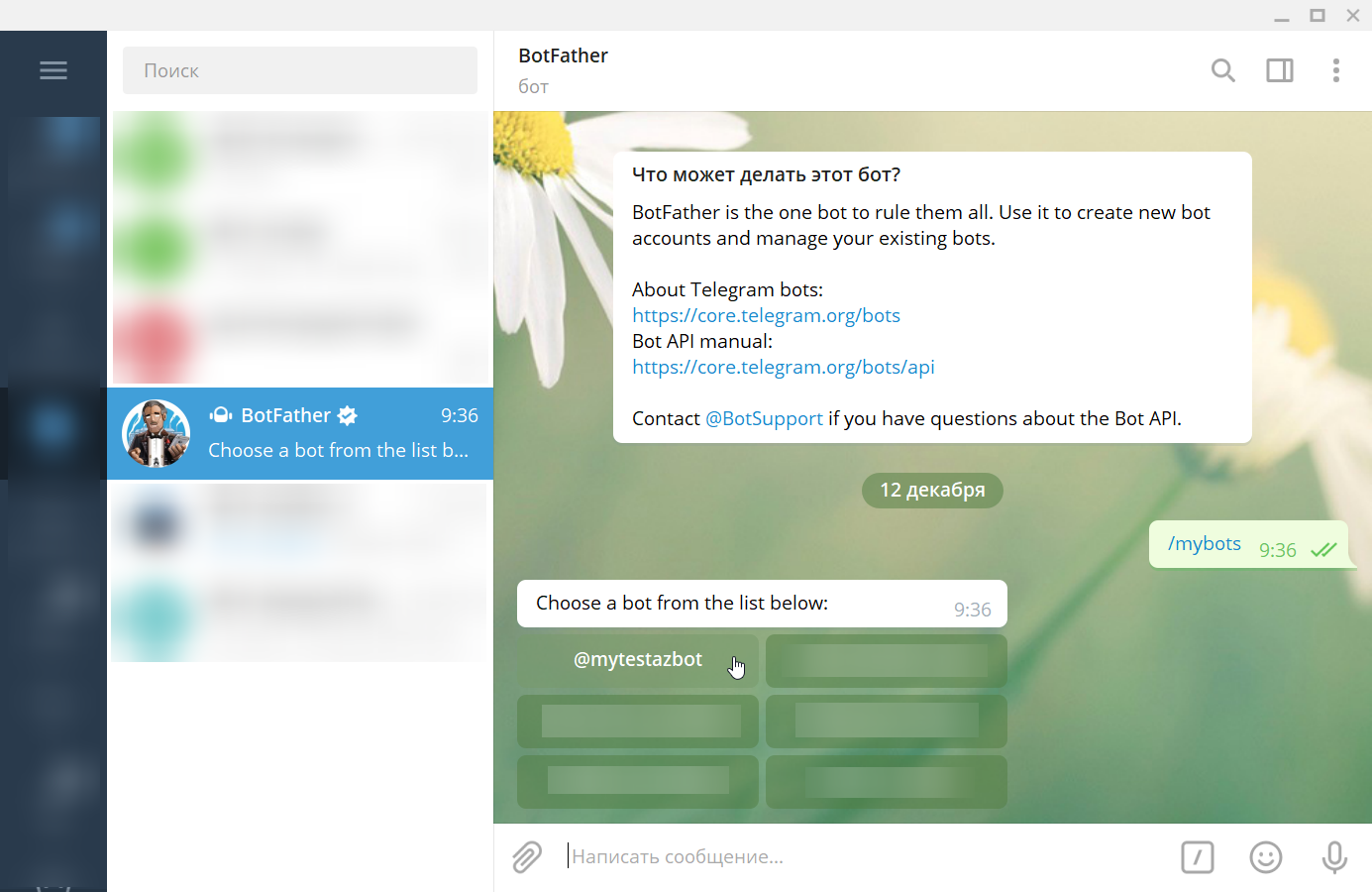
2. Use the /mybots command to request the list of your bots and select the one you need.
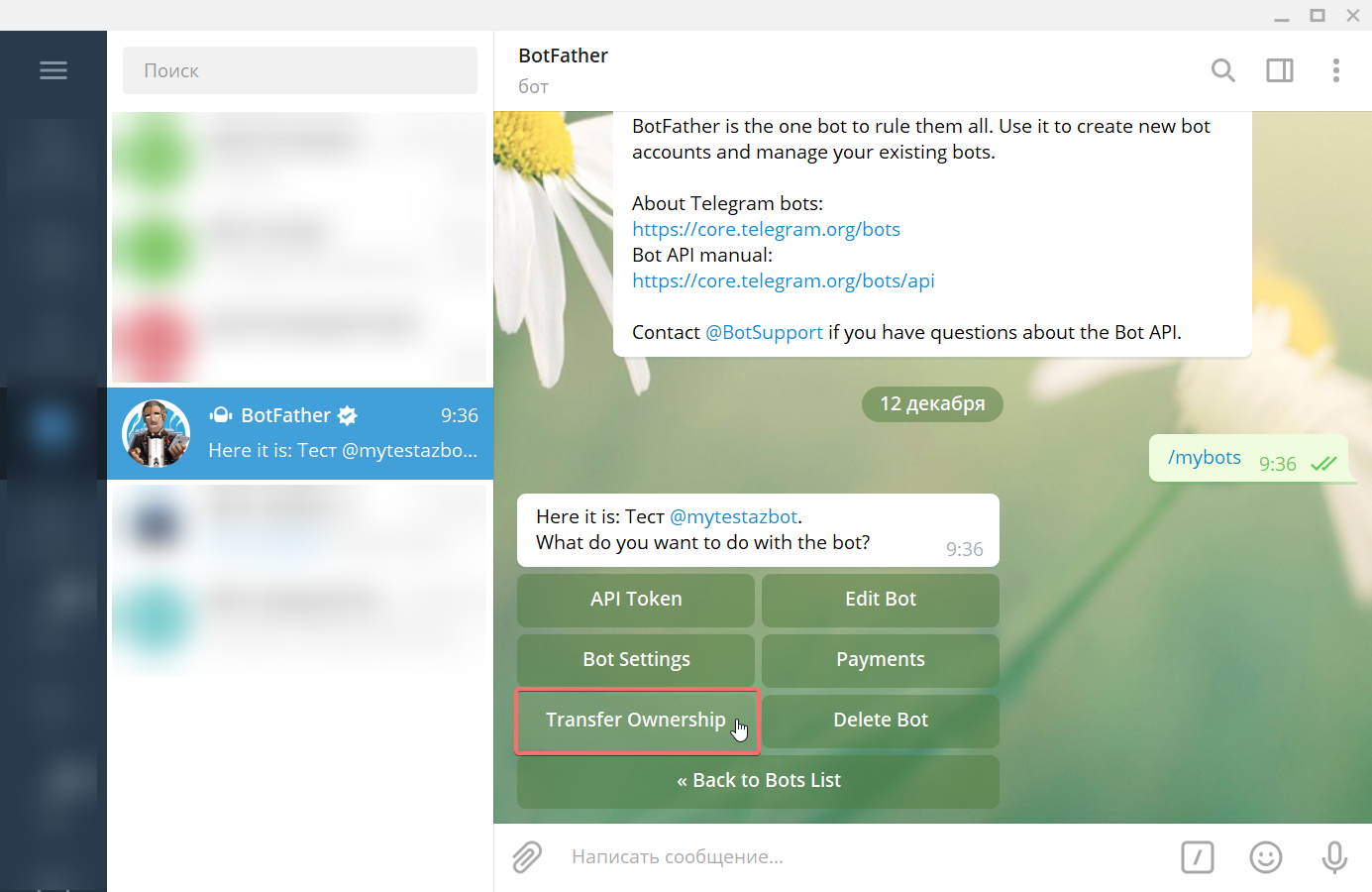
3. In the menu, tap Transfer Ownership and then Choose recipient.
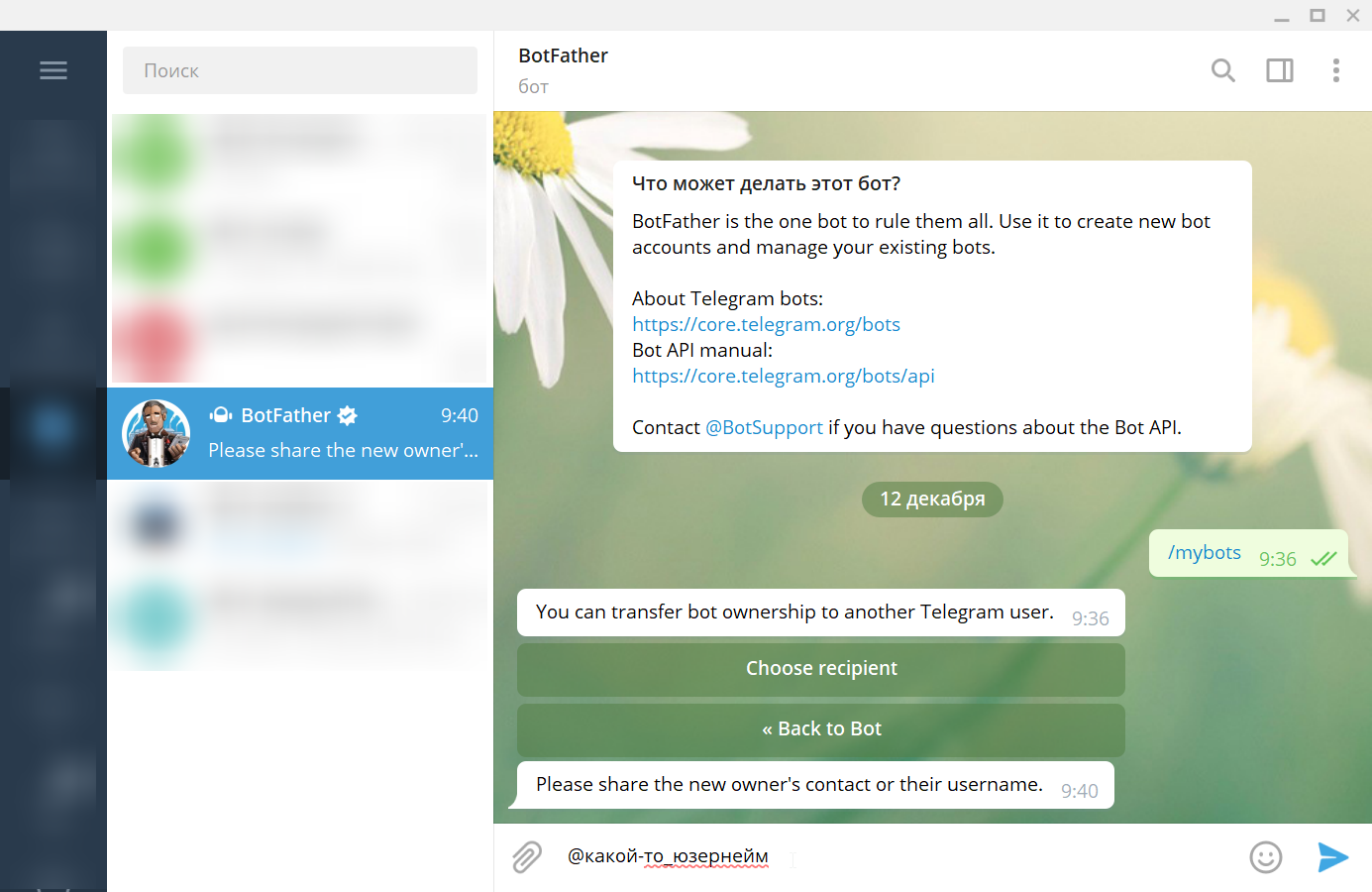
4. Send the username of the user you want to transfer ownership to in the chat.
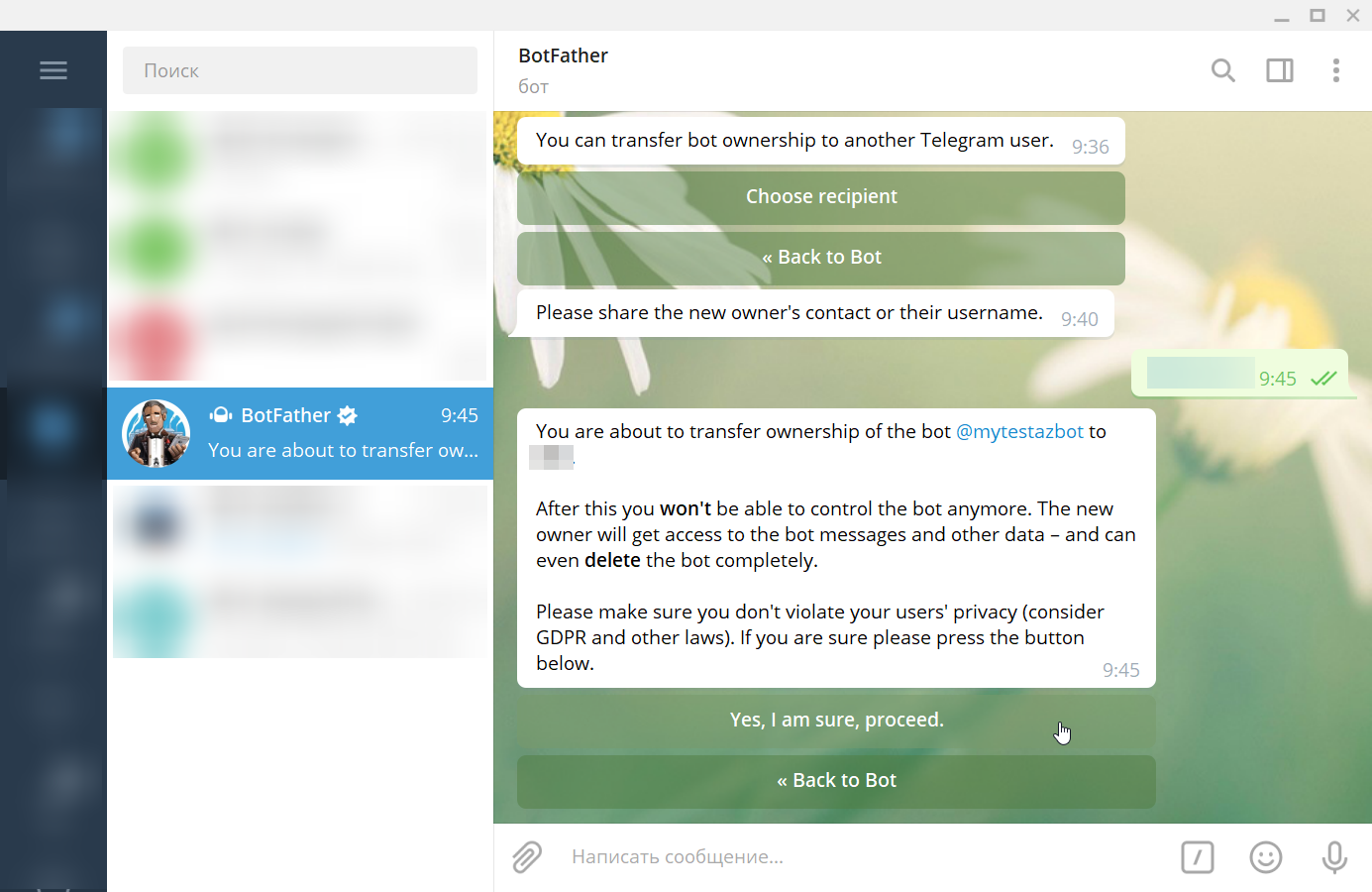
5. Confirm your action — Yes, I am sure, proceed
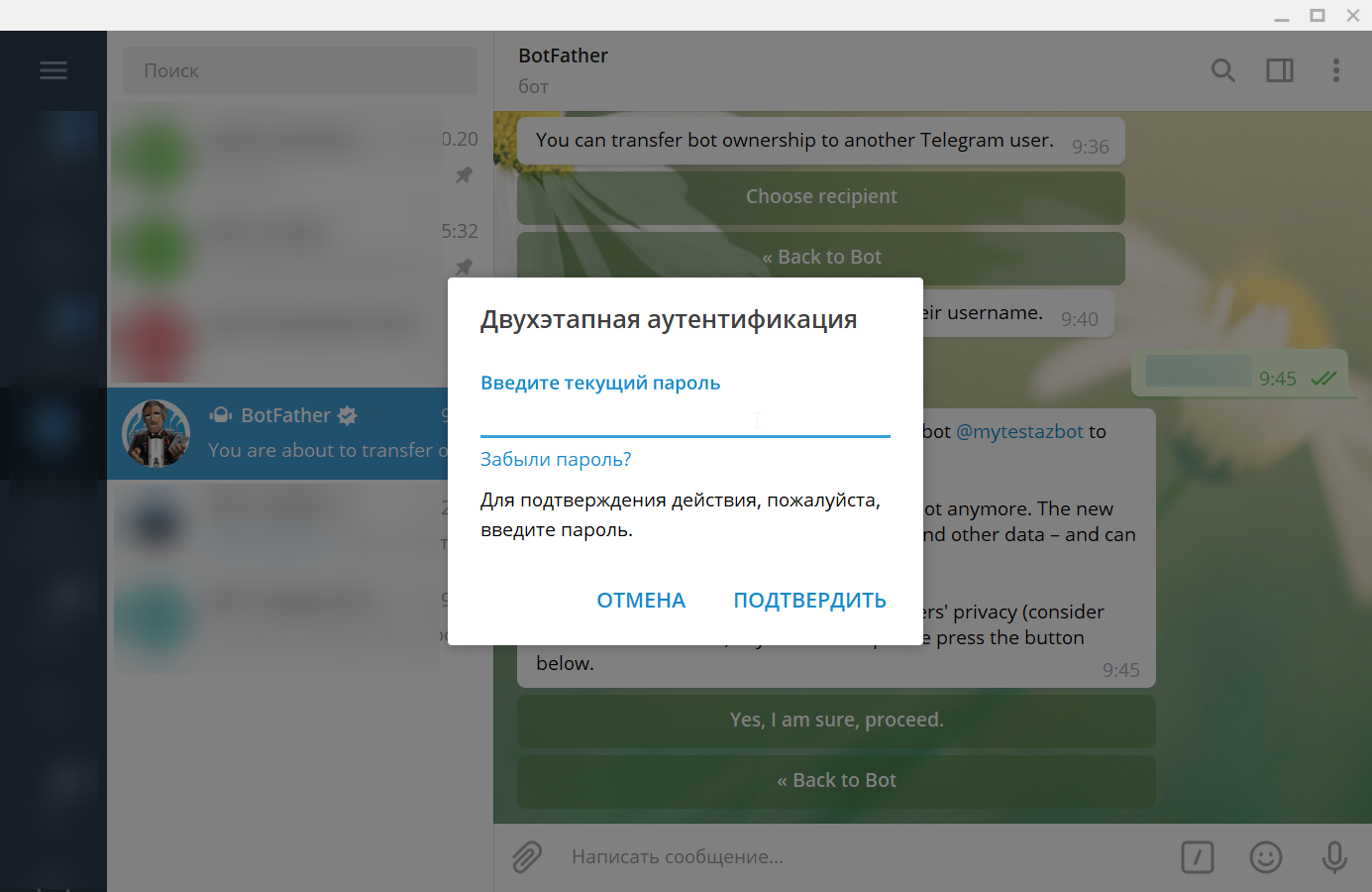
6. Complete two-step verification.
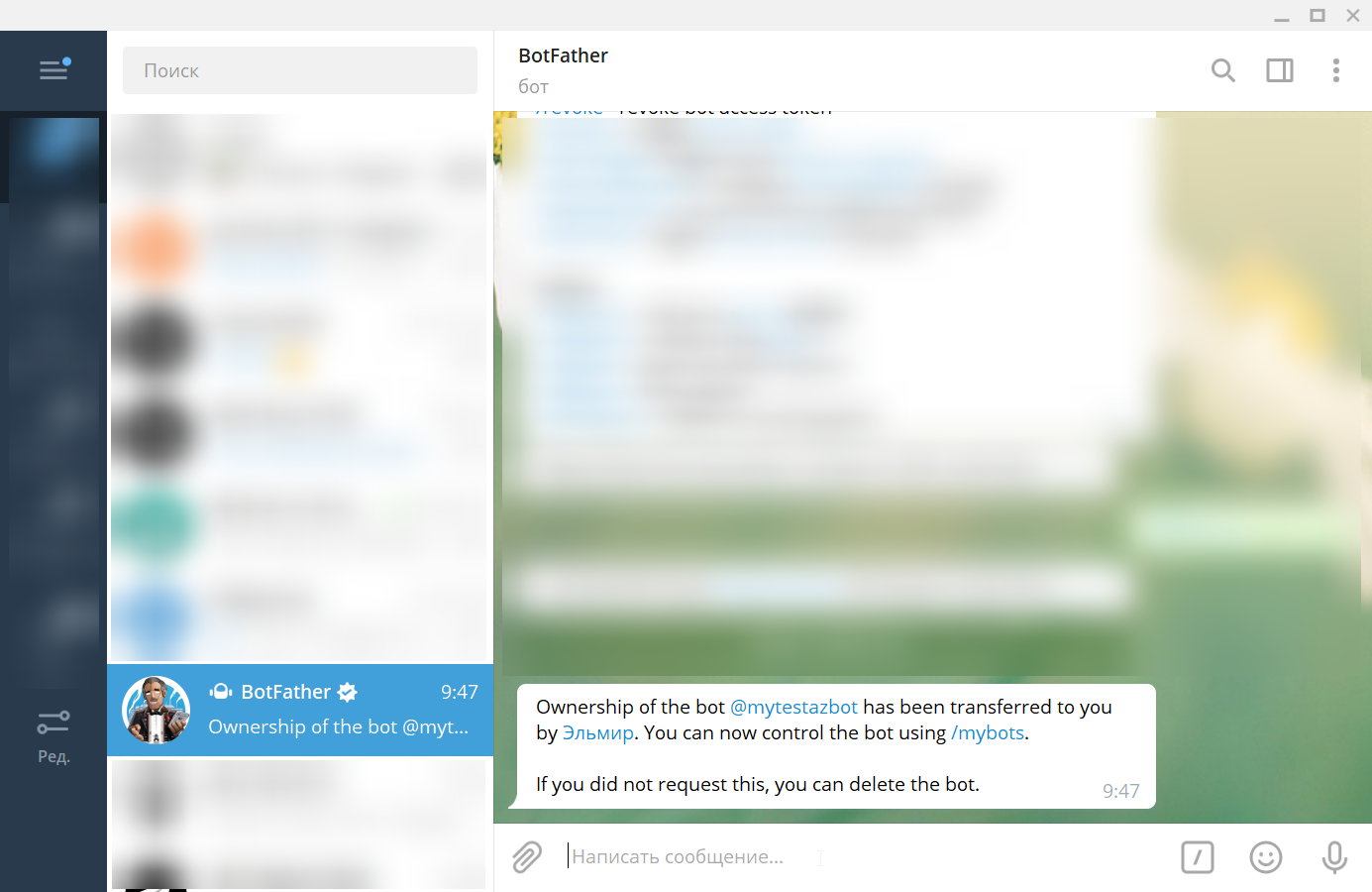
The recipient will receive a notification about it.