This article explains what categories are, how to create them, how to add users to them manually, and how to have users added to categories automatically.
Categories are groups of users created so that you can apply actions to them, for example: change permissions in a group, restrict access to commands, send a targeted broadcast and so on. You can change categories manually on the Moderation tab, or automatically by setting up the Add to category action on other tabs.
Categories group users together and are used for:
Sending posts (How to send a post to a user category and How to send a post to a bot and to resources (multiposting)).
Granting or restricting access to command groups (How to restrict access to a command group).
Changing permissions (How to change a user's permissions in a resource).
Any user can be added to several categories of a bot and a resource. If you have connected two or more resources to the bot, the user can have a different category in each resource.
The "No category" value is essentially a category too. It is applied by default to all new subscribers.
This article has three parts:
Creating a category — working with the Moderation tab.
Adding to a category — how the functions that replace, add or remove categories work.
Checking a category — how the functions that check whether a user is in given categories work.
Creating categories
For more on working with categories, watch the video overview of the Moderation tab:
To create a category:
Go to the bot or resource you need and open the Moderation tab.
Click the plus button in the top right corner and enter a name for the new category.
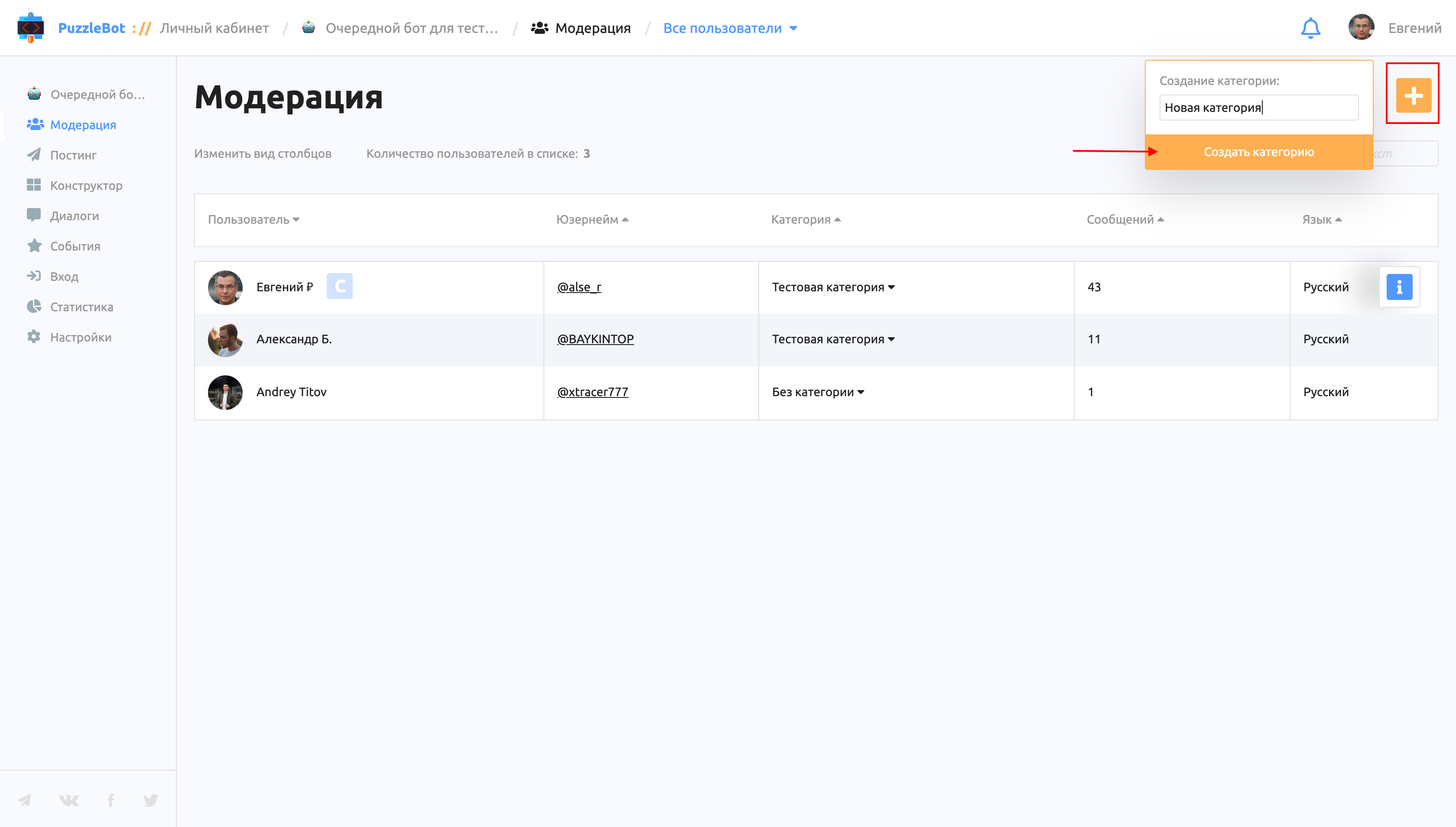
Done! You have created a new category, but there are no users in it yet.
To add users to a category:
Go to the bot or resource you need and open the Moderation tab.
Hover over the user you need and click No category in the Category column.
Select the category you need and save the changes.
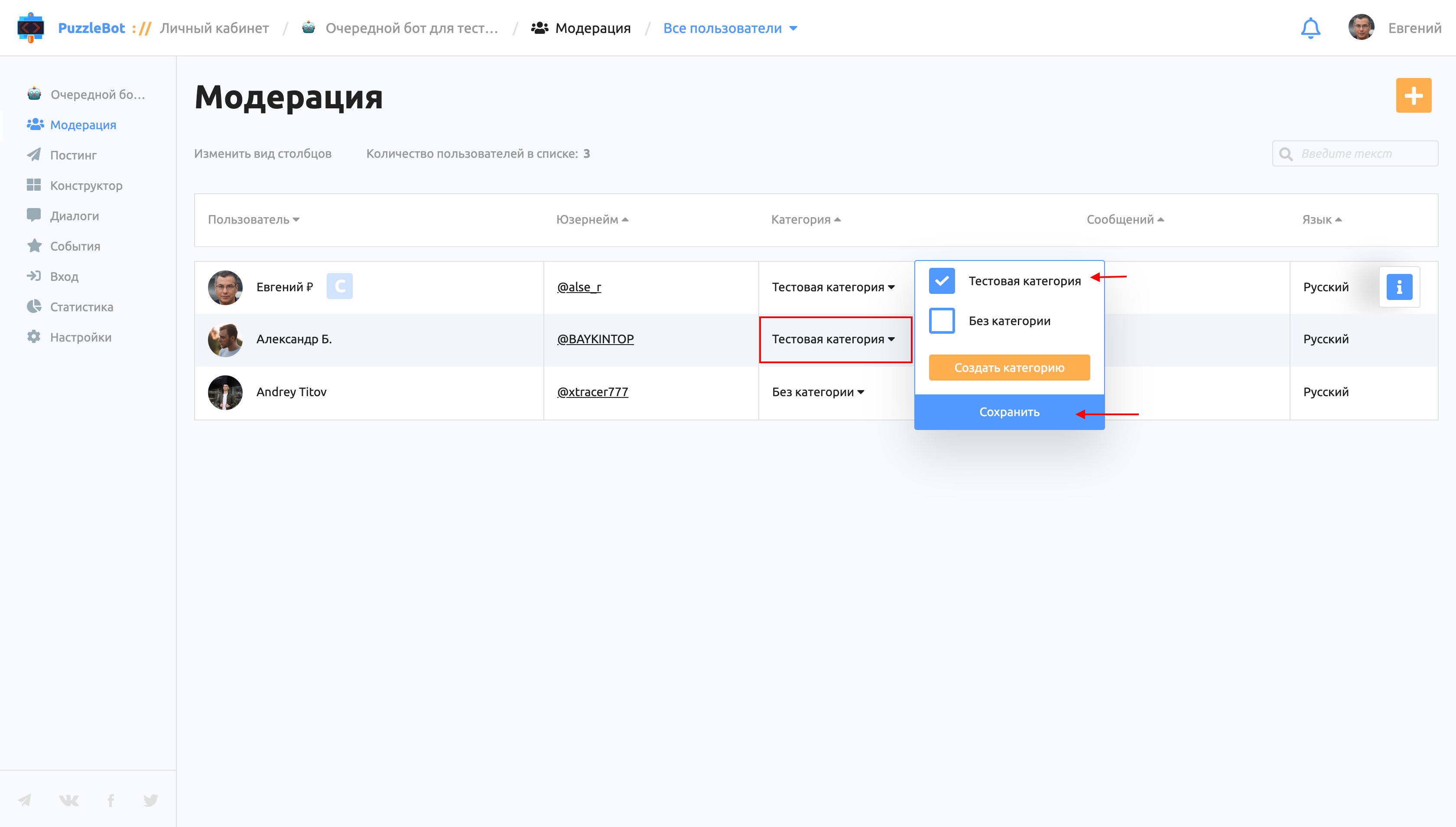
Adding a category
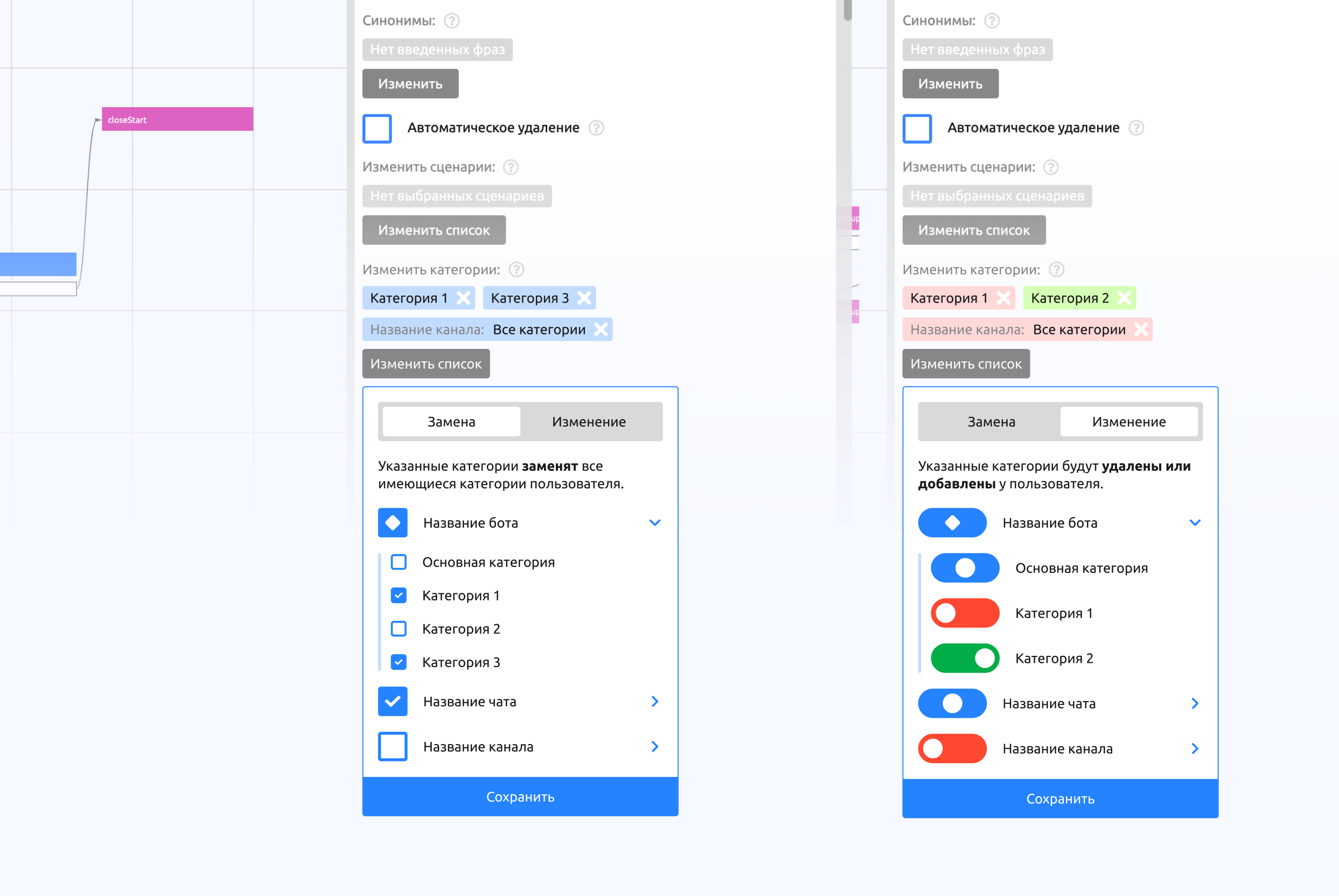
Let's look at the updated dropdown of the "Change categories" action in the command settings. The administrator can choose between two methods: Replace and Change.
Replace replaces all categories assigned to the user with the ones specified in the command.
For example: a user is in the "Newbie" and "Moscow" categories. The bot administrator set up adding to the "Paid" category and chose the Replace method. When the command is called, the user's two previous categories, "Newbie" and "Moscow", are replaced with the single new one, "Paid".
Change changes only the specified categories: it can add them to the user or remove them.
For example: a user is in the "Newbie" and "Moscow" categories. The bot administrator set up adding the "Paid" category and removing the "Newbie" category, and chose the Change method. When the command is called, the "Paid" category is added to the user, the "Newbie" category is removed, and the "Moscow" category stays unchanged.
Checking a category
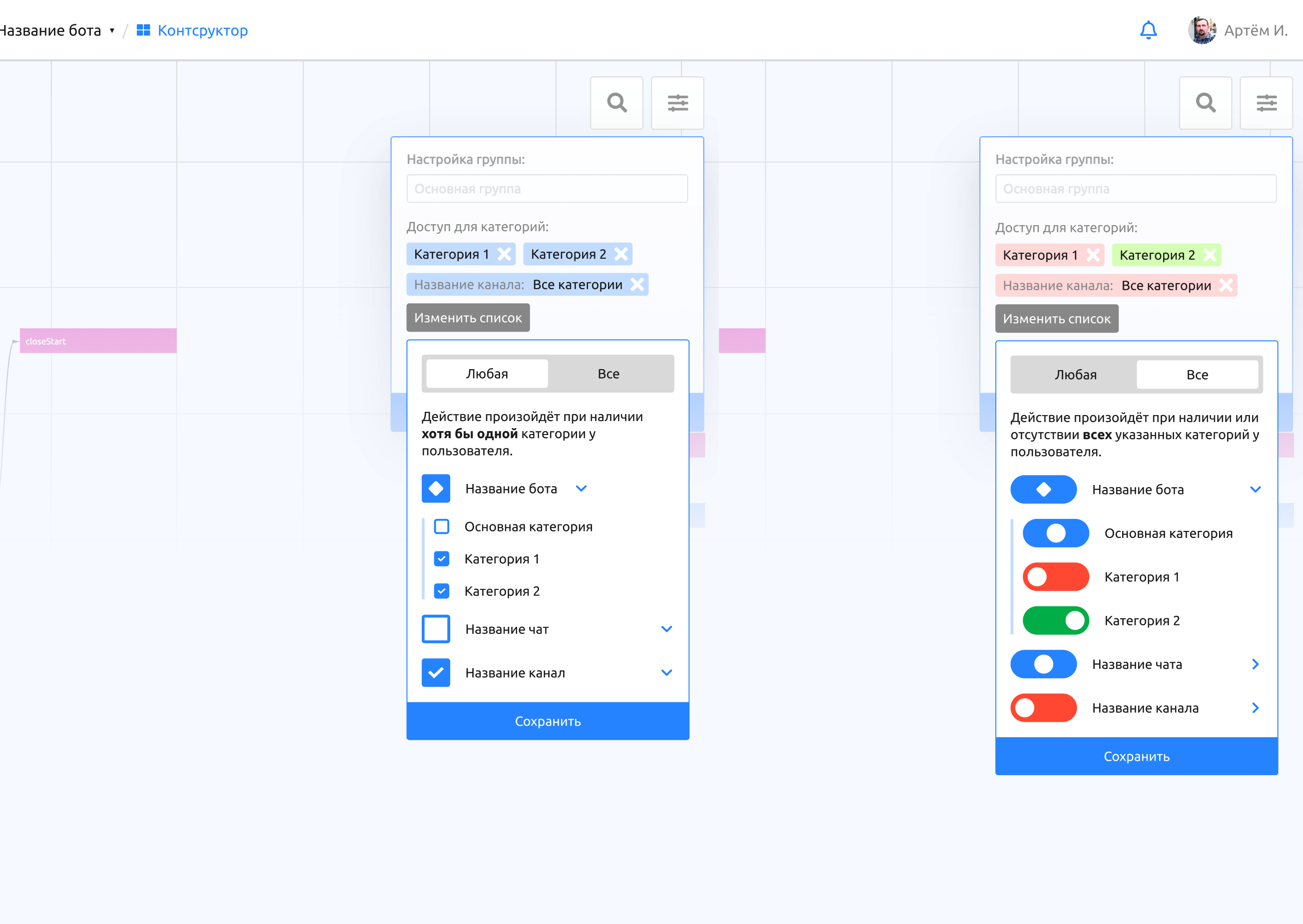
Let's look at the updated dropdown in the command group settings. The administrator can choose between two methods: Any and All.
Any checks that the user has at least one of the listed categories.
For example: a command group is accessible to the "Moscow" and "Paid" categories. If a user with the "Newbie" and "Moscow" categories tries to call a command, it works, because the user is in the "Moscow" category.
Another example: there are four users: Sasha with category "1", Anya with category "2", Misha with category "3", and Ksyusha with categories "1" and "2". If access to the command group is set up for categories 2 and 3 and the selected method is Any, then Anya, Misha and Ksyusha can call the commands.
All checks both the presence and the absence of all listed categories.
For example: a command group is accessible to users who are in the "Newbie" category but not in the "Paid" category. If a user with the "Newbie" and "Moscow" categories tries to call a command, it works, because the user is in the "Newbie" category and not in the "Paid" category.
Another example: there are four users: Sasha with category "1", Anya with category "2", Misha with category "3", and Ksyusha with categories "1" and "2". If access to the command group is set up for users who have category 2 but do not have category 3, and the selected method is All, then Anya and Ksyusha can call the commands.
Important! If a user has several categories with different permissions in a resource, for example category 1 allows sending messages and category 2 forbids it, the user can send messages. In other words, enabled permissions take priority over disabled ones.